
Chevrolet Sonic Repair Manual: Fuel Tank Filler Pipe Replacement (Steel Tank)
- Removal Procedure
-
- Remove the fuel filler door housing. Refer to Fuel Tank Filler Door Latch Housing Replacement.
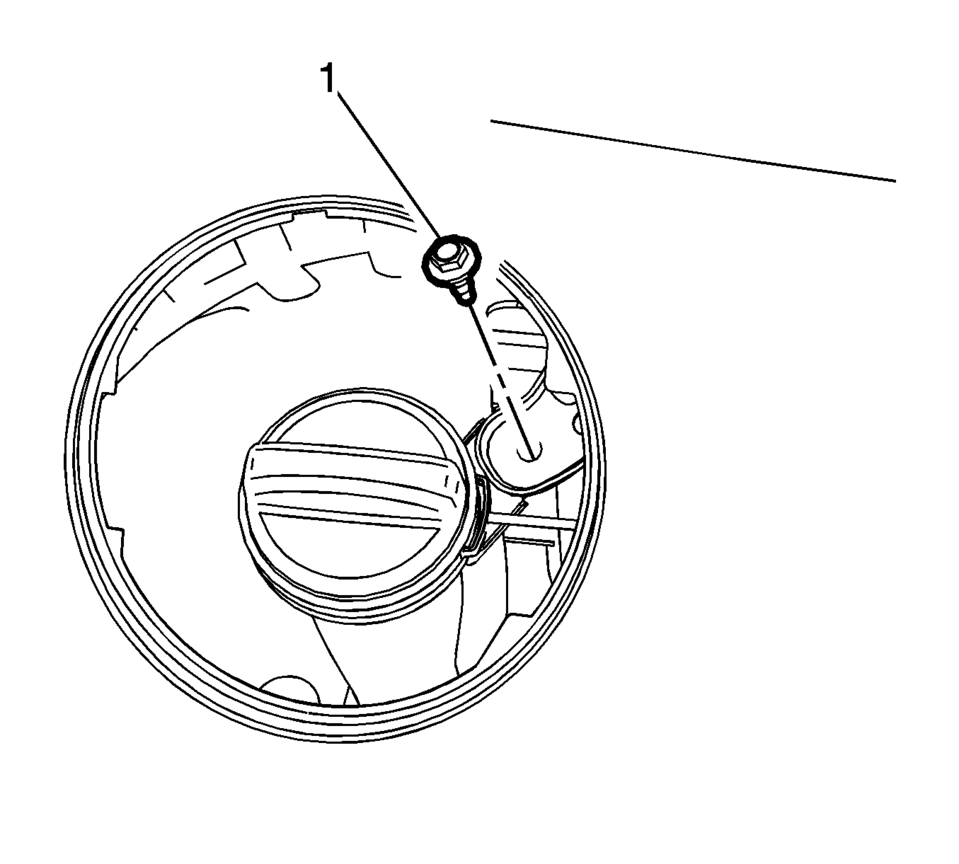
- Remove the bracket fastener (1).
- Lift and support the vehicle. Refer to Lifting and Jacking the Vehicle.
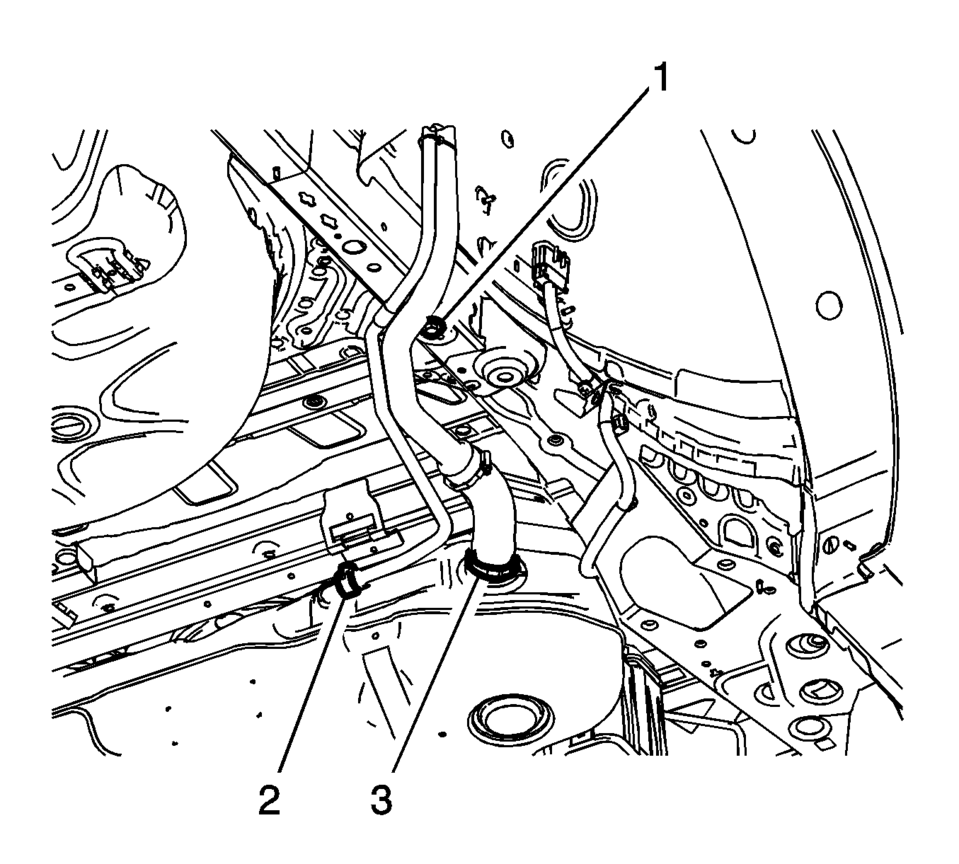
- Remove the fuel tank filler pipe bracket fastener (1).
- Remove the vent hose clamp (2) and vent hose.
- Loosen the filler pipe hose clamp (3).
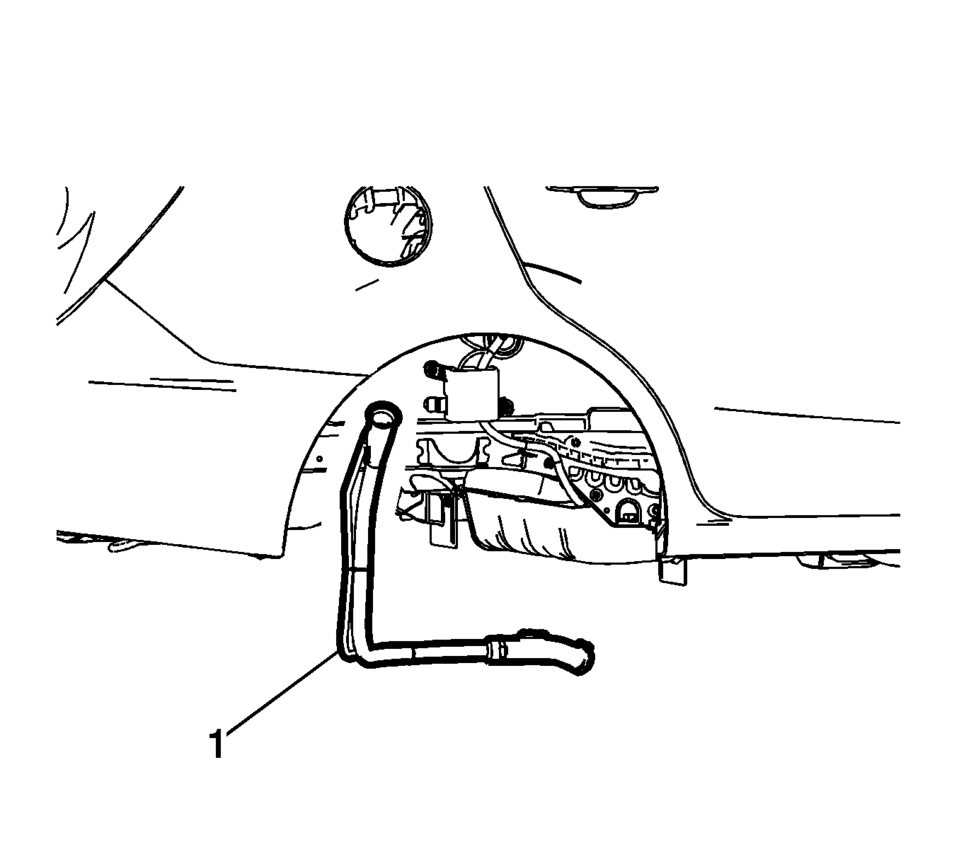
- Remove the fuel tank filler pipe (1).
- Installation Procedure
-
- Install the fuel tank filler pipe (1).
- Tighten hose clamp (3) to 4 Y(35 lb in)
.
- Install the vent hose clamp (2) and vent hose.
- Tighten the filler pipe bracket fastener (1) to 9 Y(89 lb in)
.
- Install the bracket fastener (1) and tighten to 9 Y(89 lb in)
.
- Install the fuel filler door housing. Refer to Fuel Tank Filler Door Latch Housing Replacement.
Caution:
Refer to Fastener Caution.
 Fuel Tank Filler Pipe Replacement
Removal Procedure
Remove the bracket fastener (1).
Lift and support the vehicle. Refer to Lifting and Jacking the Vehicle.
Remove the fuel tank filler pipe ...
 Fuel Injector Replacement
Fuel Injector Replacement
Callout
Component Name
Preliminary Procedure
Disconnect battery negative cable. Refer to Battery Negative ...
Other materials:
Front Side Door Window Regulator Replacement
Front Side Door Window Regulator Replacement
Callout
Component Name
Warning: Refer to Glass and Sheet Metal Handling Warning.
Preliminary Procedure
Remove the front side door window from the guide. Do Not remov ...
Front Side Door Window Regulator Motor Replacement
Front Side Door Window Regulator Motor Replacement
Callout
Component Name
Warning: Refer to Glass and Sheet Metal Handling Warning.
Preliminary Procedure
Remove the front side door window regulator. Front Side ...
4WD shift switch
Example
Select the appropriate 4WD mode in the Nissan Armada by shifting the 4WD
switch to AUTO, 4H, or 4L (if equipped), depending on current road and driving
conditions. This flexibility allows the Nissan Armada to adapt to both on-road
and off-road environments.
When AUTO mode ...

0.009