
Chevrolet Sonic Repair Manual: Parking Brake Lever Replacement
- Removal Procedure
-
- Remove the front floor console. Refer to Front Floor Console Replacement.
- Ensure that the park brake lever is in the fully released position.
- Disconnect the electrical connector from the park brake warning lamp switch.
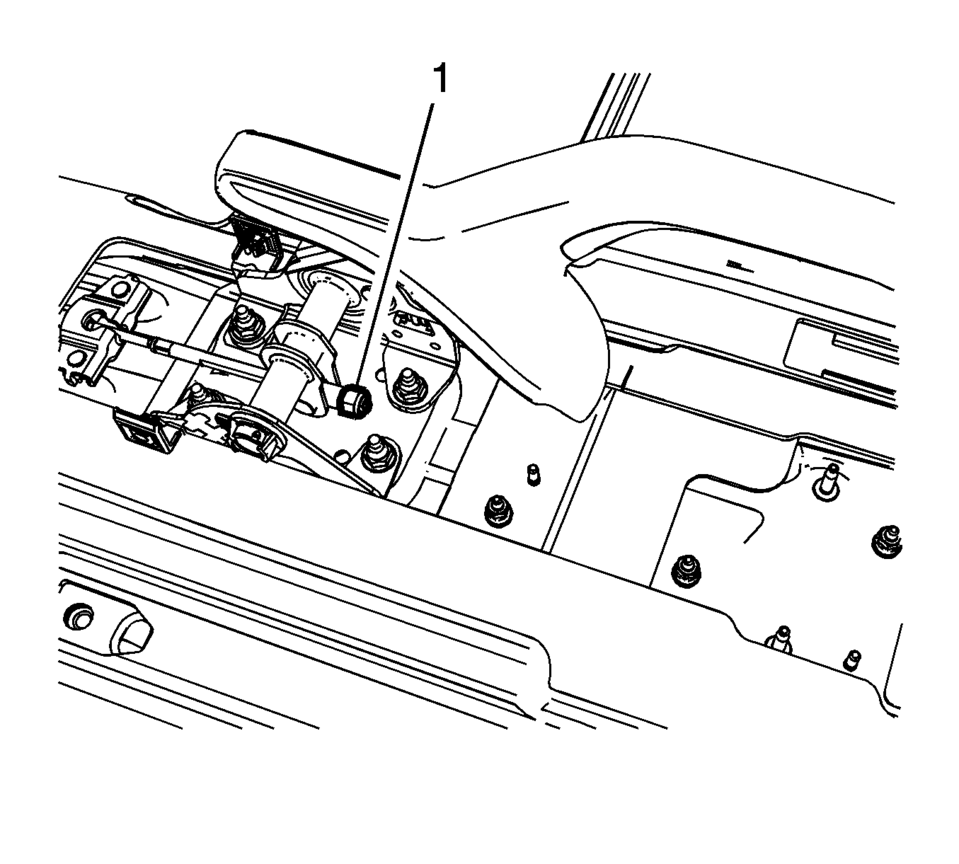
- Using ONLY HAND TOOLS, loosen the adjusting nut (1) completely to the end of the front cable threaded rod.
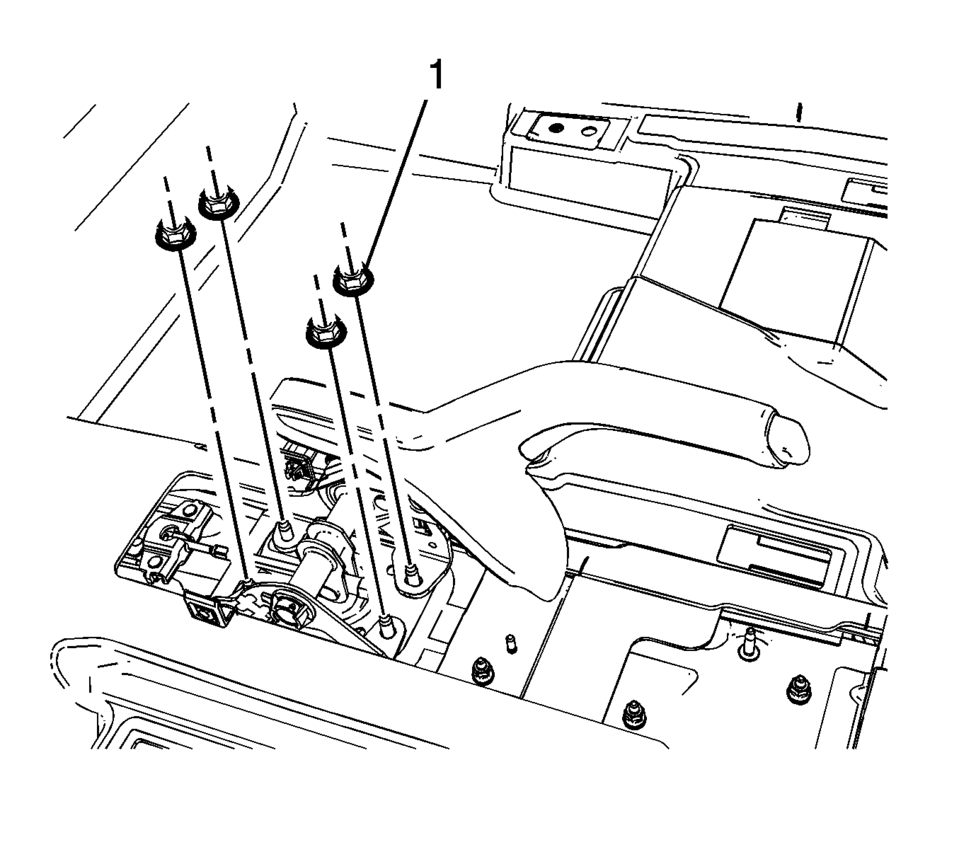
- Remove the park brake lever mounting nuts (1).
- While removing the front cable threaded rod from the park brake lever assembly, remove the park brake lever assembly from the vehicle.
- Installation Procedure
-
- While intstalling the front cable threaded rod to the park brake lever assembly, install the park brake lever assembly to the vehicle.
- Install the park brake lever mounting nuts (1) and tighten to 22 Y
(16 lb ft)
.
- Connect the electrical connector to the park brake warning lamp switch.
- Loosely install the adjusting nut (1) to front cable threaded rod.
- Adjust the park brake cable tension. Refer to Parking Brake Adjustment.
- Install the front floor console. Refer to Front Floor Console Replacement.
Caution:
Refer to Fastener Caution.
 Parking Brake Indicator Switch Replacement
Removal Procedure
Remove the front floor console. Refer to Front Floor Console Replacement.
Ensure that the park brake lever is in the fully released position.
Disconnect th ...
 Parking Brake Cable Replacement (Disc Brake)
Removal Procedure
Remove the front floor console. Refer to Front Floor Console Replacement.
Ensure that the parking brake lever is in the fully released position.
Using ...
Other materials:
How to Inspect the Engine Air Cleaner/Filter
To inspect the engine air cleaner/ filter, remove the filter from the vehicle
and lightly shake the filter to release loose dust and dirt. If the filter remains
covered with dirt, a new filter is required.
To inspect or replace the air cleaner/ filter:
1.4L L4 Engine
1.8L L4 Engine
1. Re ...
Rear Side Door Adjustment (4 Door Notch Back 69)
Rear Side Door Adjustment
Callout
Component Name
1
Rear Side Door
Caution: Refer to Fastener Caution.
Procedure
Loosen the rear door hinge bolt?€‰(Qty:?€‰4) to adjust the rear
door.
A ...
Master Cylinder Bench Bleeding
Warning: Refer to Brake Fluid Irritant Warning.
Caution: Refer to Brake Fluid Effects on Paint and Electrical
Components Caution.
Secure the mounting flange of the brake master cylinder in a bench vice
so that the rear of the primary piston is accessible.
Remov ...

0.0053