
Chevrolet Sonic Repair Manual: Automatic Transmission Range Selector Lever Replacement
- Removal Procedure
-
- Set the park brake and chock the wheels.
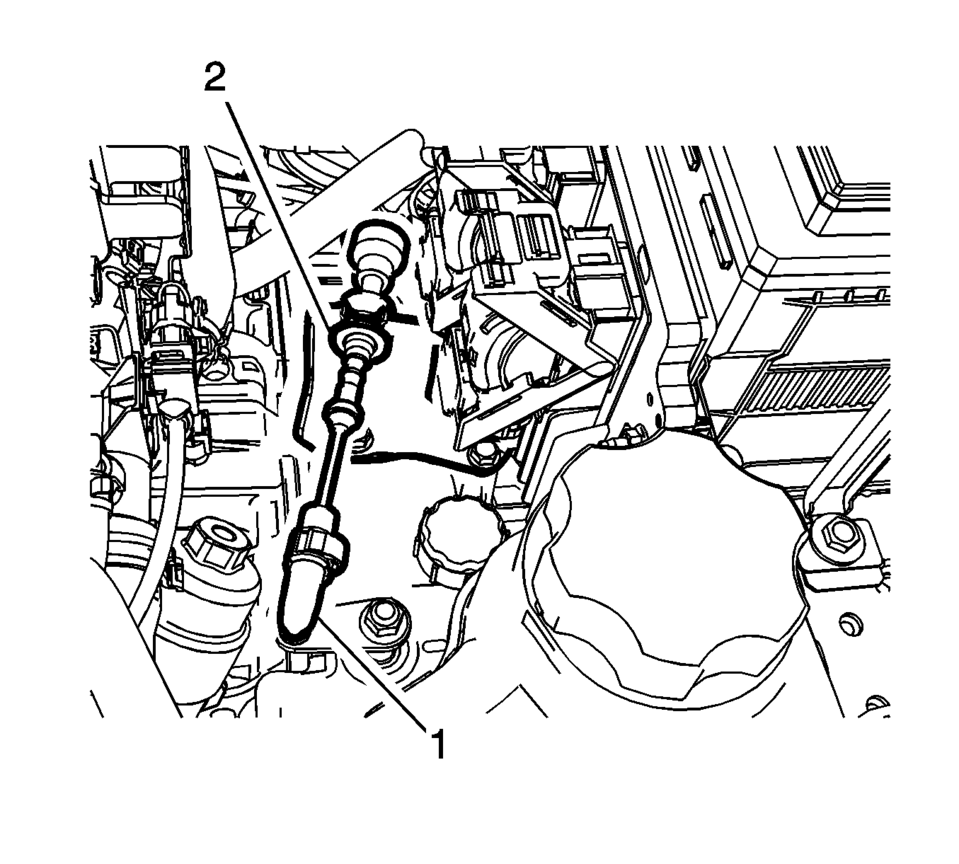
- Disconnect the transmission range selector lever cable terminal (1) from the transmission manual shift lever pin.
- Press the locking tabs inward in order to release the transmission range selector lever cable (2) from the cable bracket.
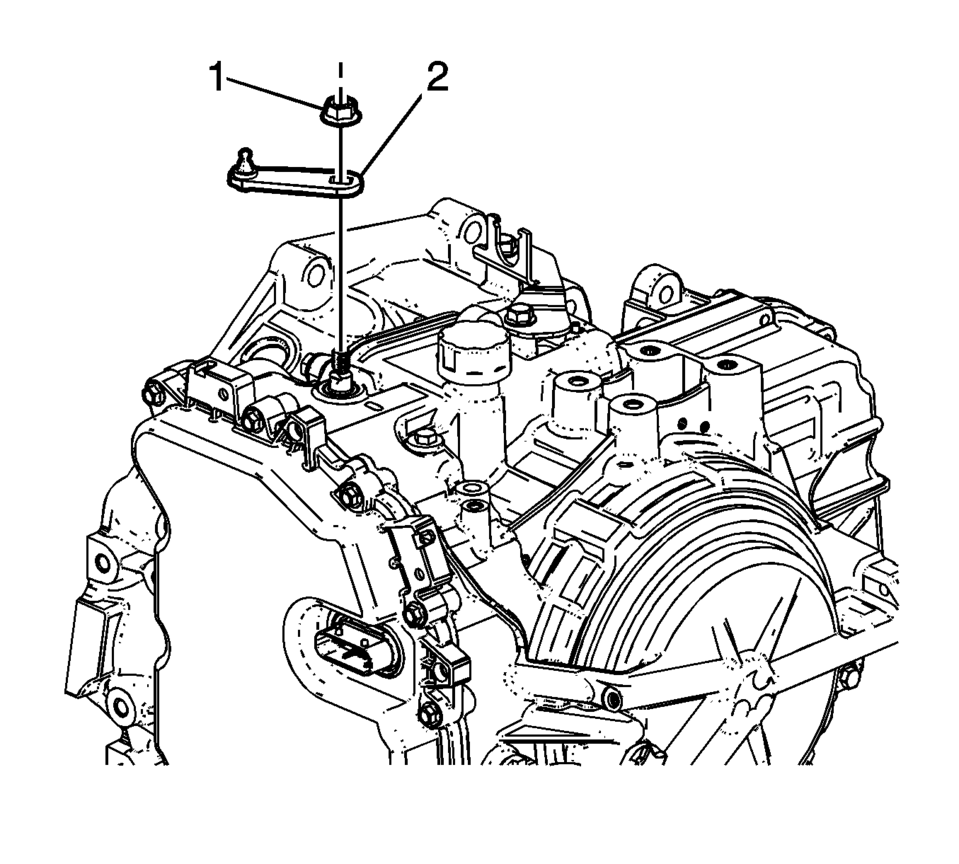
- Remove the transmission range selector lever nut (1).
- Remove the transmission range selector lever (2).
Warning:
Hold the transmission range selector lever while removing or installing the lever retaining nut. Failure to hold the lever can cause damage to the transmission internal park system components which could allow the vehicle to roll when placed in the park position.
- Installation Procedure
-
- Install the transmission range selector lever (2).
- Install the transmission range selector lever nut (1)
and tighten to 30 Y (22 lb ft)
.
- Install the transmission range selector lever cable (2) to the cable bracket.
- Connect the transmission range selector lever cable terminal (1) to the transmission manual shift lever pin.
- Check the range selector cable adjustment. Refer to Range Selector Lever Cable Adjustment.
Warning:
Hold the transmission range selector lever while removing or installing the lever retaining nut. Failure to hold the lever can cause damage to the transmission internal park system components which could allow the vehicle to roll when placed in the park position.
Caution:
Refer to Fastener Caution.

 Control Solenoid Valve and Transmission Control Module Assembly Inspection
Verify the conditions listed below do not exist. Carefully
inspect the control solenoid valve assembly connectors and pins (1, 2, 4, 6)
for the condition. Repair or replace as neces ...
Other materials:
Ignition Transmission Lock Check
While parked, and with the parking brake set, try to turn the ignition to LOCK/OFF
in each shift lever position.
For automatic transmission vehicles, the ignition should turn to LOCK/OFF
only when the shift lever is in P (Park).
For manual transmission vehicles, the ignition should turn t ...
Windshield Upper Reveal Molding Replacement
Windshield Upper Reveal Molding Replacement
Callout
Component Name
Preliminary Procedures
Remove the windshield to replace the reveal molding. Refer to Windshield
Replacement.
1
Windshield Revea ...
Reporting safety defects
For USA
If you believe your Nissan Armada has a defect that could lead to a crash, injury,
or even death, it is essential to report the issue immediately.
You should notify both the National Highway Traffic Safety Administration (NHTSA)
and NISSAN to ensure that the concern is properly documen ...

0.0075