
Chevrolet Sonic Repair Manual: Backup Lamp Bulb Replacement (Sedan)
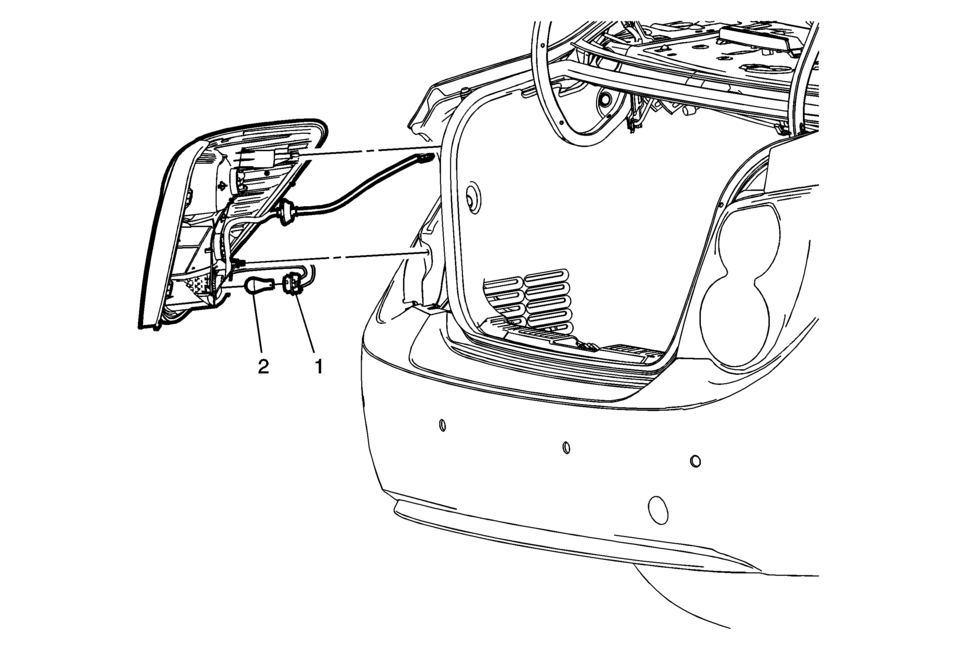
|
Callout |
Component Name |
|---|---|
|
Preliminary Procedure
Remove the tail lamp assembly. Refer to Tail Lamp Replacement. |
|
|
1 |
Back Up Lamp Bulb Socket Procedure
Rotate the back up lamp bulb socket counter-clockwise and remove from the tail lamp housing. |
|
2 |
Back Up Lamp Bulb Procedure
Push inward while rotating counter-clockwise on the bulb and remove from the lamp socket. |
 Bulbs
Bulbs
...
 Cargo Center Courtesy Lamp Bulb Replacement (Hatchback)
Cargo Center Courtesy Lamp Bulb Replacement
Callout
Component Name
1
Rear Compartment Courtesy Lamp
Refer to Rear Com ...
Other materials:
Removing the Spare Tire and Tools
The compact spare tire and tools are located in the storage compartment in the
rear of the vehicle. The jack and tools are stored below the spare tire.
1. Extension
2. Jack
3. Wheel Wrench
4. Strap
To access the spare tire and tools:
1. Open the trunk or liftgate. See Trunk (Sedan) o ...
Body Side Frame Rocker Reinforcement Replacement
Removal Procedure
Warning: Refer to Approved Equipment for Collision Repair
Warning.
Warning: Refer to Glass and Sheet Metal Handling Warning.
Note: The body side frame rocker reinforcement is made of
Ultra High Strength Dual Phase Steel and ...
Headlining Trim Panel Replacement (Sedan without Sunroof)
Headlining Trim Panel Replacement
Callout
Component Name
Warning: Do not attempt to repair or alter the head impact
energy-absorbing material glued to the headliner or to the garnish trims.
If the material is damaged ...

0.0055