
Nissan Armada 2025-2026 Owner's Manual: Basic information
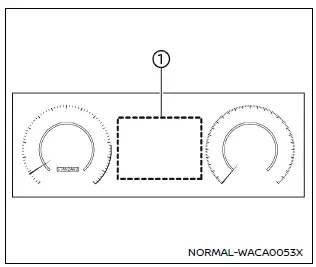
Example
The vehicle information display in the Nissan Armada is centrally positioned within the instrument cluster and serves as a key interface for driver information and system notifications. It provides real-time data and customizable settings for enhanced driving awareness.
The Nissan Armada display may include the following features, depending on equipment level:
- Tachometer
- Speedometer
- Vehicle settings
- Trip computer information
- Driver Assistance systems
- ProPILOT Assist status
- Intelligent Key operation details
- Audio system information
- Navigation turn-by-turn directions
- Warning and indicator alerts
- Tire pressure monitoring data
- Additional system information
Additional note: The Nissan Armada vehicle information display allows drivers to personalize their driving experience by adjusting layouts and accessing critical data quickly, improving both convenience and safety on the road.

 How to use the vehicle information display
Type A
Type B
The vehicle information display in the Nissan Armada is designed to provide the
driver with clear, customizable, and real-time information. It can be easily controlled
usin ...
Other materials:
Front Side Door Weatherstrip Replacement - Door Side
Front Side Door Weatherstrip Replacement - Door Side
Callout
Component Name
1
Front Side Door Weatherstrip Upper Retainer
Procedure
Open the front side door to the fully open position.
Remove the front side do ...
Windshield Wiper System Module Replacement
Windshield Wiper System Module Replacement
Callout
Component Name
Preliminary Procedures
Open and support the hood assembly.
Remove the air inlet grille panel. Refer to Air Inlet Grille Panel
Replacement.
...
All Seasons Tires Description
Most GM vehicles are equipped with steel belted all-season radial tires as standard
equipment. These tires qualify as snow tires, with a higher than average rating
for snow traction than the non-all season radial tires previously used. Other performance
areas, such as wet traction, rolling ...

0.006