
Nissan Armada 2025-2026 Owner's Manual: Basic information
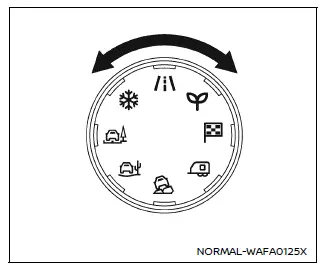
Drive Mode Selector (example)
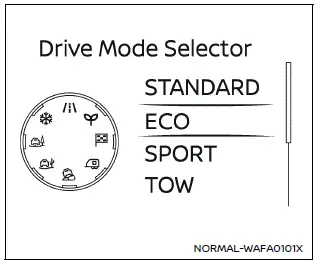
Vehicle information display (example)
The Nissan Armada features a versatile Drive Mode Selector system that allows the driver to tailor vehicle performance to different driving conditions. By rotating the selector dial to the left or right, you can quickly switch between available driving modes.
The selected mode is displayed clearly in the Nissan Armada vehicle information display, where a list of available modes briefly appears for easy selection.
NOTE:
- When selecting a drive mode in the Nissan Armada, the change may not occur instantly. This is normal system behavior and does not indicate a malfunction.
- Each time the ignition is turned ON, the Nissan Armada defaults to STANDARD mode.
NOTE:
The mode selection menu will automatically disappear after a few seconds. You can also manually clear it by pressing the scroll dial on the steering wheel.
If the Nissan Armada drive mode cannot be changed while the ignition is ON, have the system inspected by an authorized Nissan dealer.
WARNING
Do not focus your attention on the Drive Mode Selector or display while driving your Nissan Armada. Always keep your full attention on the road to ensure safe vehicle operation.

 STANDARD mode
The symbol of this Nissan Armada mode is
.
STANDARD mode is the default setting in the Nissan Armada and is optimized for
everyday driving. It provides a balanced combination of performance, comfo ...
Other materials:
Secondary Air Injection Pump Air Cleaner Pipe Replacement
Secondary Air Injection Pump Air Cleaner Pipe Replacement
Callout
Component Name
1
Hose Retainer (QTY:2)
Note: Squeeze the retainer on opposite sides to release.
2
Secondary A ...
Drive Belt Removal
Special Tools
EN-955 Locking Pins
EN-48488 Holding Wrench
For equivalent regional tools, refer to Special Tools.
Install EN-48488 wrench (1) to the drive belt tensioner.
Note: The drive belt tensioner must always be in a pre-tensioned
state.
Move the dri ...
Drive Range, First Gear (Gen 2)
As the vehicle speed increases, the transmission control module (TCM) receives
input signals from the automatic transmission input and output speed sensors, throttle
position sensor and other vehicle sensors to determine the precise moment to de-energize
or ?urn OFF?the shift solenoid, and to ...

0.0047