
Chevrolet Sonic Owner's Manual: Engine Compartment Fuse Block
LUV and LUW Engines
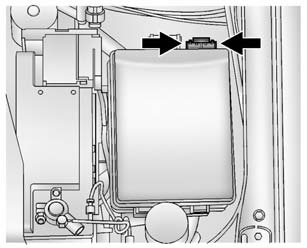
The engine compartment fuse block is on the driver side of the vehicle, near the battery.
Caution
Spilling liquid on any electrical component on the vehicle may damage it. Always keep the covers on any electrical component.
To access the fuses, press the clips together, and lift the cover. To reinstall the cover, push the cover until it is secure.
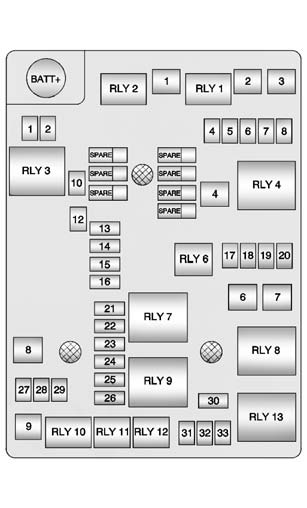
The vehicle may not be equipped with all of the fuses, relays, and features shown.
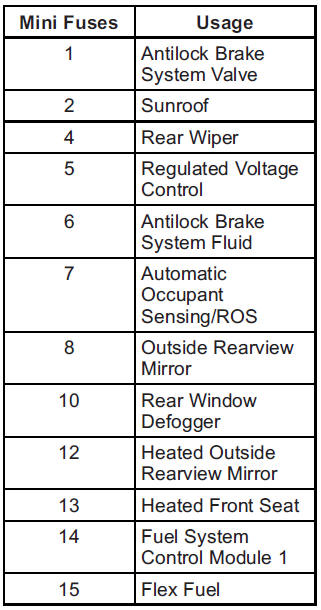
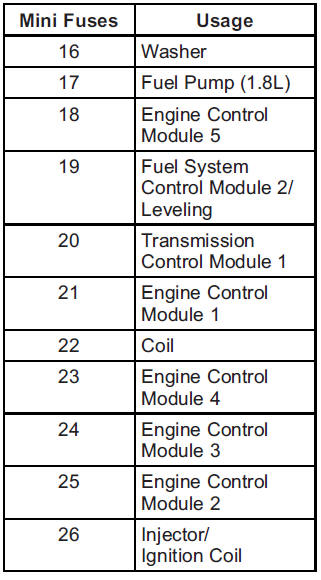
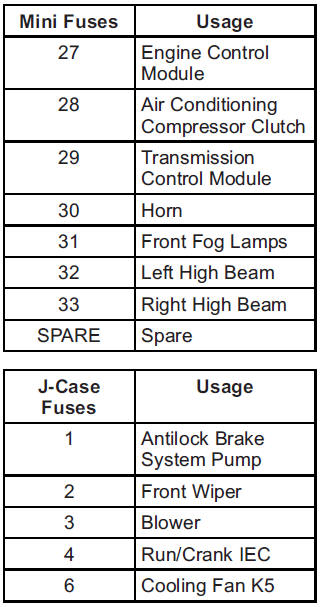
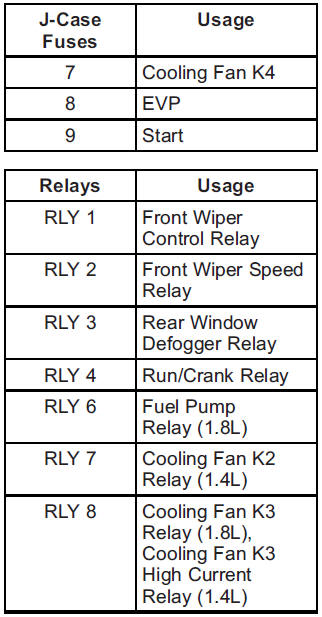
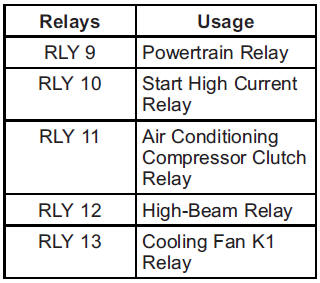
LWE Engine
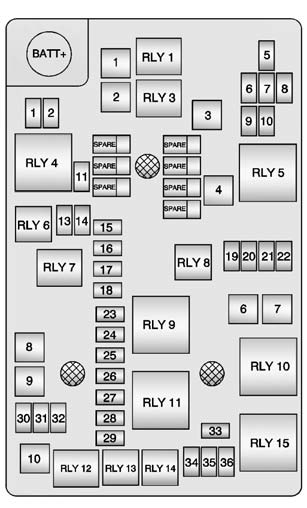
The vehicle may not be equipped with all of the fuses, relays, and features shown.
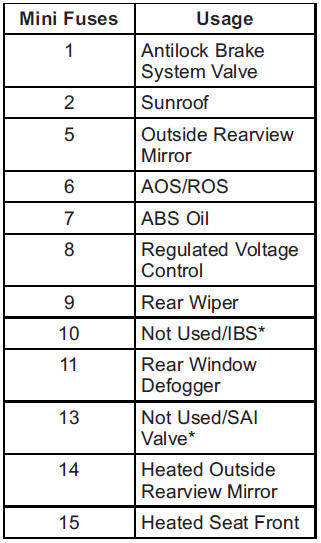
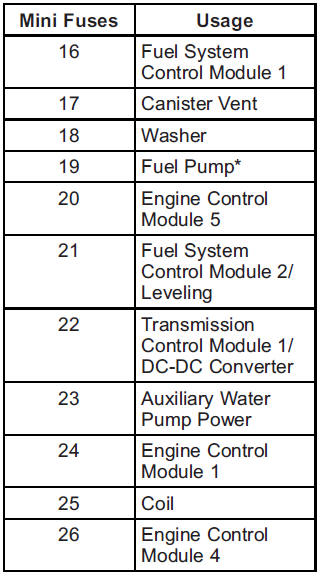
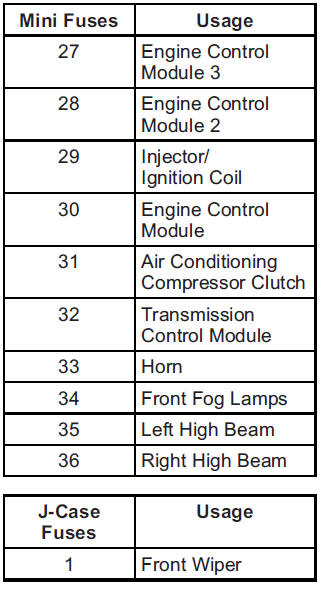
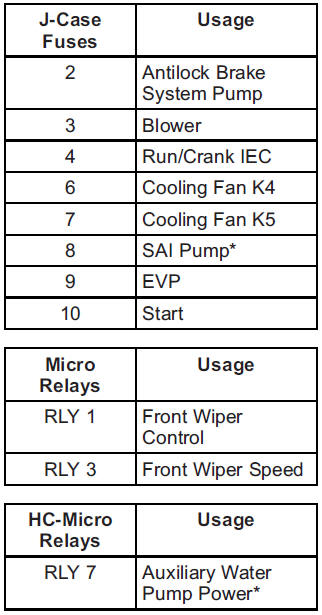
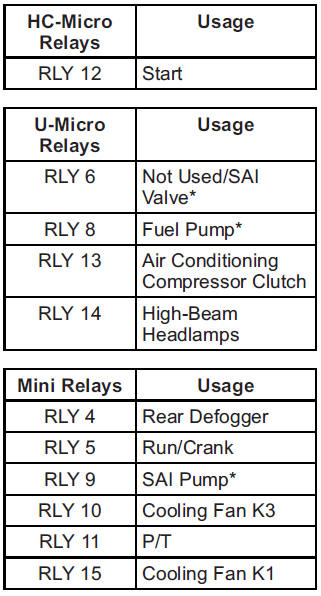
* = If equipped
 Fuses and Circuit Breakers
The wiring circuits in the vehicle are protected from short circuits by a combination
of fuses, circuit breakers, and fusible thermal links. This greatly reduces the
chance of fires caused by elec ...
 Instrument Panel Fuse Block
The instrument panel fuse block is on the underside of the driver side instrument
panel.
The vehicle may not be equipped with all of the fuses, relays, and features shown.
...
Other materials:
Instrument Panel Compartment Door Latch Replacement
Instrument Panel Compartment Door Latch Replacement
Callout
Component Name
1
Instrument Panel Compartment Door Latch Fasteners (Qty:?€‰2)
Caution: Refer to Fastener Caution.
2
...
Sunroof Window Height and Opening Fit Adjustment
Note: Correct adjustment cannot be achieved if the sunroof window
is closed from vent position.
Cycle the sunroof window from full open to closed position.
.,
Note: Do Not remove or lower headliner to access sunroof window
screws.
Loosen the adjusting screws on ...
Exhaust Manifold Cleaning and Inspection
Clean the exhaust manifold (1) in solvent.
Warning: Wear safety glasses in order to avoid eye damage.
Dry the exhaust manifold (1) with compressed air.
An exhaust manifold leak or damage may cause an exhaust leak and may effect
OBD II system perf ...

0.0061