
Chevrolet Sonic Repair Manual: Front Side Door Window Switch Replacement (Left Side)
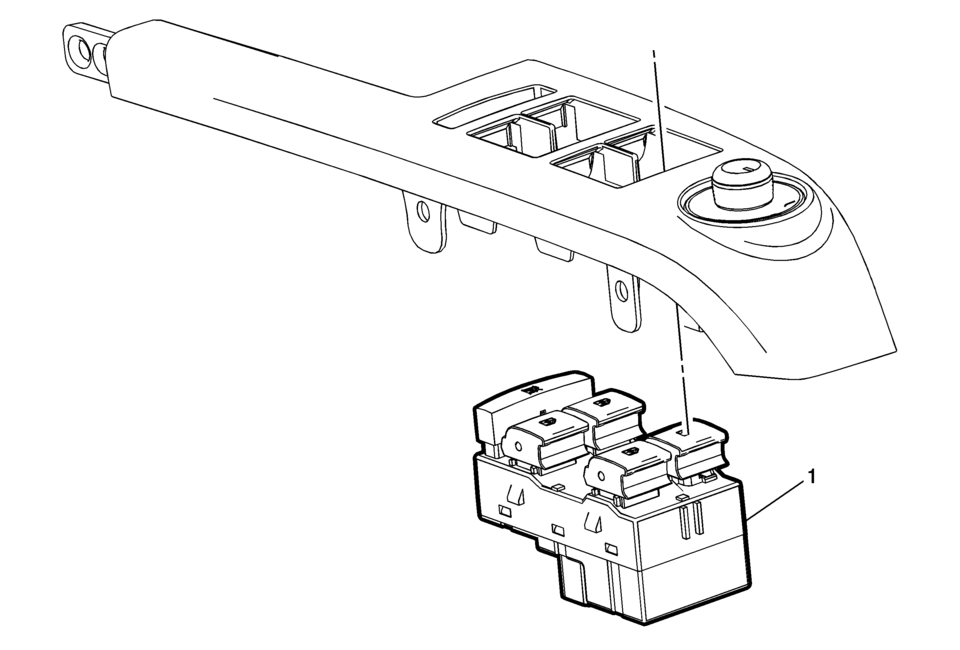
|
Callout |
Component Name |
|---|---|
|
Preliminary Procedure
Remove the front side door window switch bezel. Refer to Front Side Door Window Switch Bezel Replacement. |
|
|
1 |
Front Side Door Window Switch Assembly Procedure
|
 Front Side Door Window Switch Bezel Replacement (Right Side)
Front Side Door Window Switch Bezel Replacement
Callout
Component Name
Preliminary Procedure
Remove the front side door trim. R ...
 Front Side Door Window Switch Replacement (Right Side)
Front Side Door Window Switch Replacement
Callout
Component Name
Preliminary Procedure
Remove the front side door widow switch ...
Other materials:
Driver or Passenger Seat Head Restraint Replacement
Driver or Passenger Seat Head Restraint Replacement
Callout
Component Name
1
Driver or Passenger Seat Head Restraint
Procedure
Raise the headrest to the full upward position.
Depress the flush button on the he ...
Engine Oil Cooler Coolant Inlet Hose Replacement (LUV)
Engine Oil Cooler Coolant Inlet Hose Replacement
Callout
Component Name
Preliminary Procedure
Open the hood.
Drain the cooling system. Refer to Cooling System Draining and Filling.
1
Oil Coo ...
How to activate/deactivate the automatic brake hold function
To enable the automatic brake hold feature in your Nissan Armada, ensure the
ignition switch is in the ON position, then press the automatic brake hold switch
1. Once activated, the indicator light on the switch 2 will illuminate, confirming
that the system is ready for operation.
When ...

0.0094