
Chevrolet Sonic Repair Manual: Fuel Pressure Relief
Special Tools
EN-34730-91 Pressure Tester
For equivalent regional tools, refer to Special Tools.
- Remove the fuel injector rail cap (1).
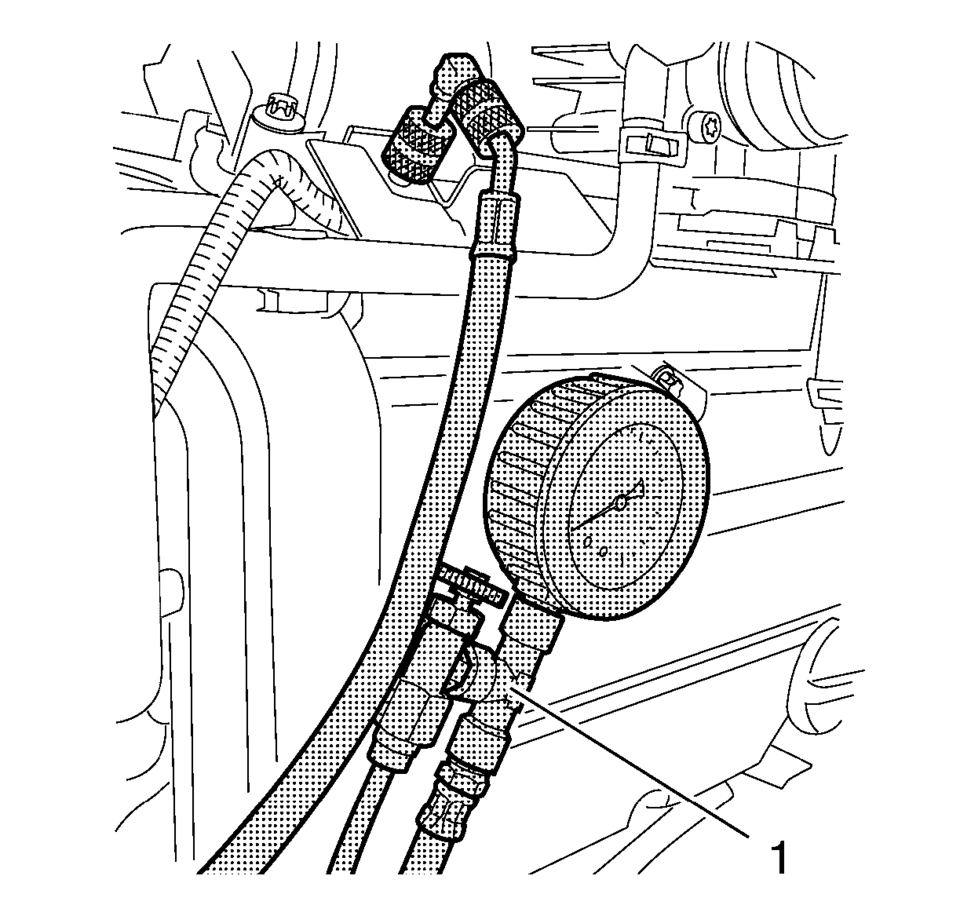
- Relieve the fuel pressure. Use EN-34730-91 pressure tester (1).
Warning:
Gasoline or gasoline vapors are highly flammable. A fire could occur if an ignition source is present. Never drain or store gasoline or diesel fuel in an open container, due to the possibility of fire or explosion. Have a dry chemical (Class B) fire extinguisher nearby.
Warning:
Relieve the fuel system pressure before servicing fuel system components in order to reduce the risk of fire and personal injury.
After relieving the system pressure, a small amount of fuel may be released when servicing the fuel lines or connections. In order to reduce the chance of personal injury, cover the regulator and the fuel line fittings with a shop towel before disconnecting. This will catch any fuel that may leak out. Place the towel in an approved container when the disconnection is complete.
 Fuel Pressure Measurement
Special Tools
EN 34730?E1 Pressure Tester
For equivalent regional tools, refer to Special Tools
Warning: Gasoline or gasoline vapors are highly flammable. A fire
could occ ...
 Fuel System Cleaning
Note: If the fuel filter is plugged, the fuel tank should be inspected
internally and cleaned if necessary.
Drain the fuel tank. Refer to Fuel Tank Draining.
Remove the fuel ...
Other materials:
Air Inlet Grille Panel Replacement
Air Inlet Grille Panel Replacement
Callout
Component Name
Preliminary Procedure
Remove both wiper arm assemblies. Refer to Windshield Wiper Arm
Replacement.
Remove both outer hood rear seals. Refer to Hood Rear Seal Repla ...
Hill descent control switch
WARNING
In the Nissan Armada, never rely exclusively on the hill descent control
system to regulate vehicle speed on steep downhill slopes. Always maintain full
control of the vehicle and be prepared to apply the brake pedal when necessary.
Extra caution is required when driving on ...
Basic information
The Nissan Armada is equipped with an advanced automatic brake hold function
designed to enhance driving convenience in stop-and-go traffic conditions. This
system automatically maintains braking force when the vehicle comes to a complete
stop, such as at traffic lights or intersections, allow ...

0.007