
Nissan Armada 2025-2026 Owner's Manual: Idling Stop System display
Basic information
The current operating status of the Idling Stop System in the Nissan Armada can be easily monitored through the vehicle information display, allowing the driver to stay informed about system activity and performance.
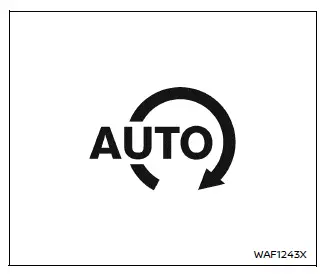
Idling Stop System indicator
This indicator appears when the Nissan Armada Idling Stop System is actively functioning and the engine has been automatically stopped.
If the indicator begins to blink, it signals a potential malfunction in the Nissan Armada system.
NOTE:
If the indicator flashes, the Nissan Armada Idling Stop System should be inspected without delay. It is recommended to have the system checked and serviced by an authorized NISSAN dealer.
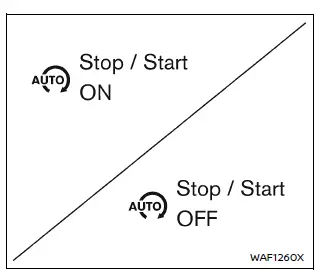
Idling Stop System ON or OFF
Whenever the Idling Stop System in the Nissan Armada is enabled or disabled using the Idling Stop OFF switch, a confirmation message is displayed in the vehicle information screen.
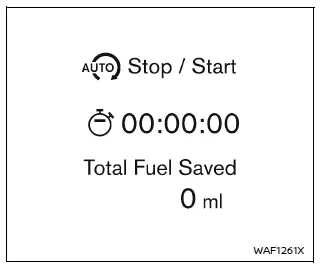
Fuel saved and engine stop time
The Nissan Armada provides detailed feedback on system efficiency through this display mode, which includes:
- The estimated amount of fuel saved each time the Idling Stop System automatically shuts off the engine.
- The total duration for which the engine has remained off due to system operation.
The cumulative fuel savings and total engine stop time can also be reviewed in the Nissan Armada vehicle information display for a broader overview of system performance.
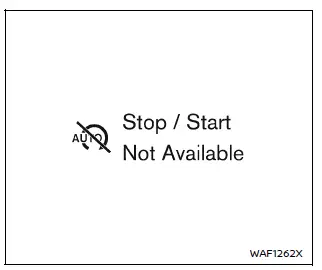
Auto start deactivation
This message appears when the Nissan Armada engine has stopped via the Idling Stop System but cannot restart automatically due to specific conditions.
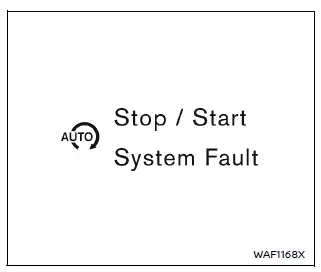
System fault
This warning is shown when a malfunction is detected in the Nissan Armada Idling Stop System.
In such cases, it is strongly recommended to have the Nissan Armada inspected by an authorized NISSAN dealer to ensure proper operation and safety.
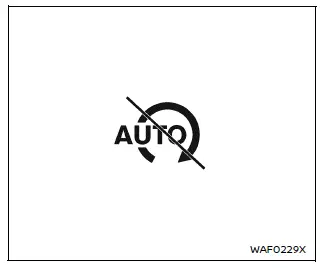
Idling Stop inhibition
This indicator is displayed when the Nissan Armada is stationary but the system is prevented from shutting off the engine due to specific operating conditions.
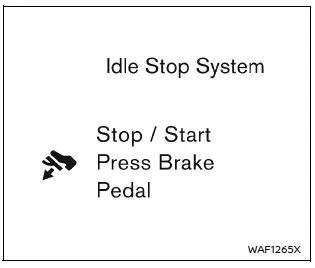
Idling Stop guidance display (further depressing the brake pedal)
When the Nissan Armada is stopped and the system does not activate due to insufficient brake pedal pressure, a guidance message is displayed.
To enable the Idling Stop System, press the brake pedal more firmly. Once conditions are met, the system will activate automatically.
The display appears when fuel saving and engine stop time data are selected and disappears under the following conditions:
- The Idling Stop System activates.
- The Nissan Armada begins moving.
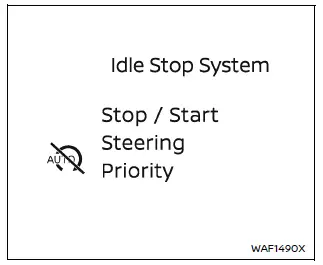
Idling Stop guidance display (detection of the steering operation)
This message is shown when the Nissan Armada Idling Stop System is temporarily disabled due to steering wheel movement being detected.
Once steering input stops and conditions are suitable, the system will become available again.
The display appears when fuel saving data is selected and disappears when:
- The Idling Stop System activates.
- The Nissan Armada resumes movement.
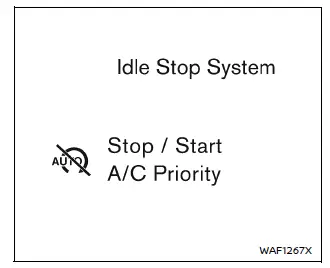
Idling Stop guidance display (placing priority on the air conditioner)
This guidance appears when the Nissan Armada Idling Stop System is deactivated to prioritize climate control functions such as cooling, heating, or dehumidifying.
The system temporarily keeps the engine running to maintain passenger comfort.
The display is visible when fuel-saving information is selected and disappears when:
- The Idling Stop System activates.
- The Nissan Armada starts moving.
Idling Stop OFF switch
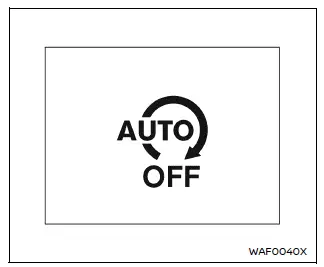
The Nissan Armada Idling Stop System can be temporarily disabled by pressing the Idling Stop OFF switch.
Pressing the switch again or restarting the engine will automatically reactivate the system.
- When the system is turned off while the engine is running, the Nissan Armada engine will not automatically stop during driving.
- If the system is deactivated after the engine has already been stopped by the Idling Stop System, the engine will immediately restart (if conditions allow) and will remain running for the rest of the trip.
NOTE:
- A confirmation message indicating ON or OFF status appears briefly in the Nissan Armada display when the switch is used.
- The Idling Stop System automatically resets to ON each time the ignition is cycled from OFF to ON.
- It is recommended to disable the Idling Stop System when towing with the Nissan Armada. This can be done using the OFF switch or by selecting TOW mode (if equipped).
 Basic information
The Idling Stop System in the Nissan Armada is designed to enhance fuel efficiency,
reduce exhaust emissions, and minimize unnecessary engine noise during short stops
such as traffic lights or con ...
 Cold weather driving
Freeing a frozen door lock
To avoid door lock freezing in cold conditions, it is recommended to apply a
suitable deicer into the keyhole of your Nissan Armada before temperatures drop
significant ...
Other materials:
Rear Wheelhouse Liner Replacement (Sedan - Left)
Rear Wheelhouse Liner Replacement
Callout
Component Name
Preliminary Procedure
Remove the tire and wheel assembly. Refer to Tire and Wheel Removal and
Installation.
1
Rear Wheelhouse Panel Liner ...
Floor Carpet Drying
If the carpet or the pad or insulator is wet, use the following criteria for
drying or for replacing the components:
For a 1-piece carpet assembly bonded to a cotton or a fiber padding, replace
the entire assembly.
For a 2-piece carpet assembly with a cotton or a fiber padding, replace ...
Rear-facing child restraint installation using the seat belts
WARNING
When installing a rear-facing child restraint in the Nissan Armada, the
three-point seat belt must be switched to Automatic Locking Retractor (ALR)
mode.
Failure to activate ALR mode may result in the child restraint not being
securely fixed. This could cause the seat to sh ...

0.0052