
Chevrolet Sonic Repair Manual: Instrument Panel Storage
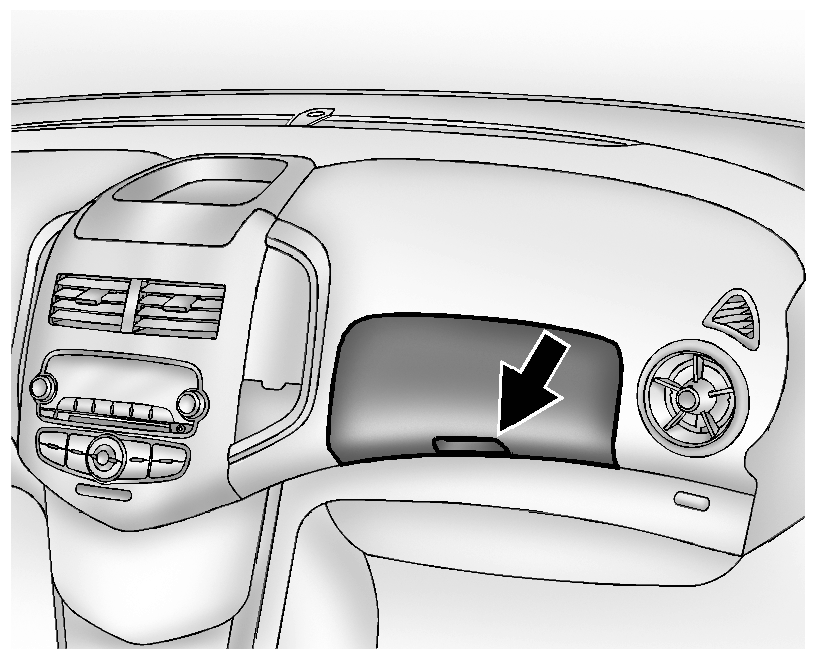
Lift up on the lever to open.
If equipped, the storage area has an auxiliary input jack and USB port inside.
 Instrument Panel Outer Trim Cover Replacement
Instrument Panel Outer Trim Cover Replacement
Callout
Component Name
1
Instrument Panel Outer Trim Cover (Qty:?€‰2)
...
 Instrument Panel Tie Bar Replacement
Removal Procedure
Remove the Instrument panel assembly. Refer to Instrument Panel Assembly
Replacement.
Remove the steering column and wheel from the vehicle. Refer to Steering
...
Other materials:
Rear Seats
The vehicle's rear seats have adjustable head restraints in the outboard seating
positions.
The height of the head restraint can be adjusted. Pull the head restraint up
to raise it. Try to move the head restraint to make sure that it is locked in place.
To lower the head restraint, press ...
Windshield Replacement
Special Tools
BO-24402-A Glass Sealant Remover (Cold Knife)
BO-39032 Stationary Glass Removal Tool
Use an adhesive that is approved by GM
For equivalent regional tools, refer to Special Tools.
Removal Procedure
Open the hood.
Remove the windshield wiper arms. Refer to Wi ...
Engine Mount Bracket Replacement - Right Side
Engine Mount Bracket Replacement - Right Side
Callout
Component Name
Preliminary Procedures
Remove the engine mount. Refer to Engine Mount Replacement - Right
Side.
Remove the front wheelhouse front liner if necessary. Re ...

0.0068