
Chevrolet Sonic Repair Manual: Rear Brake Hose Replacement (Body to Axle - Disc Brake)
- Removal Procedure
-
Warning:
Refer to Brake Dust Warning.
Warning:
Refer to Brake Fluid Irritant Warning.
- Raise and support the vehicle. Refer to Lifting and Jacking the Vehicle.
- Remove the tire and wheel assembly. Refer to Tire and Wheel Removal and Installation.
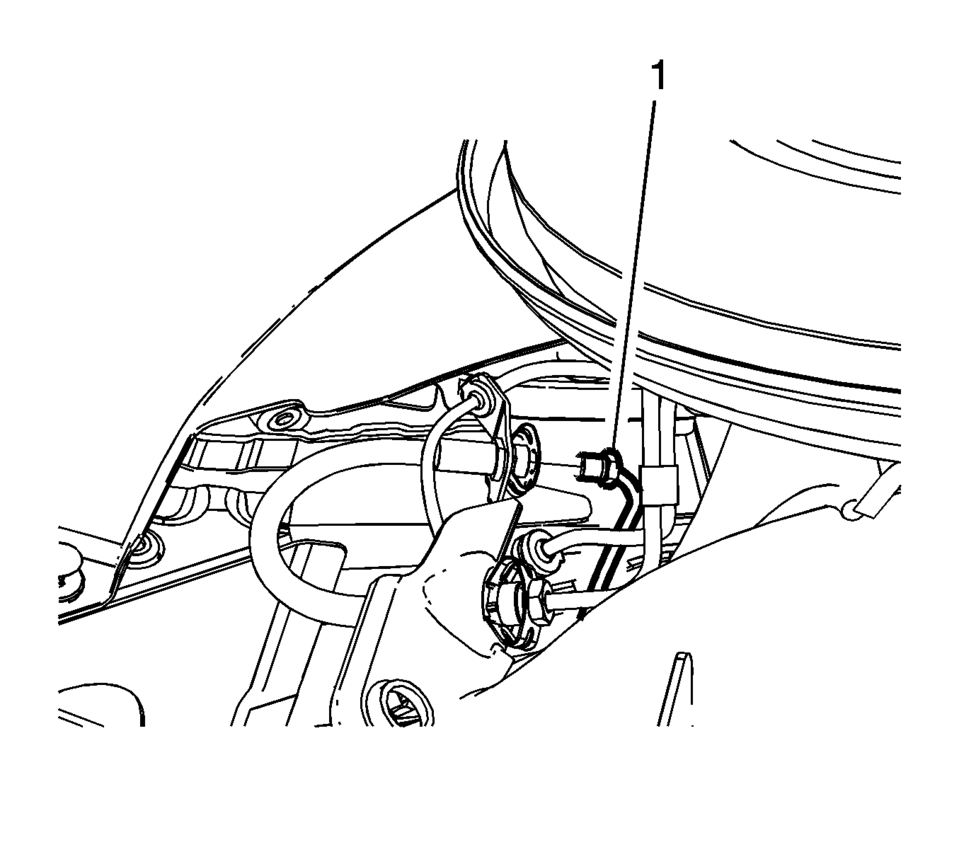
- Remove the brake pipe fitting?€‰(1)?€‰from the rear brake hose.
- Cap the brake pipe fitting to prevent brake fluid loss and contamination.
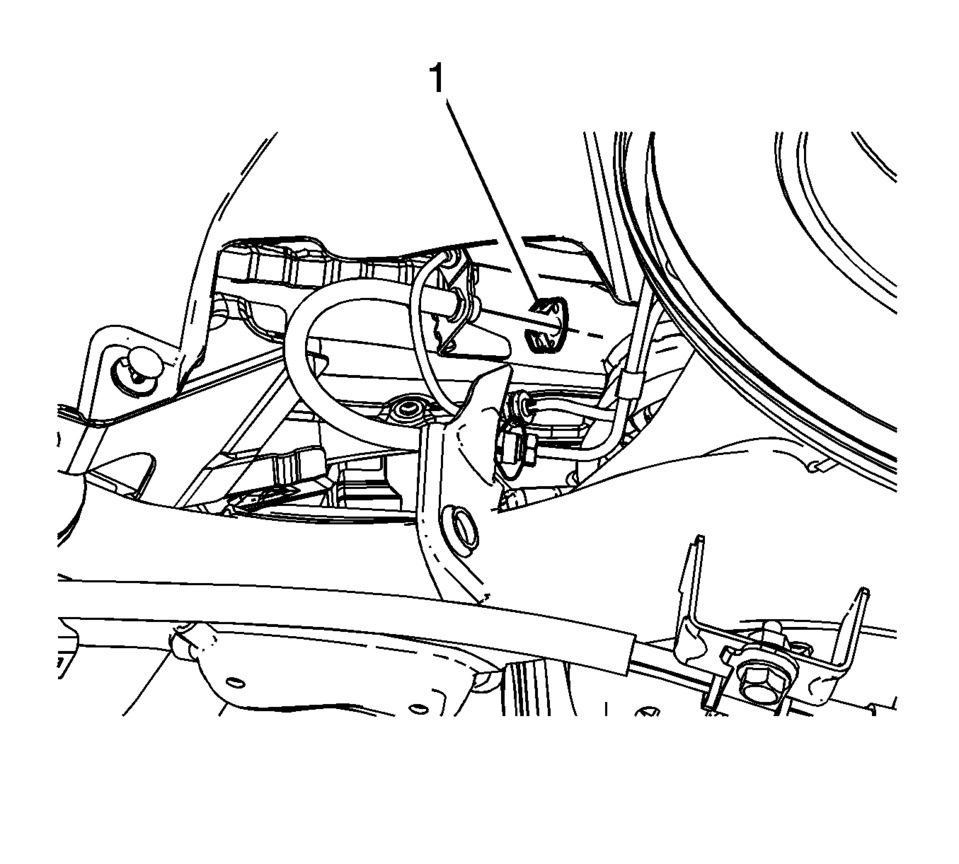
- Remove the brake hose retainer?€‰(1).
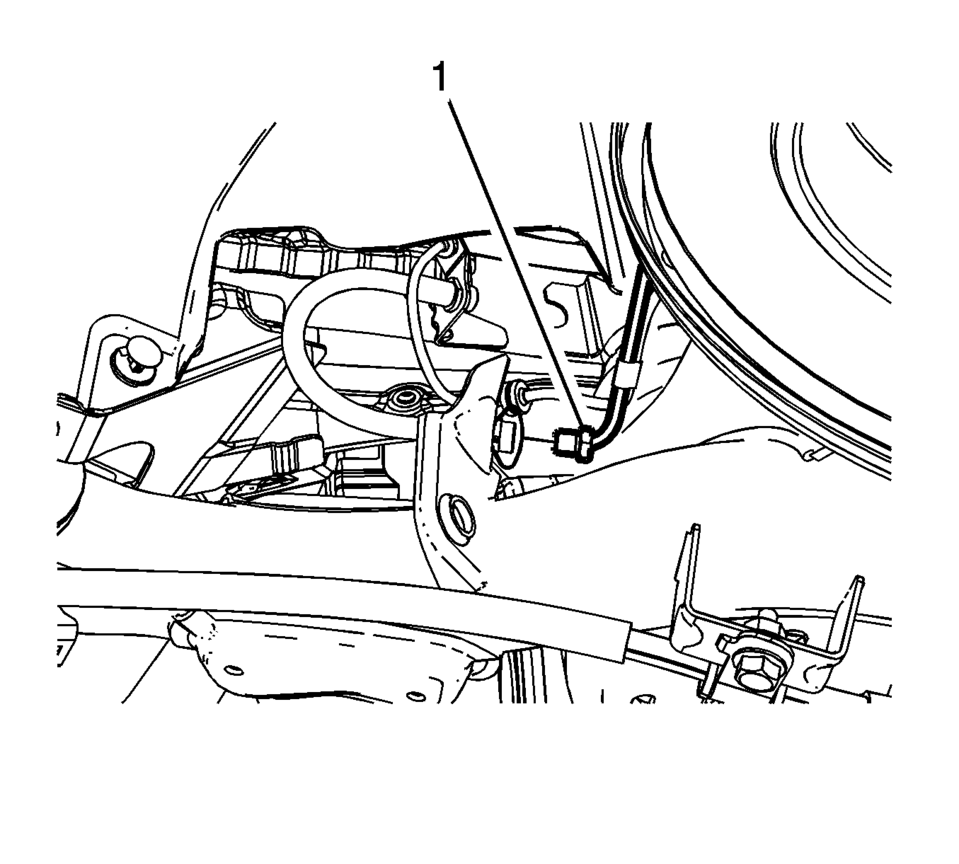
- Remove the brake pipe fitting?€‰(1)?€‰from the rear brake hose.
- Cap the brake pipe fitting to prevent brake fluid loss and contamination.
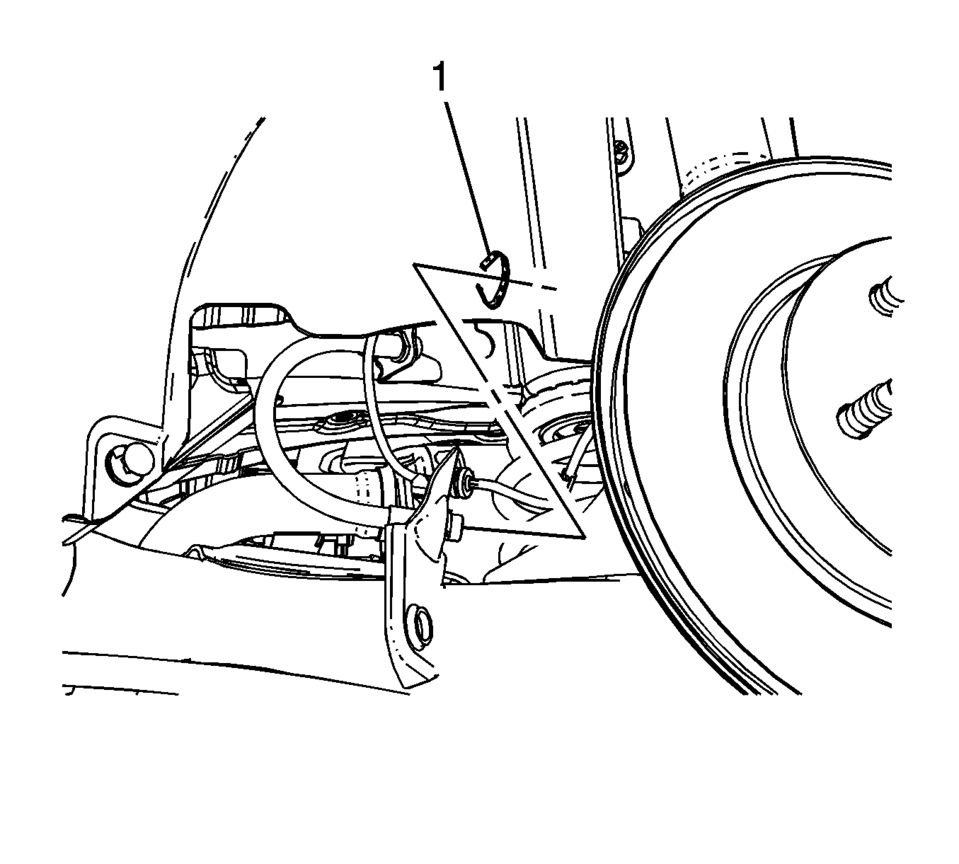
- Remove the brake hose retainer?€‰(1).
- Remove the brake hose.
__
- Installation Procedure
-
- Install the brake hose.
- Install the brake hose retainer?€‰(1).
- Install the brake pipe fitting?€‰(1)?€‰to the rear brake hose and tighten
the fitting to?€‰18?€‰Y (13?€‰lb?€‰ft)
.
- Install the brake hose retainer?€‰(1).
- Install the brake pipe fitting?€‰(1)?€‰to the rear brake hose and tighten
the fitting to?€‰18?€‰Y (13?€‰lb?€‰ft)
.
- Bleed the hydraulic brake system. Refer to Hydraulic Brake System Bleeding.
- Install the tire and wheel assembly. Refer to Tire and Wheel Removal and Installation.
__
Caution:
Refer to Fastener Caution.
 Plastic Identification and Refinishing Systems
Plastic Identification and Refinishing Systems
Identifying Symbol?€“ Old Symbol in ( )s
Chemical Composition or Plastic Family Name
Typ ...
 Rear Brake Hose Replacement (Body to Axle - Drum Brake)
Removal Procedure
Warning: Refer to Brake Dust Warning.
Warning: Refer to Brake Fluid Irritant Warning.
Raise and support the vehicle. Refer to Lifting and Jacking the ...
Other materials:
Rear Side Door Outer Panel Replacement
Removal Procedure
Warning: Refer to Glass and Sheet Metal Handling Warning.
Note: According to different corrosion warranties, only the
regional mandatory joining methods are allowed.
Disable the SIR System. Refer to SIR Disabling and Enabling.
Dis ...
Crankshaft Front Oil Seal Replacement
Special Tools
EN-960 Installer
EN-45000 Remover Oil seal
For equivalent regional tools, refer to Special Tools.
Removal Procedure
Remove the crankshaft balancer. Refer to Crankshaft Balancer Replacement.
Place a drain pan underneath the front crankshaft seal area.
...
Intake Manifold Installation (1.6L LDE)
Clean the sealing surfaces.
Insert the NEW gasket.
Caution: Refer to Fastener Caution.
Install the intake manifold (2) and the 7 intake manifold bolts (1) and
tighten to 20 Y (15 lb ft).
Install the intake manifold supp ...

0.0065