
Chevrolet Sonic Repair Manual: Roof Rear Header Panel Replacement (5HB)
- Removal Procedure
-
- Disable the SIR system. Refer to SIR Disabling and Enabling.
- Disconnect the negative battery cable. Refer to Battery Negative Cable Disconnection and Connection.
- Remove all related panels and components.
- Repair as much of the damage as possible to factory specifications. Refer to Dimensions - Body.
- Remove the sealers and anti-corrosion materials from the repair area. Refer to Anti-Corrosion Treatment and Repair.
- Locate and mark all factory welds.
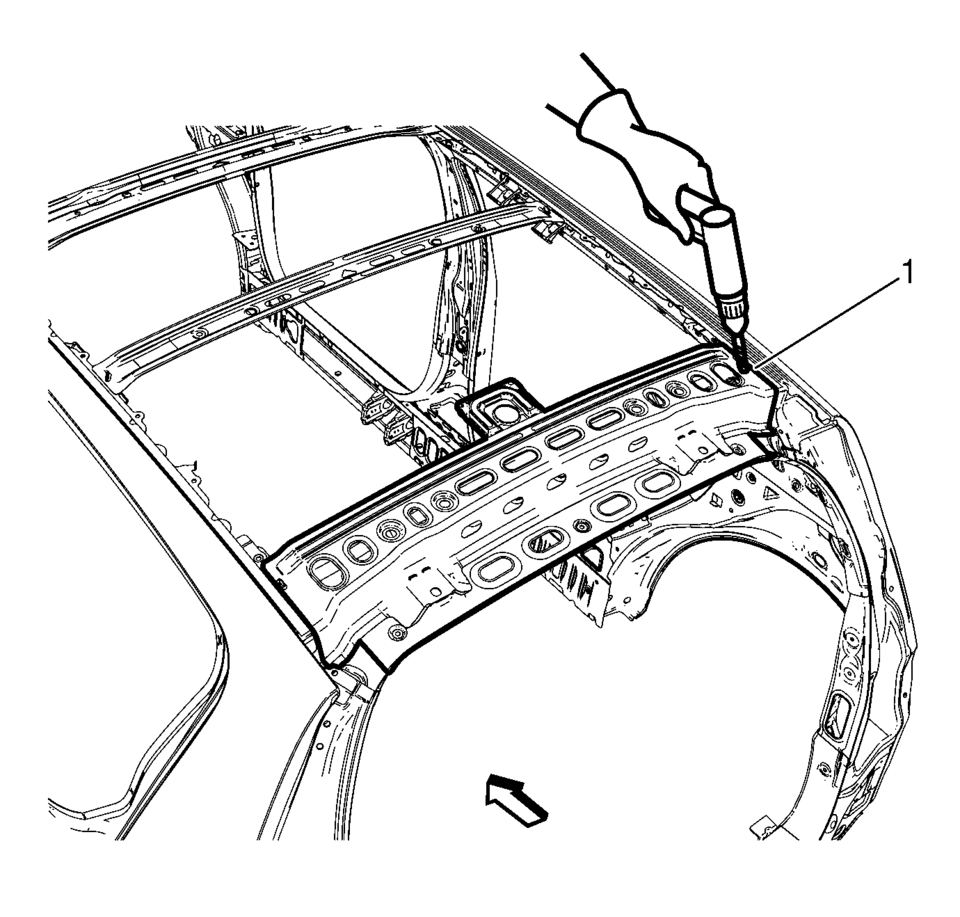
- Drill all factory welds (1). Note the number and location of welds for installation of the service assembly.
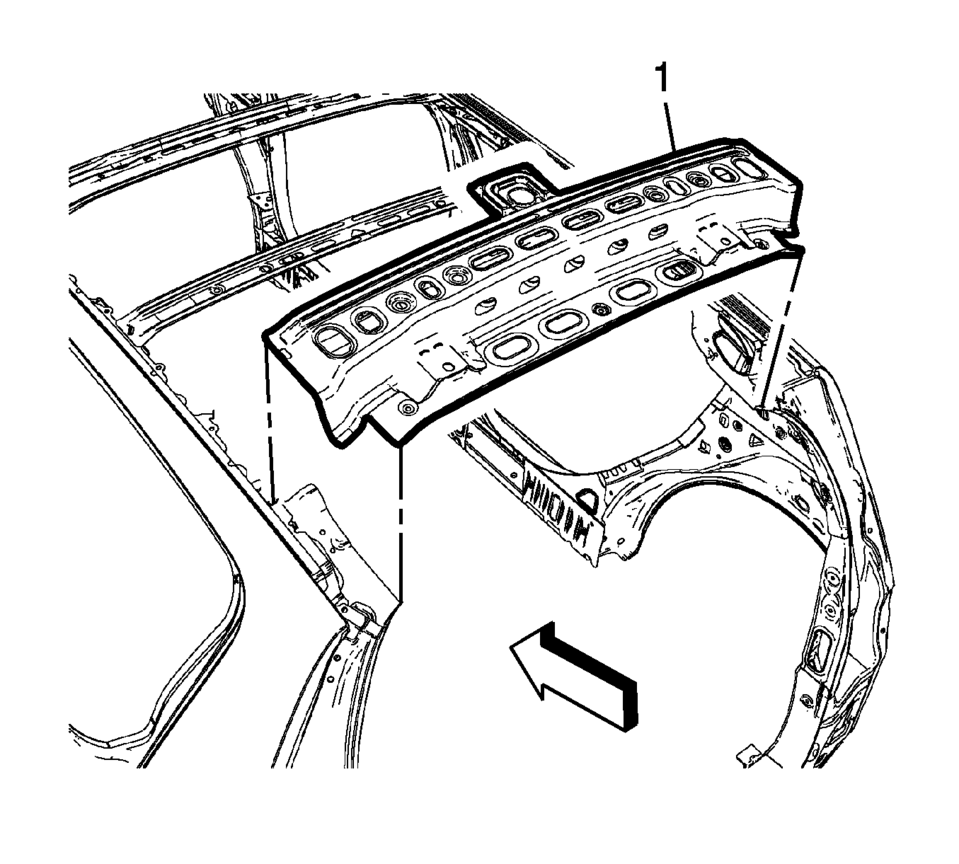
- Remove the damaged rear header panel?€‰(1).
Warning:
Refer to Approved Equipment for Collision Repair Warning.
- Installation Procedure
-
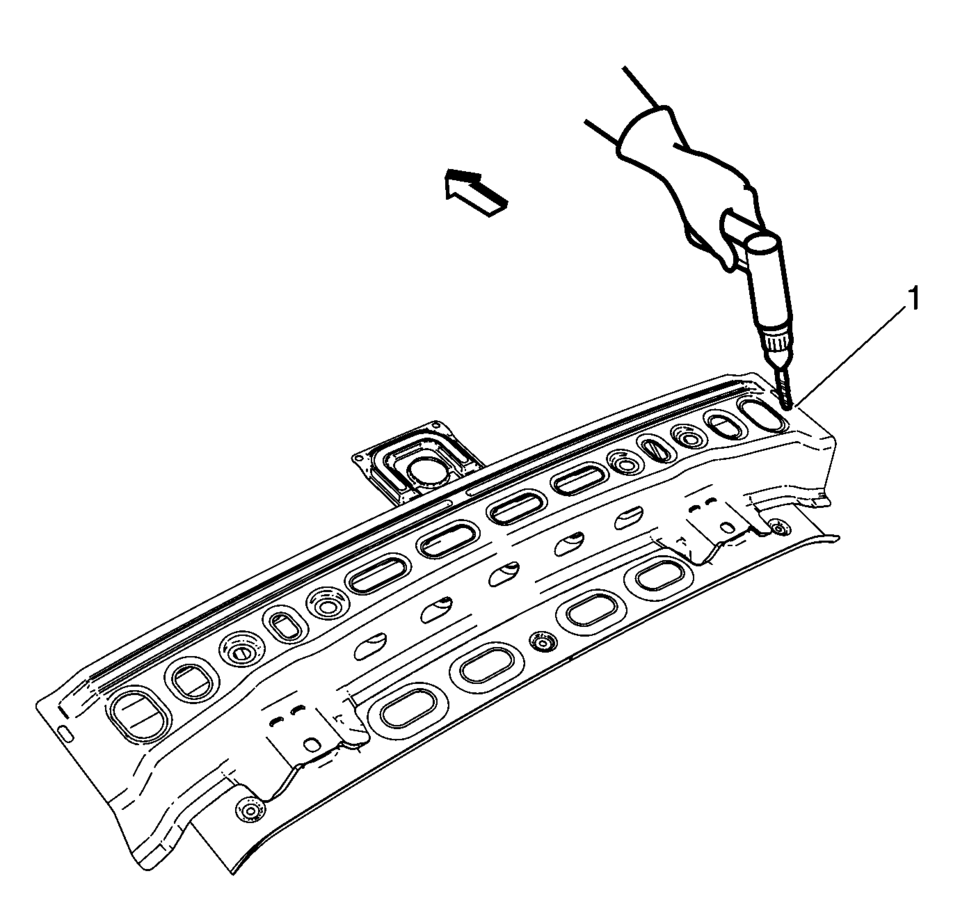
- Drill 8?€‰mm (5/16?€‰in)
holes for plug welding along the edges of the service panel (1) as noted from the original panel.
- Clean and prepare the attaching surfaces for welding.
- Position the roof rear header?€‰(1) panel on the vehicle.
- Verify the fit of the panel.
- Clamp the roof rear header panel into position.
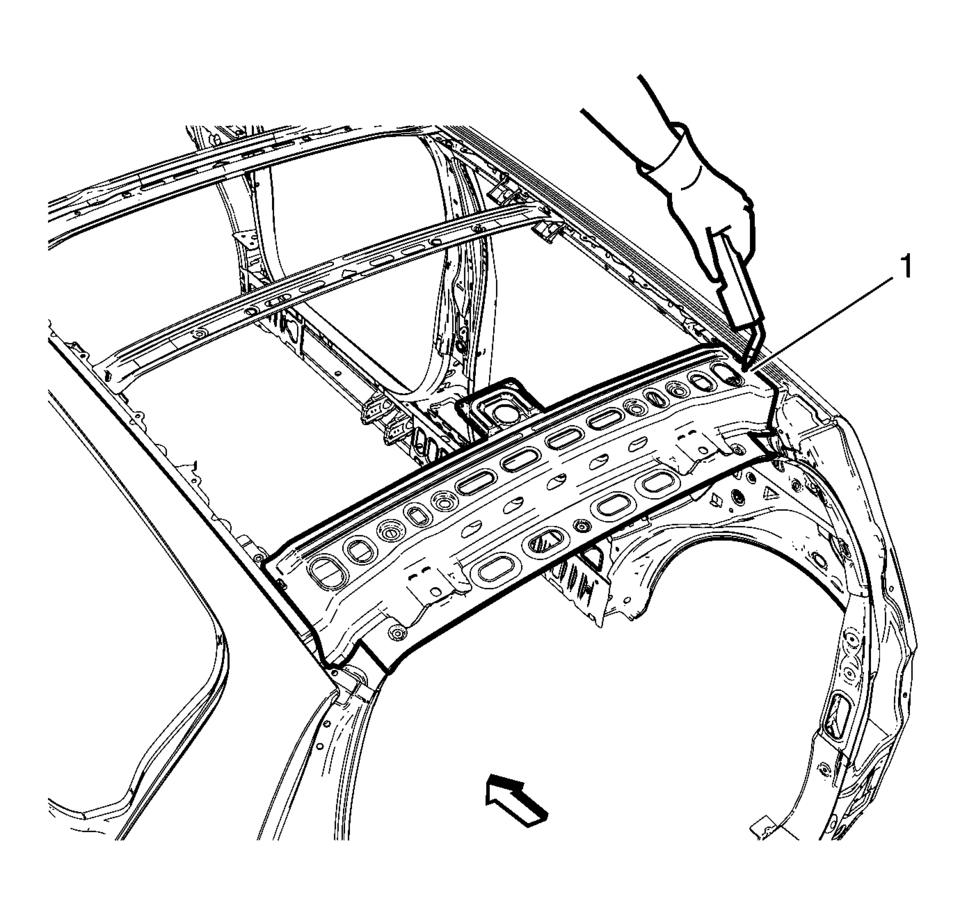
- Plug weld accordingly (1).
- Apply the sealers and anti-corrosion materials to the repair area, as necessary. Refer to Anti-Corrosion Treatment and Repair.
- Paint the repaired area. Refer to Basecoat/Clearcoat Paint Systems.
- Install all related panels and components.
- Connect the negative battery cable. Refer to Battery Negative Cable Disconnection and Connection.
- Enable the SIR system. Refer to SIR Disabling and Enabling.
- Drill 8?€‰mm (5/16?€‰in)
 Roof Rail Rear Assist Handle Replacement
Roof Rail Rear Assist Handle Replacement
Callout
Component Name
1
Roof Rail Rear Assist Handle Fastener (Qty:?€‰2)
...
 Moonroof/Sunroof
...
Other materials:
Timing Belt Removal
Special Tools
EN-6333 Locking Pin
EN-6340 Locking Tool
For equivalent regional tools, refer to Special Tools.
Note: The timing belt drive gear and oil pump housing must align.
Turn the crankshaft in the direction of engine rotation, by the crankshaft
balancer bolt ...
Vehicle, Engine and Transmission ID and VIN Location, Derivative and Usage
The vehicle identification number (VIN) plate is the legal identifier of the
vehicle. The VIN plate is located on the upper left corner of the instrument panel
(I/P) and can be seen through the windshield from the outside of the vehicle:
Vehicle, Engine and Transmission ID and VIN Loca ...
Front Wheel Drive Shaft Seal Replacement - Left Side
Special Tools
DT-446 Installer Drift
DT-7004 Slide Hammer
DT-23129 Universal Seal Remover
For equivalent regional tools, refer to Special Tools.
Removal Procedure
Raise and support the vehicle. Refer to
Lifting and Jacking the Vehicle.
Remove the front suspension s ...

0.0072