
Nissan Armada 2025-2026 Owner's Manual: Security systems
Basic information
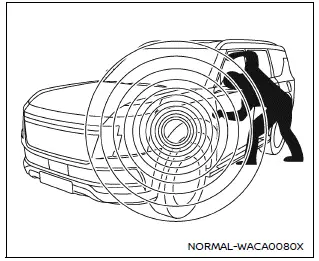
The Nissan Armada is equipped with two primary security systems designed to enhance vehicle protection:
- Vehicle security system
- NISSAN Vehicle Immobilizer System
Vehicle Security System
Basic information
The Nissan Armada vehicle security system activates visual and audible alarms if unauthorized access is detected, such as opening doors, hood, or liftgate while the system is armed.
This system is designed to deter theft, although it does not detect motion or vibration. For maximum security, always lock your Nissan Armada and avoid leaving keys inside the vehicle.
Parking in well-lit, secure areas and staying aware of surroundings further enhances protection of the Nissan Armada.
Additional anti-theft solutions such as tracking systems or component locks may also be used. Nissan dealers and automotive specialists can provide further options, and insurance providers may offer discounts for enhanced vehicle security measures.
How to arm the vehicle security system
1. Close all windows of the Nissan Armada. The system can still be armed even if windows remain slightly open.
2. Remove the Intelligent Key from the vehicle.
3. Ensure all doors, hood, and liftgate are closed, then lock the Nissan Armada using the request switch or Intelligent Key.
Even if occupants remain inside the Nissan Armada, the system will activate once all doors are locked and the ignition is OFF. Switching the ignition to ON will deactivate the system.
Vehicle security system activation
When triggered, the Nissan Armada security system responds with the following alerts:
- Headlights flash and the horn sounds intermittently.
- The alarm automatically stops after approximately 30 seconds but will reactivate if tampering continues.
The alarm in the Nissan Armada is activated by:
- Opening any door, hood, or liftgate without using the Intelligent Key.
How to stop an activated alarm
The Nissan Armada alarm can be stopped by unlocking the vehicle using the request
switch, pressing the UNLOCK
 button on the Intelligent Key, or turning the ignition switch to the ON position.
NISSAN Vehicle Immobilizer System
The Nissan Armada Immobilizer System prevents the engine from starting without a registered Intelligent Key, providing an additional layer of security.
If the Nissan Armada engine fails to start, possible causes may include signal interference from:
- Another Intelligent Key
- Electronic toll collection devices
- Electronic payment systems
- Other wireless signal transmitters
To resolve this issue in the Nissan Armada, follow these steps:
1. Move any interfering devices away from the Intelligent Key.
2. Attempt to start the engine again.
If successful, it is recommended to keep the Intelligent Key separate from other electronic devices to avoid future interference.
Statement related to section 15 of FCC rules for NISSAN Vehicle Immobilizer System (CONT ASSY-SMART KEYLESS)
NOTE:
FCC Notice:
For USA:
This device complies with Part 15 of the FCC Rules. Operation is subject to the following conditions: (1) this device must not cause harmful interference, and (2) it must accept any interference received, including interference that may cause undesired operation.
NOTE:
Any unauthorized modifications to the Nissan Armada system may void the user's authority to operate this equipment.
For Canada:
This device complies with Innovation, Science and Economic Development Canada RSS standards. Operation is subject to the following conditions: (1) the device may not cause interference, and (2) it must accept any interference, including interference that may affect operation.
 Driver Assistance/Navigation/Traffic Sign/Audio/TEL/SMS/Message for Driver Assistance
linking
Driver Assistance/Navigation/Traffic Sign/Audio/TEL/SMS/Message for Driver Assistance
linking
In the Nissan Armada, the Head-Up Display (HUD) integrates multiple systems to
present critical driving information directly within the driver’s field of view,
enhancing safety and convenience.
...
 Wiper and washer switch
Basic information
WARNING
In the Nissan Armada, using the washer system in freezing temperatures may
cause the fluid to freeze on the windshield, significantly reducing visibility.
Always warm t ...
Other materials:
Rear Window and Outside Mirror Defogger
(Rear Window Defogger): Press to
turn the rear window and outside mirror defogger on or off. An indicator light comes
on to show that the feature is on.
The rear window defogger turns off after about 10 minutes. It can also be turned
off by pressing again or by turning
the ignition to ACC ...
If No Steam Is Coming from the Engine Compartment
If an engine overheat warning is displayed but no steam can be seen or heard,
the problem may not be too serious. Sometimes the engine can get a little too hot
when the vehicle:
Climbs a long hill on a hot day.
Stops after high-speed driving.
Idles for long periods in traffic.
If the ...
Hood Hinge Replacement
Hood Hinge Replacement
Callout
Component Name
Preliminary Procedures
Remove the hood. Refer to Hood Replacement.
Remove the front fender. Refer to Front Fender Replacement.
1
Hood Hinge Bolt (Q ...

0.007