
Chevrolet Sonic Repair Manual: Steering Linkage Outer Tie Rod Inspection
Special Tools
GE-8001 Dial Indicator Set
For equivalent regional tools, refer to Special Tools.
- Inspect the outer tie rod seal. If the outer tie rod seal is torn, replace the outer tie rod. Refer to Steering Linkage Outer Tie Rod Replacement.
- Raise the side of the vehicle being inspected with a floor jack while maintaining contact between the opposite wheel and the shop floor. Support the lower control arm with a floor jack stand as far outboard as possible and remove the floor jack. Refer to Lifting and Jacking the Vehicle.
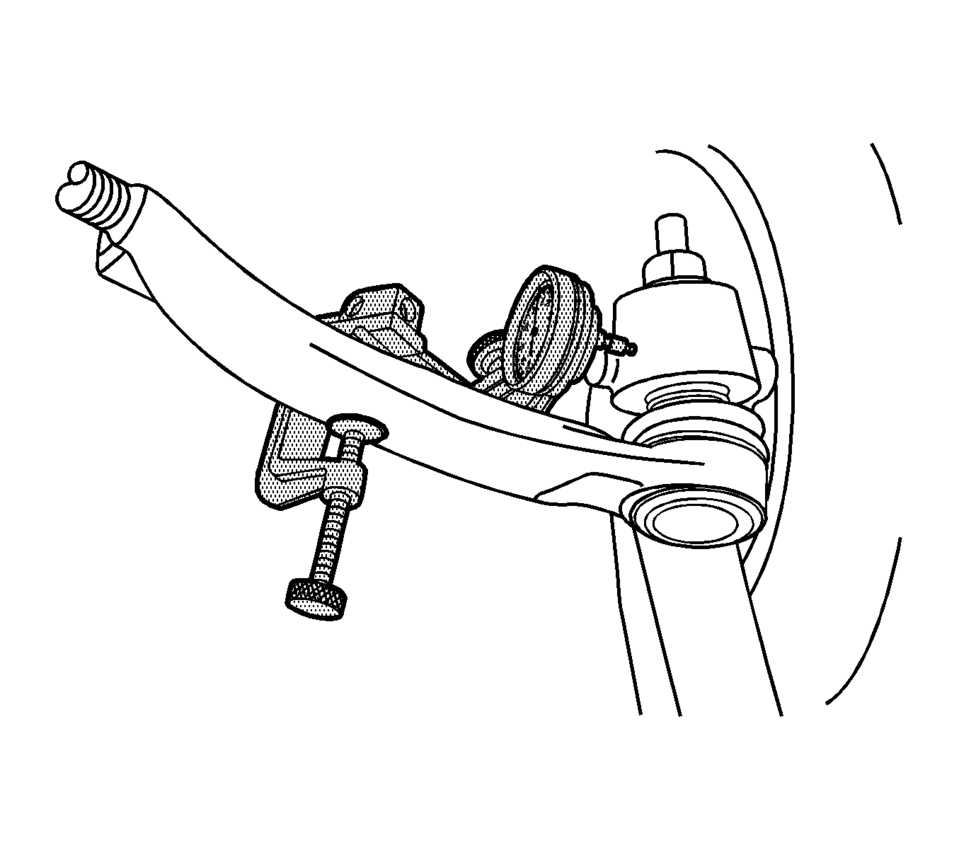
- Install the GE-8001 dial indicator between the outer tie rod and the steering knuckle as shown in the graphic. Note that the tire and wheel assembly is shown removed only for clarification of the GE-8001 dial indicator position.
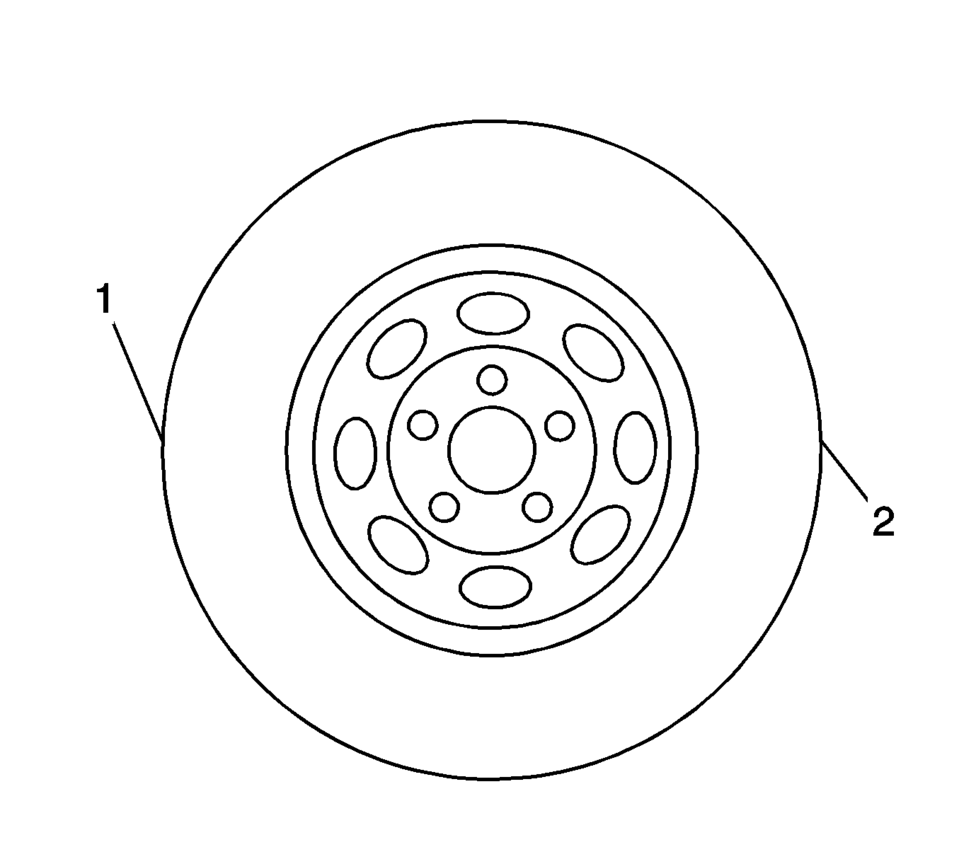
- Grasping the tire at the 3 o'clock (2) and 9 o'clock (1) positions, gently push in on one side of the tire to remove any lash.
- Zero the GE-8001 dial indicator .
- On the same side of the tire previously pushed inwards, gently pull outwards and measure the lash.
- Record the measurement shown on the GE-8001 dial indicator .
- If the measured value exceeds 0.5 mm (0.02 in), replace the outer tie rod. Refer to Steering Linkage Outer Tie Rod Replacement.
- Repeat the procedure for the other side.
Note:
This inspection procedure does not supersede local government required inspections that have more stringent requirements.
 Steering Linkage Inner Tie Rod Replacement
Steering Linkage Inner Tie Rod Replacement
Callout
Component Name
Preliminary Procedures
Raise and support the vehicle. Refer to Li ...
 Steering Linkage Outer Tie Rod Replacement
Steering Linkage Outer Tie Rod Replacement
Callout
Component Name
Preliminary Procedures
Raise and support the vehicle. Refer to Li ...
Other materials:
Body Panel Paint Protector Replacement (VGC)
The paint protective film and vehicle surface temperature should be 13?€“32?°C
(55?€“90?°F) for best results.
Automatic car washes should be avoided for at least 24?€‰hours after the
paint protective film application.
Wipe the vehicle surface with isopropyl alcohol or fl ...
Roof Rail Rear Assist Handle Replacement
Roof Rail Rear Assist Handle Replacement
Callout
Component Name
1
Roof Rail Rear Assist Handle Fastener (Qty:?€‰2)
Caution: Refer to Fastener Caution.
Procedure
Fold the assist handle downward an ...
Engine Coolant Thermostat Housing Installation
Caution: Refer to Engine Coolant Thermostat Housing Caution.
Clean sealing surface.
Install a NEW engine coolant thermostat housing seal.
Install the engine coolant thermostat housing (2).
Caution: Refer to Fastener Caution.
Note: Screw in the 4 ...

0.0055