
Nissan Armada 2025-2026 Owner's Manual: System operation
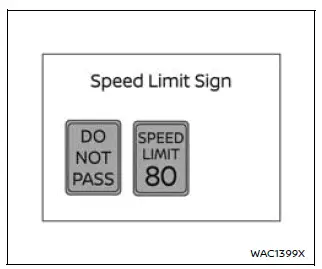
The Nissan Armada TSR system is capable of recognizing and displaying key traffic signs, including the following:
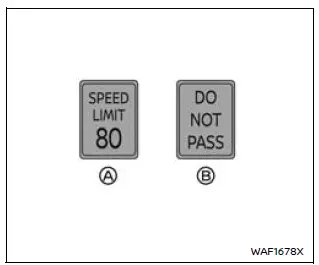
- Latest detected speed limit
- No passing zone indication
CAUTION
- The TSR system in the Nissan Armada is designed to assist, not replace, attentive driving. Always observe road signs directly and follow current traffic laws.
- The Nissan Armada TSR system may not operate correctly under certain
conditions, such as:
- When road signs are damaged, obscured, or difficult to read due to weather or lighting conditions.
- When dirt, snow, or moisture covers the windshield area in front of the camera.
- When headlights are dim or improperly adjusted.
- When strong sunlight directly hits the camera (e.g., sunrise or sunset).
- When entering or exiting tunnels or areas with rapid brightness changes.
- When driving in regions not supported by the navigation/map system.
- When navigation data is outdated or inaccurate.
- When passing vehicles displaying speed stickers (e.g., trucks or buses).
- The TSR system in the Nissan Armada may occasionally display incorrect or irrelevant signs. For example, it may detect a sign intended for another vehicle type or display a speed limit that differs from the actual limit.
 Basic information
The Nissan Armada Traffic Sign Recognition (TSR) system is designed to enhance
driver awareness by identifying and displaying the most recently detected road signs,
particularly speed limits. ...
 How to enable/disable the TSR system
Vehicle information display
Steering-wheel-mounted controls (right side)
To configure the Nissan Armada TSR system, follow these steps:
1. Press the
button until "Settings" ...
Other materials:
Pretensioner Handling and Scrapping
Scrapping Procedure
During the course of a vehicles useful life, certain situations may arise
which will necessitate the disposal of a live (undeployed) pretensioner. The
following information covers the proper procedures for the disposing of a live
(undeployed) pretensioner. Deplo ...
Evaporative Emission System Hose/Pipe Replacement
Removal Procedure
Disconnect the evaporative emission pipe (1). Refer to Plastic Collar
Quick Connect Fitting Service.
Remove the plastic retainer (1) and disconnect the evaporative emission
pipe (2).
Lift and support t ...
Crankshaft and Bearing Removal
Identify all the connecting rod bearing caps (1).
Remove the 4 bolts.
Remove the connecting rod bearing caps 1 and 4 (1).
Turn the crankshaft through 180°.
Remove the 4 bolts.
Remove the connecting rod bearing caps 2 and 3 ( ...

0.0063