
Nissan Armada 2025-2026 Owner's Manual: Vehicle information display warnings and indicators
Engine start operation indicator
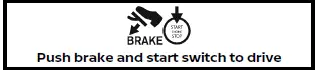
In the Nissan Armada, this indicator is displayed when the gear selector is positioned in P (Park), confirming that the vehicle is in a safe state for engine start.
This symbol informs the driver that the Nissan Armada engine can be started by pressing the ignition switch while holding down the brake pedal. The system is designed for convenience, allowing engine start regardless of the current ignition switch mode.
No Key Detected warning

This warning in the Nissan Armada appears when the vehicle detects that the Intelligent Key is outside the cabin while the engine is running and the doors are closed.
Ensure that the Intelligent Key remains inside the Nissan Armada to maintain proper system communication and avoid unexpected interruptions.
Key Battery Low warning

The Nissan Armada will display this alert when the Intelligent Key battery level becomes low.
When this warning appears, it is recommended to replace the key battery promptly to ensure uninterrupted access and starting functionality.
Engine start operation for Intelligent Key system indicator
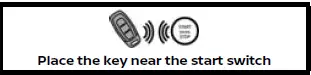
This indicator in the Nissan Armada is shown when the Intelligent Key battery is weak or when communication between the key and vehicle is disrupted.
If displayed, press the ignition switch using the Intelligent Key itself while simultaneously pressing the brake pedal to start the engine.
Key System Error: See Owner's Manual warning
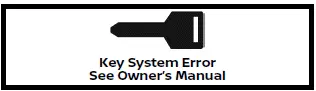
This warning indicates a malfunction within the Intelligent Key system of the Nissan Armada.
If the engine is off, the Nissan Armada may not start. If the engine is already running, you can continue driving, but it is strongly advised to visit an authorized Nissan dealer as soon as possible for диагно�тика та ремонт.
Release Parking Brake warning

This warning appears in the Nissan Armada when the accelerator pedal is pressed while the automatic release of the electronic parking brake is unavailable.
Manually disengage the parking brake before proceeding to ensure proper vehicle operation.
Low Fuel warning

The Nissan Armada displays this alert when the fuel level is low.
Refuel as soon as possible, ideally before the gauge reaches empty. Even at zero, the Nissan Armada retains a small fuel reserve, but relying on it is not recommended.
Low Washer Fluid warning

This alert appears when the washer fluid level in the Nissan Armada is insufficient.
Add washer fluid promptly to maintain clear visibility and safe driving conditions.
Door/liftgate open warning

This warning in the Nissan Armada indicates that one or more doors or the liftgate are not securely closed.
The display visually highlights which door or rear hatch is open, allowing the driver to quickly resolve the issue.
Rear seat belt warning

- This Nissan Armada warning shows the fastening status of rear seat belts only, highlighting unfastened belts in red.
- If rear seat belts are not fastened when the ignition is turned ON, the warning will remain visible for a certain period or until manually dismissed.
- If a rear seat belt is unfastened during operation, the Nissan Armada will display a warning and activate the seat belt indicator light.
- If the Nissan Armada exceeds a certain speed while a rear belt is unfastened, a warning message, flashing indicator, and audible chime will activate. This cannot be dismissed until the belt is fastened again, ensuring passenger safety.
NOTE:
While this warning is active in the Nissan Armada, the system simultaneously displays the status of all doors and the liftgate.
Opening and closing a rear door while stationary will reset this warning in the Nissan Armada, similar to cycling the ignition.
Tire Pressure Low - Add Air warning

This warning appears in the Nissan Armada when the system detects insufficient tire pressure.
The alert will be displayed every time the ignition is turned ON as long as the issue persists. If triggered, stop the Nissan Armada safely and inflate the tires to the recommended cold pressure specified on the Tire and Loading Information label to ensure optimal performance and safety.
Shift to P range warning

In the Nissan Armada, this warning is displayed when the driver's door is opened while the transmission is not in the P (Park) position.
If this alert appears, press the Park button immediately to place the Nissan Armada into the P (Park) position and ensure vehicle safety.
An audible warning chime inside the Nissan Armada will also sound to notify the driver.
Some modes not available in 4LO indicator (if so equipped)

This indicator in the Nissan Armada appears when specific drive modes are selected while the 4LO mode is active, indicating incompatibility.
- ECO
- SPORT
4HI/4LO is not available in current Drive mode indicator (if so equipped)

The Nissan Armada will display this message when attempting to switch between AUTO and 4H/4L modes while certain drive modes are active.
- ECO
- SPORT
AWD AUTO is not available in current Drive mode indicator (if so equipped)

This indicator appears in the Nissan Armada when switching between 4H/4L and AUTO is not permitted due to selected terrain modes.
- SAND
- MUD/RUT
- ROCK
Four-Wheel Drive (4WD) shift indicator (if so equipped)

This display shows the currently selected four-wheel drive mode in the Nissan Armada, including AUTO, 4H, or 4L, depending on terrain and driver input.
For 4HI/4LO shift to N and apply brake indicator (if so equipped)

This warning appears in the Nissan Armada when attempting to switch between 4H and 4L modes without shifting the transmission into N (Neutral) and pressing the brake pedal.
To engage Diff-lock vehicle must be stopped and in 4LO indicator (if so equipped)

The Nissan Armada displays this indicator when the differential lock is activated incorrectly, reminding the driver that the vehicle must be fully stopped and in 4LO mode.
Automatic Transmission (AT) position indicator

This indicator shows the current automatic transmission gear position in the Nissan Armada.
In manual shift mode, if the system prevents shifting due to transmission protection logic, the indicator will blink and a warning chime will sound.
AT Malfunction Service now warning

This warning appears in the Nissan Armada when a malfunction is detected in the automatic transmission system.
If displayed, have the system inspected as soon as possible. It is recommended to visit an authorized Nissan service center.
AT hot Power reduced warning

The Nissan Armada uses a transmission protection mode when fluid temperatures become too high, such as during towing or steep climbs in hot conditions.
In such cases, engine power and vehicle speed may be automatically reduced to protect the transmission. Although the driver can still control acceleration, performance may be limited until temperatures normalize.
AT Malfunction Stop safely warning

This critical warning in the Nissan Armada indicates a serious transmission fault.
If this message appears, stop the vehicle immediately in a safe location and have the system inspected without delay by a qualified technician.
Service AT Power reduced warning

This warning appears when the Nissan Armada detects reduced transmission performance.
It is recommended to have the vehicle checked promptly to prevent further issues and maintain optimal driving performance.
Steering system malfunction Stop safely warning

When this warning appears in the Nissan Armada, the electric power steering system may no longer function properly.
Stop the vehicle immediately in a safe area and avoid continued driving. Have the system inspected by an authorized Nissan dealer.
Steering system malfunction Visit dealer warning

This warning in the Nissan Armada indicates a steering system issue that requires professional diagnosis.
While the vehicle may still be operable, it is strongly recommended to visit a Nissan dealer as soon as possible to ensure safety and proper handling.
When this warning appears in the Nissan Armada, the power steering assist is reduced, meaning the steering wheel will feel noticeably heavier during operation.
At this moment, the driver of the Nissan Armada should firmly grip the steering wheel and apply greater effort than usual to maintain proper control of the vehicle.
It is strongly recommended to have the Nissan Armada inspected as soon as possible by an authorized Nissan dealer to ensure safe driving conditions.
Drive Mode Selector indicator (if so equipped)

When a driving mode is selected using the Drive Mode Selector in the Nissan Armada, the corresponding mode indicator is clearly displayed in the instrument cluster for driver awareness.
- STANDARD
- ECO
- SPORT
- TOW
- SNOW
- ROCK (4WD models)
- SAND (4WD models)
- MUD/RUT (4WD models)
AWD error Apply parking brake warning (if so equipped)

This warning in the Nissan Armada appears when the automatic parking mechanism of the transmission is not properly engaged.
If the transfer system is not securely set in a valid driving mode while the gear selector is in P (Park), the transmission may disengage and the wheels may not lock, creating a potential safety risk.
If this message is displayed in the Nissan Armada, shift the transmission to N (Neutral), press the brake pedal, and reselect the desired 4WD mode (AUTO, 4H, or 4L).
AWD Error: See Owner's Manual warning (if so equipped)

This warning indicates that the 4WD system of the Nissan Armada is not functioning correctly while the engine is running.
Reduce speed immediately and have the Nissan Armada inspected as soon as possible to prevent further drivetrain damage.
AWD High Temp. Stop vehicle warning (if so equipped)
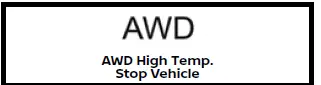
This warning appears when the transfer case temperature in the Nissan Armada becomes excessively high.
If displayed, stop the vehicle safely and allow the engine to idle until the system cools down. During this condition, the Nissan Armada may automatically switch from 4WD to 2WD mode to protect drivetrain components.
Once the warning disappears, normal 4WD operation can be resumed.
Tire Size Incorrect: See Owner's Manual warning (if so equipped)

This warning in the Nissan Armada may appear when there is a significant difference in tire size or diameter between the front and rear wheels.
Stop the Nissan Armada in a safe location and inspect all tires to ensure they match in size, brand, construction, and tread pattern. Also verify correct tire pressure and check for excessive wear.
Avoid using terrain modes such as SAND, MUD/RUT, ROCK, or SNOW until the issue is resolved. Switch the Nissan Armada to AUTO mode and drive cautiously at reduced speeds.
AWD error Do not drive at high speed Service now warning (if so equipped)
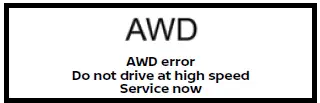
This warning appears when the 4WD system in the Nissan Armada is malfunctioning.
Avoid high-speed driving and have the vehicle inspected immediately to prevent further damage.
Shipping Mode On Push Storage Fuse warning

This warning may appear in the Nissan Armada if the extended storage switch has not been activated.
To clear this message, press the storage switch to return the system to normal operating mode.
Power will turn off to save the battery warning

Under certain conditions, the Nissan Armada may display this warning after the ignition remains in the ON position for an extended period.
This function helps preserve battery life by preparing to shut down unnecessary electrical systems.
Power turned off to save the battery warning

This message confirms that the Nissan Armada has automatically turned off certain systems to conserve battery power.
This typically occurs when the ignition has been left on without the engine running for too long.
Reminder Turn OFF Headlights warning
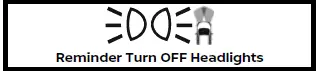
The Nissan Armada will display this reminder if the headlights remain ON after the engine is switched off and the driver's door is opened.
Turn the headlight switch to the OFF or AUTO position before leaving the Nissan Armada to prevent battery drain.
Headlight System Error: See Owner's Manual warning

This warning indicates a malfunction in the headlight system of the Nissan Armada.
If this alert appears, have the system inspected as soon as possible to ensure proper nighttime visibility and safety.
This warning in the Nissan Armada appears when the LED headlight system is not functioning correctly. Proper illumination is essential for safe driving, especially at night or in poor visibility conditions.
If this alert is displayed in the Nissan Armada, it is strongly recommended to have the lighting system inspected and repaired by an authorized Nissan dealer as soon as possible.
Time for a break? indicator

The Nissan Armada will display this reminder when the Timer Alert feature is activated, encouraging the driver to take a rest during long trips.
This function can be configured for up to 6 hours, helping improve driver alertness and overall road safety.
Chassis Control System Error: See Owner's Manual warning

This warning indicates that the Nissan Armada has detected a malfunction within the chassis control system.
When this message appears, the system performance may be limited, and it is advisable to have the Nissan Armada checked by a qualified technician without delay.
Check Rear Seat indicator (if so equipped)

When enabled, the Nissan Armada Rear Door Alert system provides this reminder to prompt the driver to inspect the rear seats before leaving the vehicle.
- Using the steering wheel controls in the Nissan Armada, the driver can select "Dismiss Message" to temporarily hide the alert.
- The driver can also choose "Disable Alert" to deactivate the audible warning for the remainder of the current trip.
WARNING
In the Nissan Armada, selecting "Dismiss Message" only hides the alert temporarily for the current stop and does not deactivate the system. Alerts may reappear during subsequent stops. Selecting "Disable Alert" turns off audible notifications for the remainder of the trip, which may reduce awareness of rear seat occupants or items.
Check Rear Seat indicator

This message in the Nissan Armada is displayed after the vehicle is stopped, shifted from D (Drive) to P (Park), and the engine is turned off.
After a short delay, the system reminds the driver to check for passengers or belongings in the rear seat, especially after an audible alert has been issued.
Lane Departure Warning (LDW)/ Intelligent Lane Intervention (I-LI) indicator

This indicator confirms that the Lane Departure Warning (LDW) and/or Intelligent Lane Intervention (I-LI) systems are active in the Nissan Armada.
Blind Spot Warning (BSW)/Intelligent Blind Spot Intervention (I-BSI) indicator

This symbol appears when the Blind Spot Warning (BSW) and/or Intelligent Blind Spot Intervention (I-BSI) systems are enabled in the Nissan Armada, enhancing awareness of surrounding traffic.
Vehicle ahead detection indicator

This indicator in the Nissan Armada displays the operational status of forward collision-related safety systems:
- Automatic Emergency Braking (AEB) with Pedestrian Detection
- Intelligent Forward Collision Warning (I-FCW)
Cruise indicator

This indicator shows the status of the standard cruise control system in the Nissan Armada.
Different colors are used to indicate whether the system is active, set, or in standby mode.
Speed control status/set distance/ lane marker indicator

This display in the Nissan Armada provides real-time information about the Intelligent Cruise Control (ICC) system, including set distance and lane marker detection.
Visual cues such as color and shape help the driver quickly understand system status.
Malfunction See Owner's Manual warning

This warning appears in the Nissan Armada when one or more advanced driver assistance systems are not functioning properly.
- Traffic Sign Recognition (TSR)
- Rear Automatic Braking (RAB)
- Rear Cross Traffic Alert (RCTA)
- Automatic Emergency Braking (AEB) with Pedestrian Detection
- Intelligent Forward Collision Warning (I-FCW)
- Lane Departure Warning (LDW)
- Intelligent Lane Intervention (I-LI)
- Blind Spot Warning (BSW)
- Intelligent Blind Spot Intervention (IBSI)
- ProPILOT Assist
- Intelligent Driver Alertness (I-DA)
Unavailable Camera Temperature High warning

This warning appears when the interior temperature of the Nissan Armada becomes too high, affecting the performance of camera-based systems.
- Lane Departure Warning (LDW)
- Intelligent Lane Intervention (I-LI)
- Intelligent Blind Spot Intervention (IBSI)
- Traffic Sign Recognition (TSR)
- Steering Assist
Once the cabin temperature returns to normal, the systems in the Nissan Armada will resume proper operation and the warning will disappear.
If this warning continues to be displayed in the Nissan Armada, it indicates that the issue has not been resolved automatically and requires professional inspection. To maintain optimal performance and safety, it is strongly recommended to have the Nissan Armada checked by an authorized Nissan dealer.
Currently Unavailable warning

This warning appears in the Nissan Armada when certain advanced driver assistance systems become temporarily unavailable due to specific operating conditions.
Systems affected may include Intelligent Lane Intervention (I-LI), Intelligent Blind Spot Intervention (I-BSI), and Intelligent Cruise Control (ICC), which may be restricted until normal conditions are restored.
Driving Aids Temporarily limited Radar interference warning

This warning is displayed in the Nissan Armada when the radar sensor detects interference from external radar sources.
In such cases, the Automatic Emergency Braking (AEB) system warning light will illuminate, indicating temporary system limitation.
Once the interference is cleared, the Nissan Armada systems, including AEB with Pedestrian Detection and Intelligent Forward Collision Warning (I-FCW), will resume normal operation automatically.
Forward Driving Aids temporarily disabled Front Sensor blocked See Owner's Manual warning

If the front radar sensor area of the Nissan Armada becomes obstructed by dirt, snow, or debris, the system may be unable to detect vehicles ahead.
- Intelligent Cruise Control (ICC) (on ProPILOT Assist system)
If this warning appears, safely park the Nissan Armada and turn off the engine.
Inspect the sensor area and remove any obstruction. Restart the vehicle afterward.
If the warning persists, have the Nissan Armada inspected by a qualified technician as soon as possible.
Driving Aids Temporarily disabled Clean sensor area See Owner's Manual warning

This warning appears in the Nissan Armada when the front radar or camera area is blocked by contaminants such as ice, mud, or dirt.
- Automatic Emergency Braking (AEB) with Pedestrian Detection
- Intelligent Forward Collision Warning (I-FCW)
To restore full system functionality, park the Nissan Armada safely and clean the affected sensor areas thoroughly.
If the message remains after cleaning, professional диагно�тика Nissan Armada is recommended.
Driving Aids temporarily limited

This message in the Nissan Armada may appear when the Automatic Emergency Braking (AEB) system is active but operating under limited conditions.
This can occur if the system self-check does not complete properly or when the vehicle is being towed, temporarily reducing system functionality.
Driving Aids temporarily limited Front Camera Too Hot

This warning appears when the interior temperature of the Nissan Armada becomes too high, affecting the performance of the front camera.
- Automatic Emergency Braking (AEB) with Pedestrian Detection system
Once the temperature returns to normal levels, the Nissan Armada systems will automatically resume full operation.
If the warning continues to appear, have the system inspected by a Nissan dealer.
Driving Aids Temporarily limited Poor Visibility

This warning is displayed when visibility conditions interfere with the front camera of the Nissan Armada, such as bright sunlight or glare from oncoming headlights.
Rear Driving Aids Unavailable indicator

This indicator appears in the Nissan Armada when certain rear safety systems are temporarily disabled.
This typically occurs when TOW mode is selected or when the trailer Blind Spot Warning (BSW) function is active.
Affected systems may include Rear Automatic Braking (RAB), Rear Cross Traffic Alert (RCTA), and rear sonar sensors.
Unavailable Side Radar Obstruction warning

This warning appears when the Nissan Armada detects a blockage in the side radar sensors.
- Blind Spot Warning (BSW)
- Intelligent Blind Spot Intervention (IBSI)
- Rear Cross Traffic Alert (RCTA)
Ensure that the radar areas are clean and unobstructed to restore proper operation of these systems.
I-LI ON indicator/I-BSI ON indicator/ ProPILOT Assist status indicator
These indicators in the Nissan Armada confirm that Intelligent Lane Intervention (I-LI), Intelligent Blind Spot Intervention (I-BSI), and ProPILOT Assist systems are active and functioning, providing enhanced driver assistance and safety support.

In the Nissan Armada, this indicator is displayed when key advanced driver assistance systems are activated and operating normally.
- Intelligent Lane Intervention (I-LI)
- Intelligent Blind Spot Intervention (IBSI)
- ProPILOT Assist
Look Forward warning (if so equipped)

This warning may appear in the Nissan Armada when the system detects that the driver is not paying sufficient attention to the road ahead.
Always maintain focus, keep your eyes on the road, and operate the Nissan Armada carefully in accordance with traffic conditions.
Once the system detects that the driver is looking forward again, the warning will automatically disappear.
Steering Assist guidance
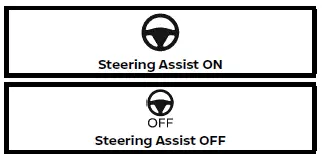
This message in the Nissan Armada indicates when the Steering Assist system is switched ON or OFF, providing real-time feedback to the driver.
Steering Assist indicator

This indicator confirms that the Steering Assist system in the Nissan Armada is currently active and assisting with lane control.
Hands on/Eyes off detection warning (if so equipped)
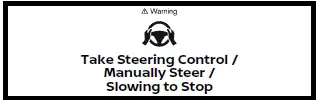
This warning appears in the Nissan Armada when Steering Assist is engaged but the system detects improper driver input or attention.
- When the driver is not holding the steering wheel
- When there is no steering input detected
Immediately place your hands on the steering wheel to maintain control.
Once steering input is detected, the Nissan Armada will automatically restore Steering Assist functionality and clear the warning.
Step on Brake Now indicator

This message may appear in the Nissan Armada when the Intelligent Cruise Control (ICC) system is active under certain conditions.
- When the vehicle is stopped by ICC and the driver's door is opened without engaging the electronic parking brake
Press the brake pedal immediately to maintain vehicle safety.
Unavailable Slippery Road warning

This warning appears when road conditions are too slippery for certain driver assistance systems in the Nissan Armada to function reliably.
- Intelligent Lane Intervention (I-LI)
- Intelligent Blind Spot Intervention (IBSI)
- Intelligent Cruise Control (ICC)
Unavailable Seatbelt is Unfastened indicator

This warning appears in the Nissan Armada when the Intelligent Cruise Control system is engaged but the driver's seat belt is not fastened.
Under this condition, the ICC system will automatically deactivate and cannot be used until the seat belt is properly fastened.
Unavailable Adverse Weather indicator

This message may appear in the Nissan Armada when Steering Assist is active but environmental conditions prevent proper system operation.
- When windshield wipers are operating at high speed (HI)
- When lane markings are difficult to detect due to snow, glare, rain reflections, or unclear road markings
If you wish to use Steering Assist again in the Nissan Armada, deactivate ProPILOT Assist and reactivate it once lane markers are clearly visible.
Unavailable Low Visibility

This warning appears when visibility conditions interfere with the Nissan Armada front camera.
- The windshield camera area is fogged, dirty, or covered with water, ice, or snow
- Strong external light sources such as sunlight or oncoming headlights affect camera performance
Steering Assist Not Available Cannot Detect Lane indicator

This indicator appears in the Nissan Armada when the Steering Assist system cannot detect lane markings correctly.
In such cases, the system will automatically deactivate due to unreliable lane recognition caused by road conditions such as snow tracks, reflections, or worn markings.
To restore Steering Assist in the Nissan Armada, disable ProPILOT Assist and enable it again once clear lane markings are detected.
Trailer or Rear Object May Limit Steering Assist (if so equipped)

This warning indicates that the presence of a trailer or object at the rear of the Nissan Armada may affect the performance of the Steering Assist system.
For optimal operation, ensure that rear sensors are unobstructed and consider disabling certain assist features when towing.
This indicator in the Nissan Armada may appear when the Steering Assist system is active. In such cases, the Steering Assist with HD map integration may become unavailable or temporarily deactivate if the system cannot reliably detect a vehicle traveling in an adjacent lane.
This ensures that the Nissan Armada maintains safe and accurate assistance only when sufficient environmental data is available.
Unavailable Parking Brake is ON indicator

This message appears in the Nissan Armada when the Intelligent Cruise Control (ICC) system is active but the electronic parking brake is engaged.
Under this condition, the ICC system is automatically canceled to prevent unsafe vehicle operation.
- The electronic parking brake is applied.
The Nissan Armada ICC system cannot function while the parking brake is engaged.
Only Available with ProPILOT Assist ON indicator

This indicator appears when the Steering Assist switch is pressed while ProPILOT Assist is not activated in the Nissan Armada.
To use Steering Assist, ProPILOT Assist must first be enabled.
Automatic Emergency Braking (AEB) emergency warning indicator

This warning in the Nissan Armada is accompanied by an audible alert and is triggered when the Automatic Emergency Braking (AEB) system detects a potential frontal collision.
Rear Automatic Braking (RAB) system warning indicator

This indicator reflects the operational status of the Rear Automatic Braking (RAB) system in the Nissan Armada.
Sonar system indicator

This indicator shows the current status of the Nissan Armada sonar parking system, which assists in detecting nearby obstacles.
Parking Sensor Temporarily disabled warning

This warning appears when the Nissan Armada detects that the sonar sensors are temporarily blocked, for example by dirt, snow, or other obstructions.
Parking Sensor Error See Owner's Manual warning

This alert indicates a malfunction in the Nissan Armada sonar system and requires inspection by a qualified technician.
Press Brake Pedal warning

This warning appears in the Nissan Armada under the following conditions:
- When attempting to manually release the electronic parking brake without pressing the brake pedal
- When the vehicle is stationary on a steep incline and may roll backward despite the parking brake being applied
Press brake pedal to prevent rolling warning
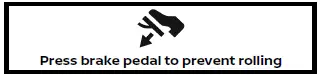
This warning and accompanying chime in the Nissan Armada indicate that the vehicle is moving while the automatic brake hold function is active.
Immediately press the brake pedal to bring the vehicle to a complete stop.
Press brake to operate switch indicator
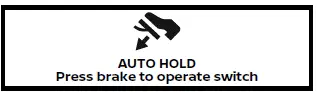
This indicator appears if the automatic brake hold switch is pressed without pressing the brake pedal while the function is active in the Nissan Armada.
To deactivate the system, press the brake pedal first and then operate the switch.
Caution Steep slope indicator

This warning and audible signal appear when the Nissan Armada is on a steep incline while the automatic brake hold system is engaged.
Apply the brake pedal immediately to maintain vehicle stability.
Steep Slope Apply foot brake indicator

This warning is triggered if the "Caution Steep slope" message remains active for an extended period.
The Nissan Armada may automatically apply the parking brake and release brake hold force, which could result in unintended movement. Press the brake pedal to maintain control.
Auto Hold Not Available in 4LO indicator (if so equipped)

The automatic brake hold function in the Nissan Armada is disabled when the vehicle is in 4LO mode.
If 4LO is selected while brake hold is active, the system will automatically release the braking force.
Take a Break? indicator

This indicator appears when the Intelligent Driver Alertness (I-DA) system in the Nissan Armada detects reduced driver attention.
It is recommended to take a break to restore alertness and ensure safe driving conditions.
Low Oil Level warning

In the Nissan Armada, this warning is displayed when the engine oil level drops below the recommended range, indicating the need for immediate attention.
To ensure an accurate reading, warm up the engine and park the Nissan Armada on a flat, level surface. After turning off the engine, wait at least 10 minutes before checking the oil level using the dipstick.
If the oil level is low, add the appropriate type and quantity of engine oil to maintain proper lubrication and engine performance.
If the Nissan Armada repeatedly shows this warning before reaching the scheduled oil change interval, inspect the oil level again. Persistent warnings may indicate a deeper issue, and professional inspection is recommended.
NOTE:
For the Nissan Armada, accurate oil level measurement requires a level surface. If the warning appears but the dipstick reading seems normal, reposition the vehicle on a flat surface, wait at least 10 minutes, and recheck. If the warning persists, add oil or perform an oil change as needed to ensure optimal engine operation.
Sensor Fault See Owner's Manual warning
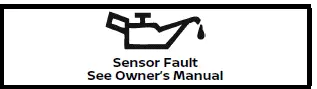
This warning appears in the Nissan Armada when the engine oil level sensor may not be functioning correctly.
If displayed, it is advisable to contact an authorized Nissan dealer immediately for диагно�тика and repair.
Engine Oil Service due in - - - miles

This reminder in the Nissan Armada appears when the remaining distance to the next oil service is less than 62 miles (100 km), prompting timely maintenance.
Engine oil level display

To access the engine oil level display in the Nissan Armada, refer to the Maintenance menu within the vehicle information system.
"Oil Level OK": Indicates that the engine oil level in the Nissan Armada is within the optimal operating range.
"Low Oil Level": Indicates insufficient oil. Add the recommended oil and recheck to ensure proper lubrication.
The engine oil level is too high. Reduce the oil quantity to prevent engine damage and recheck the level.
For persistent issues, it is recommended to have the Nissan Armada inspected by a qualified technician.
Air suspension mode indicator (if so equipped)

This indicator reflects the current ride height setting of the Nissan Armada air suspension system, adapting to driving conditions and load requirements.
Air suspension warning (if so equipped)

This warning appears when the Nissan Armada detects a malfunction in the air suspension system, which may affect ride comfort and vehicle stability.
Idling Stop System indicator

This indicator shows the operational status of the Idling Stop System in the Nissan Armada, which helps reduce fuel consumption and emissions.
Limited driver's aid VDC setting OFF warning

This warning appears when the Vehicle Dynamic Control (VDC) system in the Nissan Armada is turned OFF.
When VDC is disabled, advanced safety features such as Automatic Emergency Braking (AEB) with Pedestrian Detection will not function fully, and only visual or audible alerts may remain active.
Driving Aids Limited Towing Assist Activated indicator

This warning appears when the Nissan Armada is operating in TOW mode or when trailer Blind Spot Warning (BSW) is enabled.
Under these conditions, several driver assistance systems such as Intelligent Lane Intervention (I-LI), Intelligent Blind Spot Intervention (I-BSI), rear sonar, and Steering Assist (ProPILOT Assist) are automatically disabled to ensure stable towing performance.
Neutral Hold Mode guidance indicator

This indicator appears in the Nissan Armada when the ignition is turned OFF while the transmission is in the N (Neutral) position, indicating that Neutral Hold Mode is available.
Neutral Hold Mode activated indicator

This indicator confirms that Neutral Hold Mode is currently active in the Nissan Armada, allowing the vehicle to remain in neutral even when the ignition is off.
To exit this mode, shift the transmission out of the N (Neutral) position.
Neutral Hold Mode was not activated indicator

This message appears when Neutral Hold Mode cannot be activated in the Nissan Armada.
Wait briefly without shifting gears and then attempt the activation process again to enable the feature successfully.
 Settings
Basic information
The Settings mode in the Nissan Armada provides drivers with a comprehensive
interface for customizing both the vehicle information display and various system
configurations. Th ...
 Trip computer
Example
Basic information
In the Nissan Armada, the trip computer is controlled using intuitive switches
located directly on the steering wheel, allowing the driver to navigate menus without
...
Other materials:
Recommended Fuel
Use regular unleaded gasoline with a posted octane rating of 87 or higher. If
the octane rating is less than 87, an audible knocking noise may be heard. If this
occurs, use a gasoline rated at 87 octane or higher as soon as possible. If heavy
knocking is heard when using gasoline with a higher ...
Rear Side Door Upper Hinge and Lower Hinge Replacement
Rear Side Door Upper Hinge and Lower Hinge Replacement
Callout
Component Name
1
Rear Side Door Upper Hinge to Body Bolts (Qty:?€‰2)
Caution: Refer to Fastener Caution.
Procedures
Before removing t ...
MOD system limitations
WARNING
The following section outlines important limitations of the Moving Object
Detection (MOD) system in the Nissan Armada. Ignoring these limitations or relying
on the system beyond its capabilities may significantly increase the risk of accidents,
serious injury, or even fatal outcomes. ...

0.0057