
Chevrolet Sonic Repair Manual: 2-6 Clutch Piston Installation (6T30)
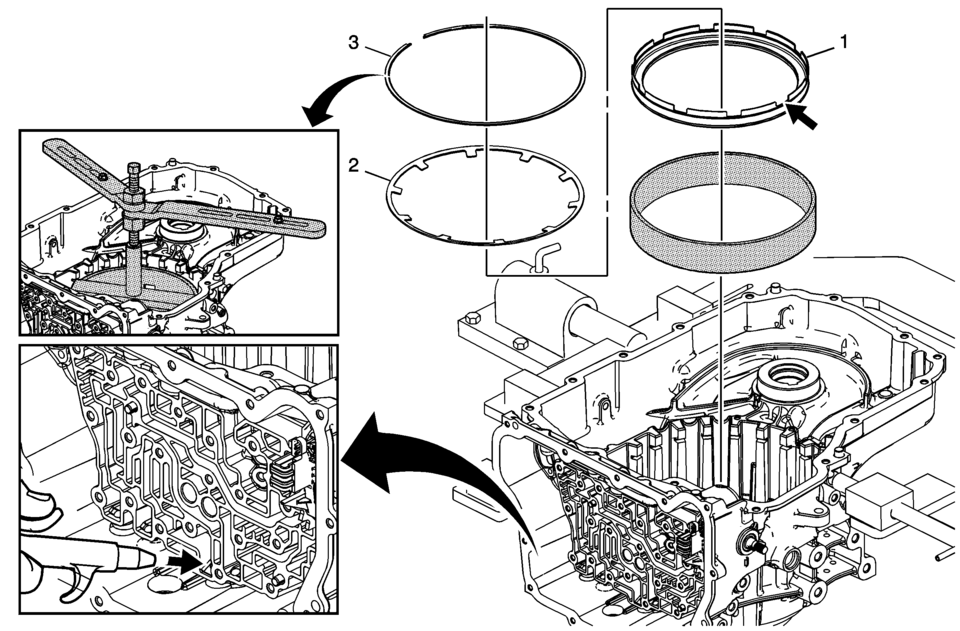
|
Callout |
Component Name |
|---|---|
|
1 |
2?E Clutch Piston Assembly Note:
Special Tool
DT-48271 Seal Protector For equivalent regional tools, refer to Special Tools. |
|
2 |
2?E Clutch Spring |
|
3 |
2?E Clutch Spring Retainer Caution: Regulate the air pressure to 276 kPa (40 psi) maximum. High pressure could cause the piston to over travel and damage the piston seals. Note:
For equivalent regional tools, refer to Special Tools. |
 Piston, Connecting Rod, and Bearing Removal
Install the crankshaft balancer bolt.
Set the pistons 1 and 4 to TDC in direction of engine rotation.
Note: Note cylinder sequence.
Mark the connecting rod with the ...
 2-6 Clutch Piston Installation (6T40/45/50)
2-6 Clutch Piston Installation
Callout
Component Name
1
2?E Clutch Piston Assembly
Note:
Position the ...
Other materials:
Cooling System Draining and Filling
Draining Procedure
Warning: To avoid being burned, do not remove the radiator
cap or surge tank cap while the engine is hot. The cooling system will
release scalding fluid and steam under pressure if radiator cap or surge
tank cap is removed while the engine and radi ...
How to enable/disable the BSW system
Vehicle information display
Steering-wheel-mounted controls (right side)
To configure the Nissan Armada BSW system, follow these steps:
1. Press the
button until "Settings" appears in the vehicle information display, then confirm
using the scroll dial. Navigate to " ...
Owner's manual/service manual order information
Authentic NISSAN Service Manuals for your Nissan Armada, including this model
year and earlier versions, are available for purchase and provide the most accurate
and comprehensive source of service and repair information.
These official manuals are identical to those used by factory-trained tec ...

0.0065