
Chevrolet Sonic Repair Manual: Automatic Transmission Flex Plate Installation
Special Tools
EN-652 Automatic Transmission Flex Plate Holder
For equivalent regional tools, refer to Special Tools.
- Clean the automatic transmission flex plate bolt threads.
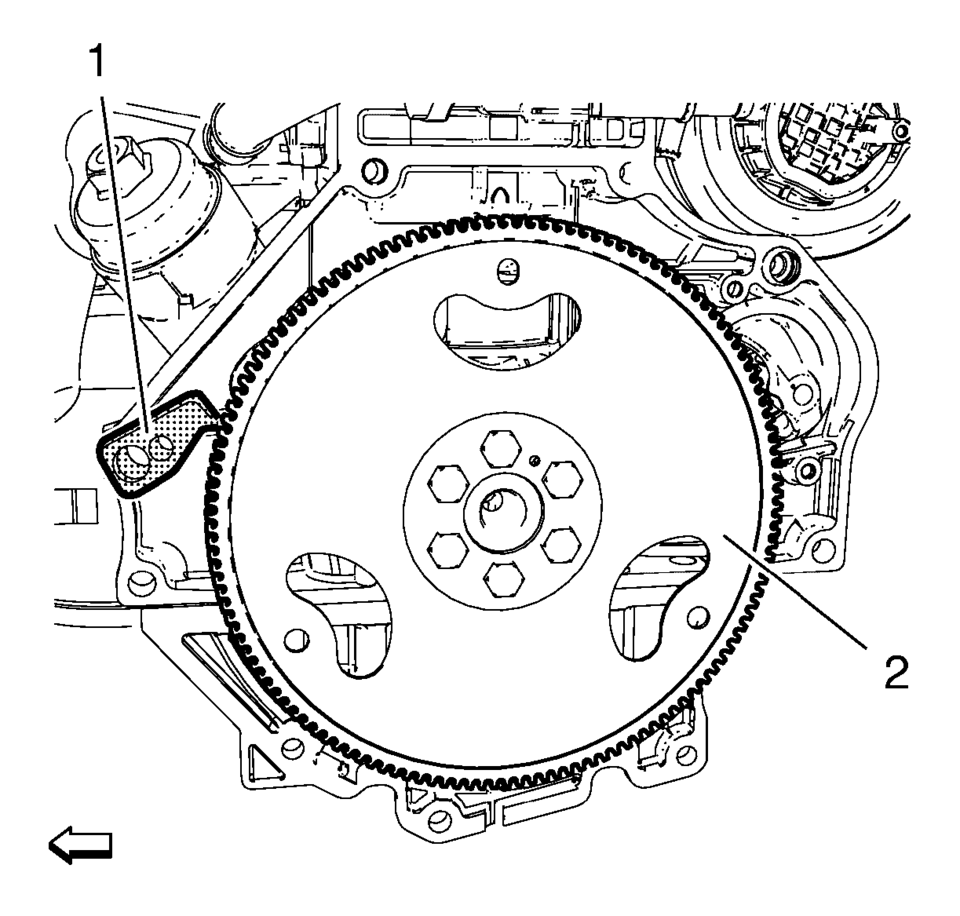
- Install the automatic transmission flex plate (2) and the EN-652 holder to hold the automatic transmission flex plate (2).
- Install the 6 NEW automatic transmission flex plate bolts (2)
and tighten the bolts to 60 Y (44 lb ft)
.
- Remove the EN-652 holder.

Caution:
Refer to Fastener Caution.

 Automatic Transmission Flex Plate Removal
Special Tools
EN-652 Automatic Transmission Flex Plate Holder
For equivalent regional tools, refer to Special Tools.
Install the EN-652 holder (1) to hold the automatic
trans ...
Other materials:
Steering Gear Replacement
Steering Gear Replacement
Callout
Component Name
Caution: With wheels of the vehicle facing straight ahead,
secure the steering wheel utilizing steering column anti-rotation pin,
steering column lock, or a strap to p ...
Steering Wheel Straight and Column Locked Caution
Caution: With wheels of the vehicle facing straight ahead, secure
the steering wheel utilizing steering column anti-rotation pin, steering column
lock, or a strap to prevent rotation. Locking of the steering column will prevent
damage and a possible malfunction of the SIR system. The ste ...
Low and Reverse and 1-2-3-4 Clutch Housing Disassemble
Table 1:
Low and Reverse Clutch Piston Removal
Table 2:
1??? Clutch Piston Removal
Low and Reverse Clutch Piston Removal
Low and Reverse Clutch Piston Removal
Callout
Component Name
...

0.0053