
Chevrolet Sonic Repair Manual: Camshaft Cover Installation
- Clean the sealing surfaces.
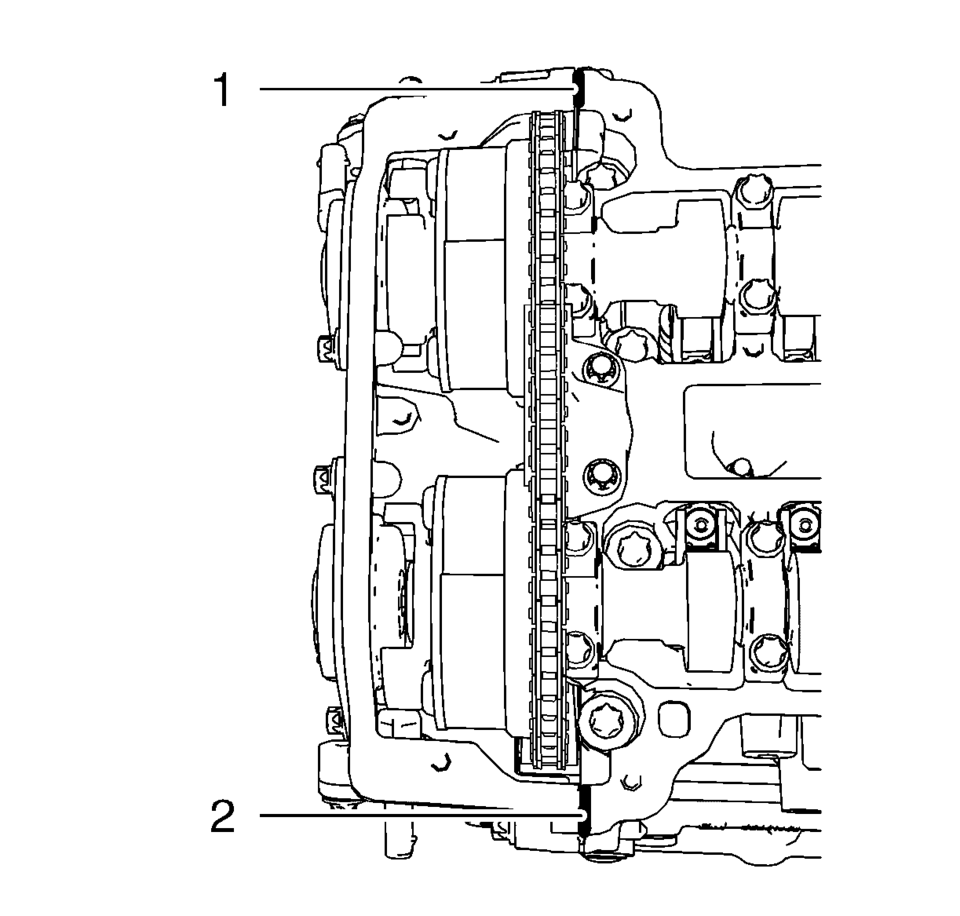
- Apply sealing compound to areas (1) and (2). Refer to Adhesives, Fluids, Lubricants, and Sealers.
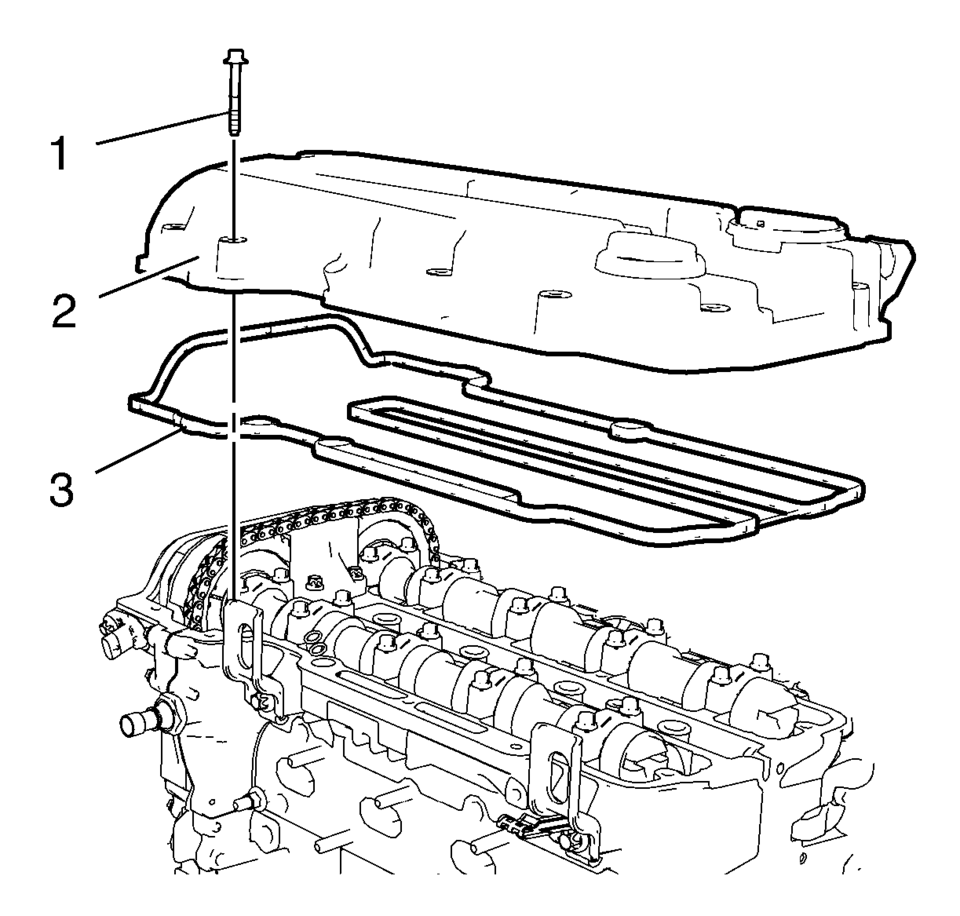
- Install the camshaft cover (2) and a NEW gasket (3).
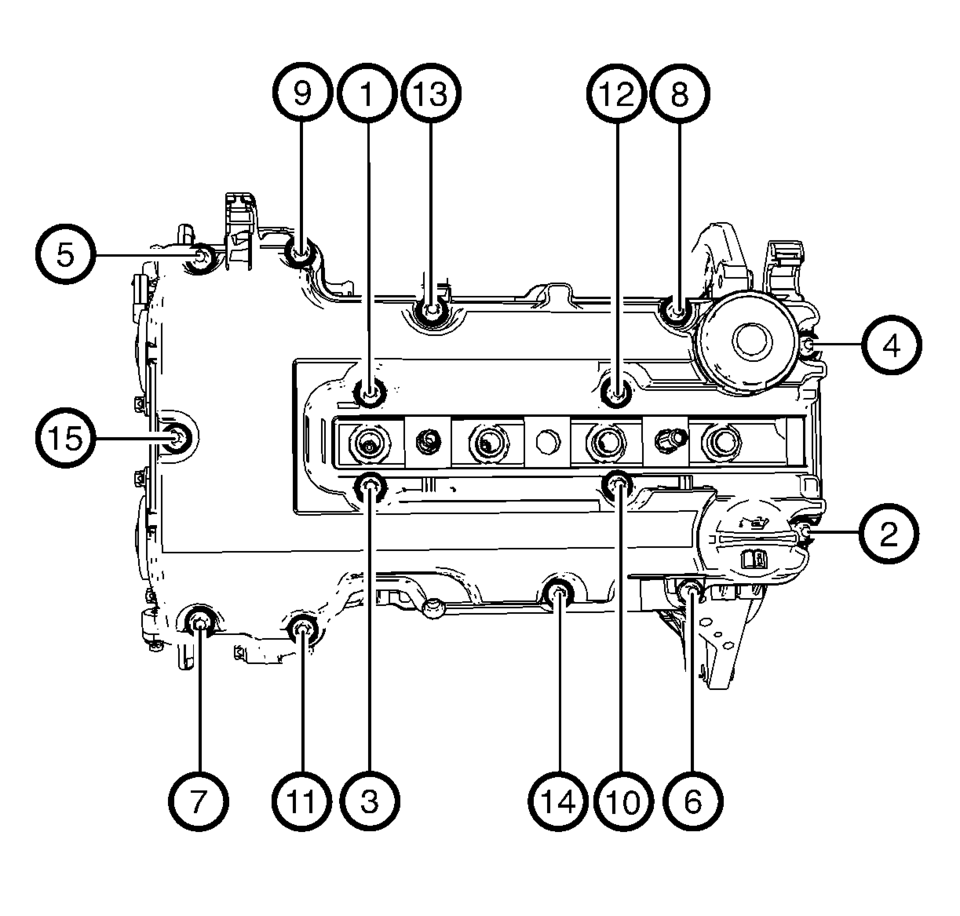
- Install the 15 camshaft cover bolts (1).
- Tighten the 15 camshaft cover bolts in a sequence as shown to 8 Y (71 lb in)
.
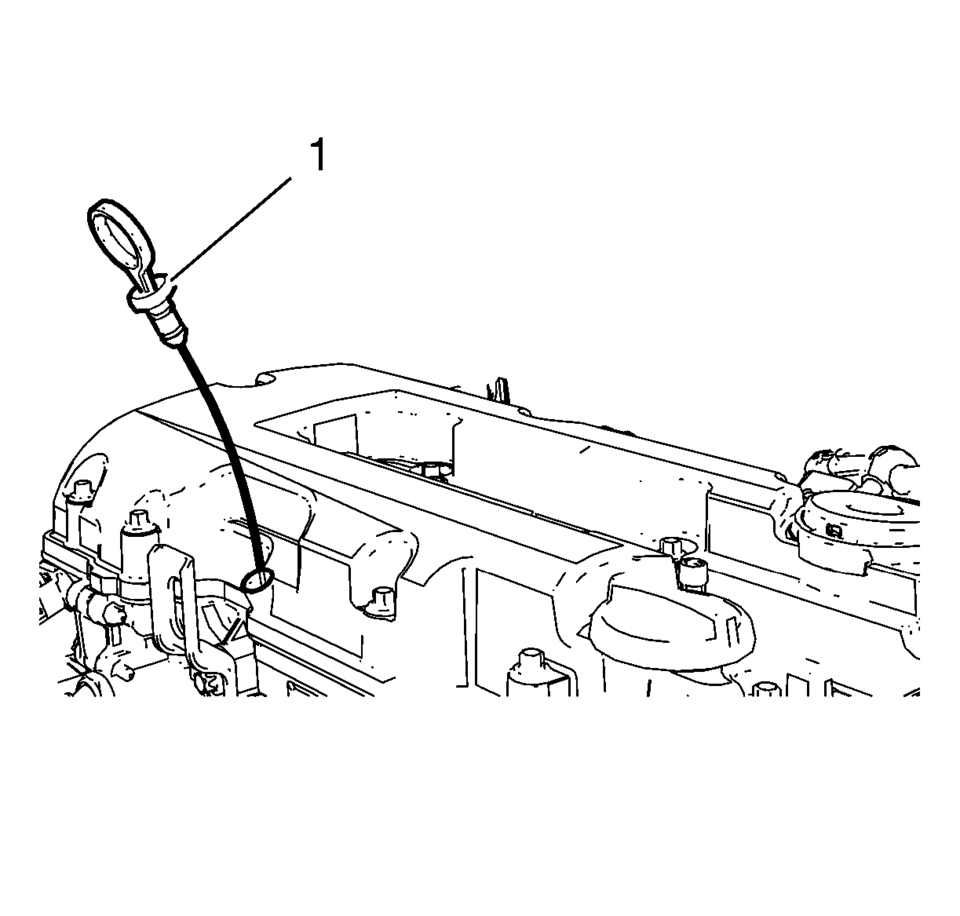
- Install the oil level indicator (1).
Note:
The thickness of the sealing bead should be 2 mm (0.0787 in).
Note:
The installation procedure should not take longer than 10 minutes.
 Camshaft Actuator System Description
Camshaft Actuator System Overview
(1)
Camshaft Actuator Vane
(2)
Timing Chain Sprocket
(3)
Engine Oil Pressure-For retarding ...
 Camshaft Cover Removal
Remove the oil level indicator (1).
Remove the 15 camshaft cover bolts (1).
Remove the camshaft cover (2) and the camshaft cover gasket (3).
...
Other materials:
What to Add
Use only new DOT 3 brake fluid from a sealed container. See Recommended Fluids
and Lubricants.
Always clean the brake/clutch fluid reservoir cap and the area around the cap
before removing it. This helps keep dirt from entering the reservoir.
Warning
With the wrong kind of fluid in the brake/ ...
Sunroof Housing Front Drain Hose Replacement
Sunroof Housing Front Drain Hose Replacement
Callout
Component Name
Preliminary Procedure
It is only necessary to lower the headliner. Only do those steps in the
headliner replacement procedure that will lower the headliner ...
Generator Replacement (LUV)
Removal Procedure
Disconnect the negative battery cable. Refer to Battery Negative Cable
Disconnection and Connection.
Raise and support the vehicle. Refer to Lifting and Jacking the Vehicle.
Remove the drive belt. Refer to Drive Belt Replacement.
Remove the drive bel ...

0.009