
Chevrolet Sonic Repair Manual: Electronic Brake Control Module Replacement
- Removal Procedure
-
Warning:
Refer to Brake Fluid Irritant Warning.
Caution:
Refer to Brake Fluid Effects on Paint and Electrical Components Caution.
- Remove the battery tray. Refer to Battery Tray Replacement.
- Disconnect the electronic brake control module (EBCM) electrical connector.
- Remove the EBCM bolts (1),
- Carefully separate the EBCM (1) from the BPMV.
- Clean the sealing surfaces of the EBCM and the BPMV with denatured alcohol and allow to dry.
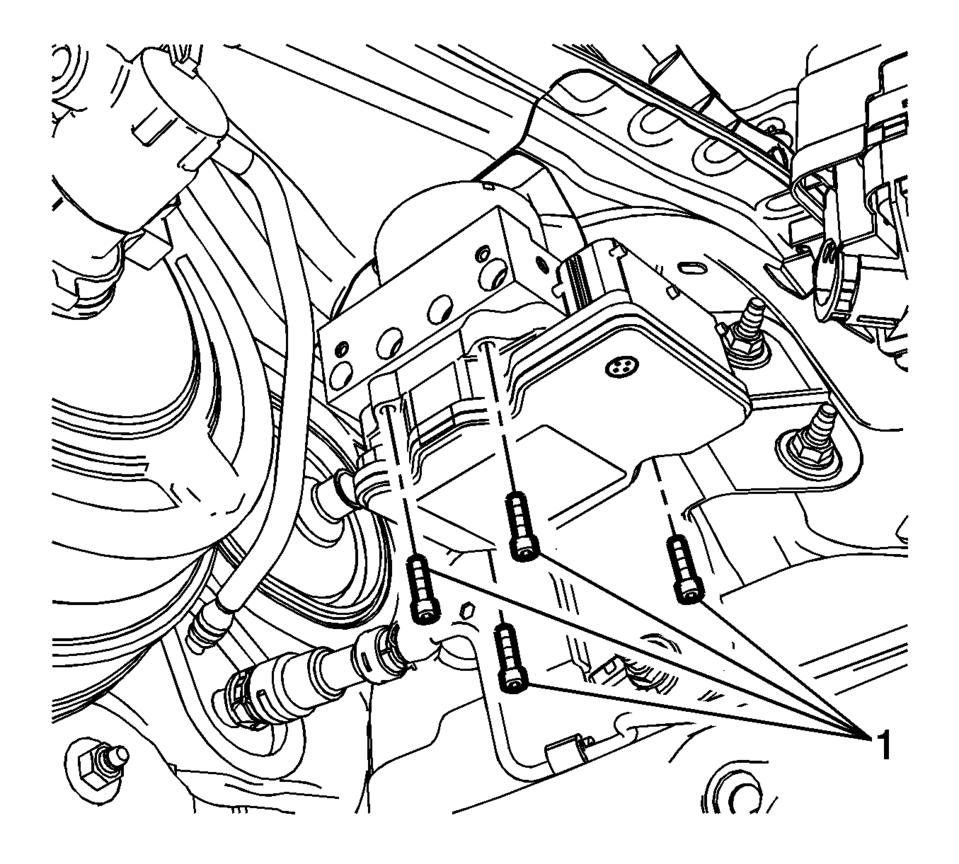
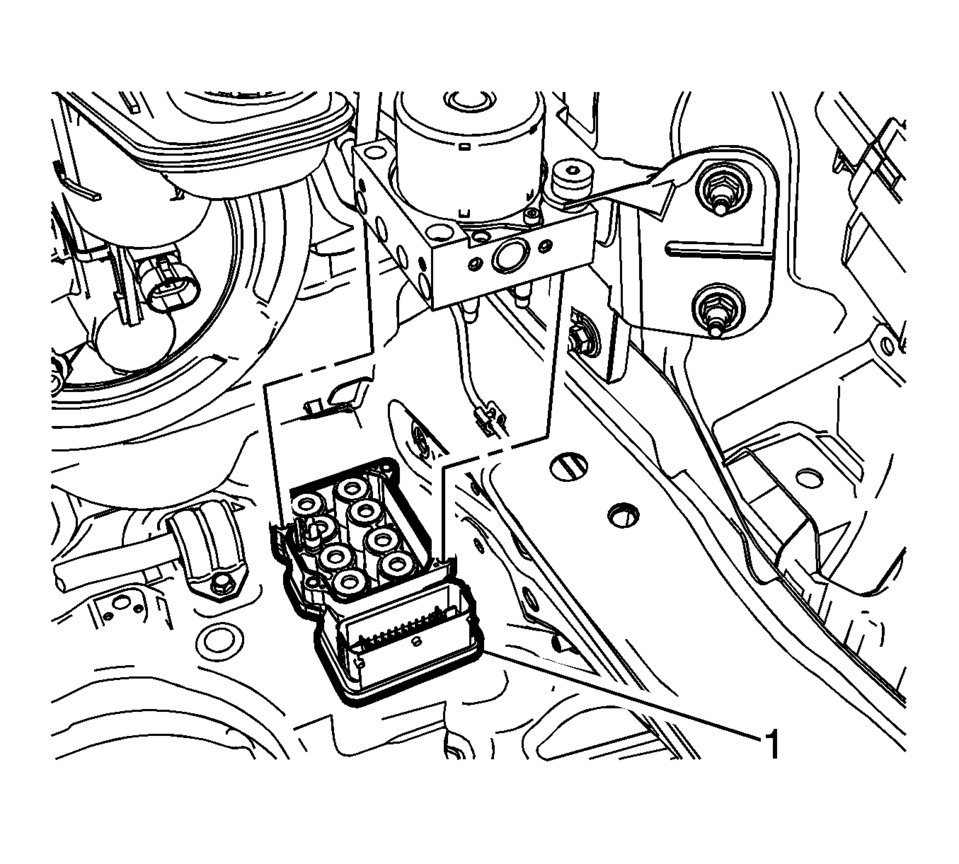
Note:
Do not pry the components apart.
- Installation Procedure
-
- Install the EBCM (1) to the BPMV.
- Install the EBCM bolts (1) and tighten to 3 Y (26 lb in)
.
- Connect the EBCM electrical connector.
- Install the battery tray. Refer to Battery Tray Replacement.
- Program the EBCM. Refer to Control Module References.
Caution:
Refer to Fastener Caution.
 Electronic Brake Control Module Programming and Setup
Note:
DO NOT program a control module unless directed to by a service procedure
or a service bulletin. If the ECU is not properly configured with the correct
calibration software, th ...
 Front Wheel Speed Sensor Replacement
Removal Procedure
Warning: Refer to Brake Dust Warning.
Raise and support the vehicle. Refer to Lifting and Jacking the Vehicle.
Remove the tire and wheel assembly. Refer ...
Other materials:
Front Side Door Weatherstrip Replacement - Body Side
Front Side Door Weatherstrip Replacement - Body Side
Callout
Component Name
Preliminary Procedures
Remove the upper center pillar trim. Refer to Center Pillar Upper
Trim Panel Replacement.
Remove the lower center pillar t ...
Front Differential Carrier Cleaning and Inspection
Front Differential Carrier Cleaning and Inspection
Callout
Component Name
Caution: After cleaning the transmission components, allow
to air dry. Do not use cloth or paper towels in order to dry any transmission
compo ...
RAB system operation
Vehicle information display
RAB system warning indicator (vehicle information display)
RAB system OFF warning light (instrument panel)
Steering-wheel-mounted controls (right side)
Touch screen display
The Nissan Armada RAB system becomes active when the transmission is shifted
in ...

0.0061