
Chevrolet Sonic Repair Manual: Airbag Steering Wheel Module Replacement
- Removal Procedure
-
- Disable the SIR system. Refer to SIR Disabling and Enabling.
- Rotate the steering wheel 180?€‰degrees.
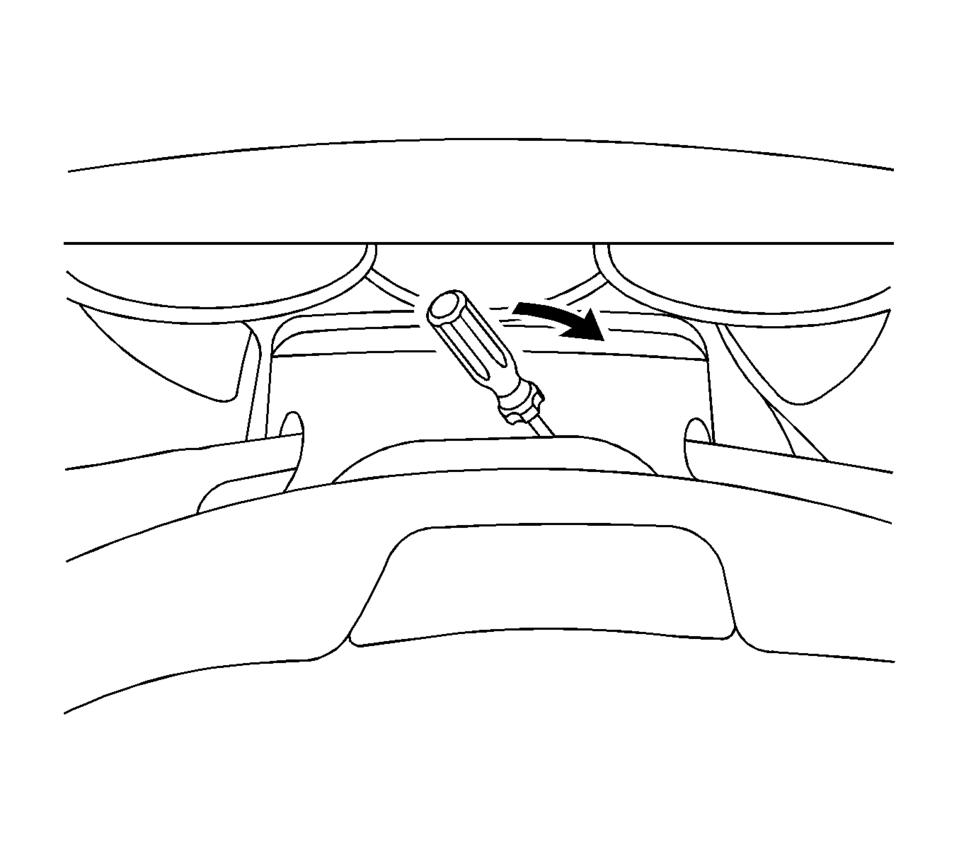
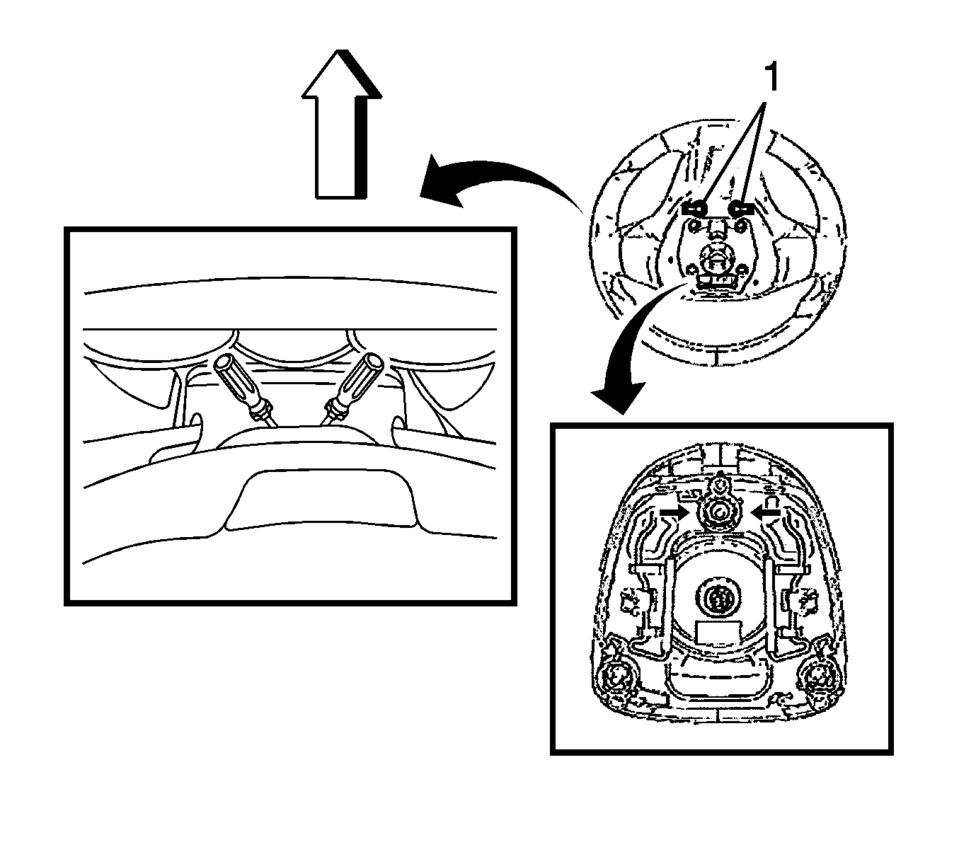
- Using a blunt-ended tool, push the spring fastener inward through the access hole?€‰(1) located on the rear of the steering wheel by pulling the tool outwards.
- Keeping the tool inserted, repeat the step for other opening.
- Keeping the upper step pull the steering wheel inflatable restraint module out of the steering wheel.
- Disconnect the electrical connectors.
- Remove the steering wheel inflatable restraint module.
Warning:
Refer to SIR Inflator Module Handling and Storage Warning.
Warning:
Refer to SIR Warning.
- Installation Procedure
-
- Connect the electrical connectors.
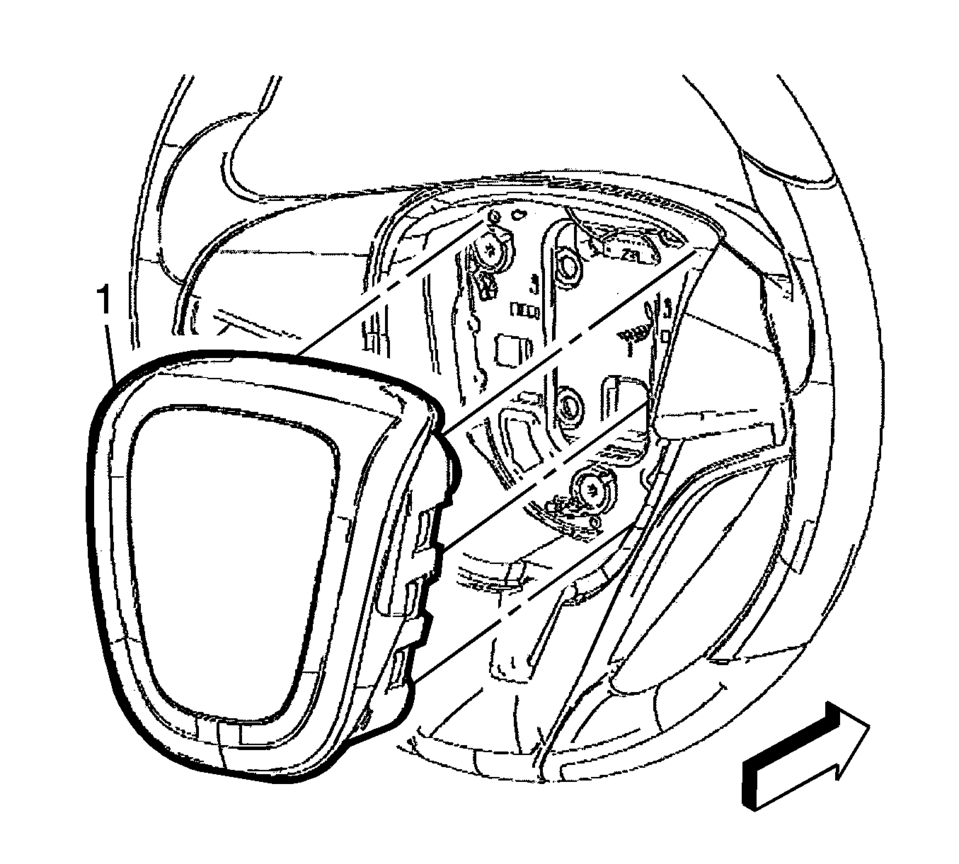
- Align the steering wheel module fasteners to the steering column fastener holes.
- Push the steering wheel module?€‰(1) firmly into the steering column in order to engage the fasteners.
- Enable the SIR system. Refer to SIR Disabling and Enabling.
- Refer to Inflatable Restraint Module Handling and Scrapping.
 Airbag Steering Wheel Module Coil Centering
Note: If a double wire harness strap is installed onto the wire
harness assembly and steering column, the original holder for the wire strap(s)
MUST be reused during installation.
...
 Front Seat Outboard Seat Back Airbag Replacement
Front Seat Outboard Seat Back Airbag Replacement
Callout
Component Name
Warning: Following the deployment of a side impact air ...
Other materials:
Driver or Passenger Seat Back Cushion Frame Replacement
Driver or Passenger Seat Back Cushion Frame Replacement
Callout
Component Name
Preliminary Procedures
Remove the driver or passenger seat. Refer to Driver or Passenger
Seat Removal and Installation
Remove the front seat c ...
Heater Core Inlet Tube Replacement
Heater Core Inlet Tube Replacement
Callout
Component Name
Preliminary Procedures
Remove the Heater and Air Conditioning Evaporator and Blower Module.
Refer to Heater and Air Conditioning Evaporator and Blower Module Removal
...
Turbocharger Coolant Feed Pipe Replacement (LUV)
Turbocharger Coolant Feed Pipe Replacement
Callout
Component Name
Preliminary Procedure
Remove the turbocharger. Refer to Turbocharger Replacement.
1
Turbocharger Fastener
Caution: Refer to ...

0.0066