
Chevrolet Sonic Repair Manual: Battery Current Sensor Replacement
- Removal Procedure
-
- Disconnect the negative battery cable. Refer to Battery Negative Cable Disconnection and Connection.
- Disconnect the battery current sensor from the body harness connector.
- Unclip the battery current sensor from the battery tray.
- Remove the battery tray. Refer to Battery Tray Replacement.
- Remove the battery negative cable frame ground nut (4) and terminal (5).
- Slide the battery current sensor (2) off the battery negative cable (1).
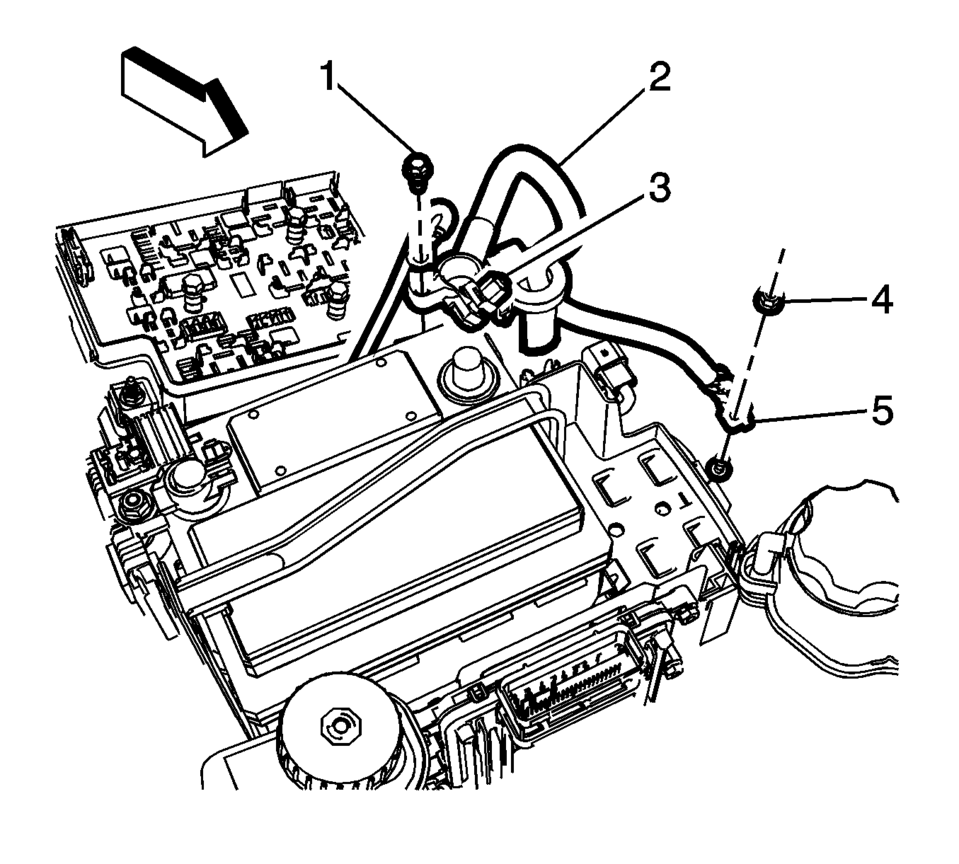
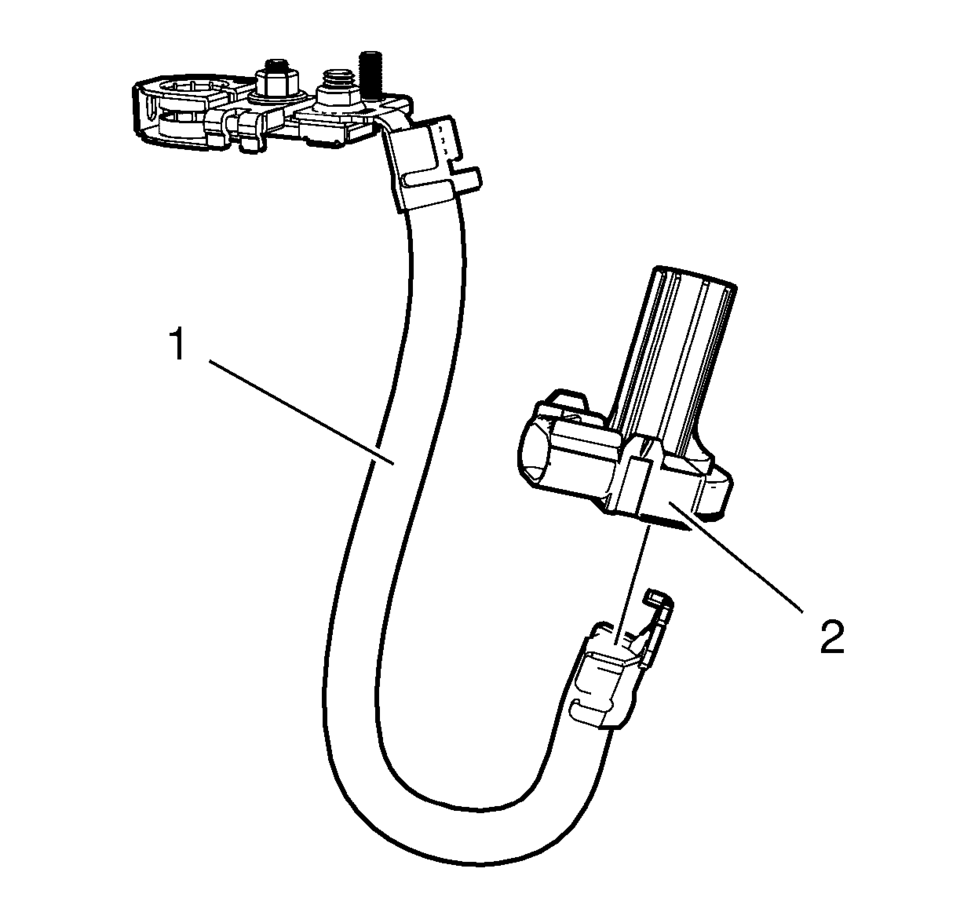
Note:
Observe the position of the battery current sensor when removing.
- Installation Procedure
-
- Install the battery current sensor (2) onto the battery negative cable (1).
- Install the battery negative cable frame ground terminal (5) and bolt (4).
Tighten to 22 Y (16 lb ft)
.
- Install the battery tray. Refer to Battery Tray Replacement.
- Clip the battery current sensor onto the battery tray.
- Connect the battery current sensor to the body harness connector.
- Connect the negative battery cable. Refer to Battery Negative Cable Disconnection and Connection.
Caution:
Refer to Fastener Caution.
 Battery Tray Replacement
Battery Tray Replacement
Callout
Component Name
Preliminary Procedures
Remove the battery. Refer to Battery Replacement.
Uncli ...
 Battery Charging
Special Tools
EL 50313 Battery Tester
For equivalent regional tools, refer to Special Tools.
Diagnostic Aids
For best results, use an automatic taper-rate battery charger with a
...
Other materials:
Starting the Engine
The vehicle has a Computer-Controlled Cranking System. It assists in starting
the engine and protects components. If the ignition key is turned to START and then
released when the engine begins cranking, the engine will continue cranking for
a few seconds or until the engine starts. If the eng ...
Drive Belt Tensioner Replacement
Special Tools
EN-955 Locking Pin
EN-48488 Holding Wrench
For equivalent regional tools, refer to Special Tools.
Removal Procedure
Remove the right front wheelhouse liner extension. Refer to Front Wheelhouse
Liner Inner Front Extension Replacement
Install the engine su ...
Basic information
WARNING
Improper use of the Nissan Armada AEB with Pedestrian Detection system may
result in serious injury or even fatal accidents.
The Nissan Armada AEB with Pedestrian Detection system is designed as
a supplemental safety aid and does not replace the driver’s responsibility to
rema ...

0.0074