
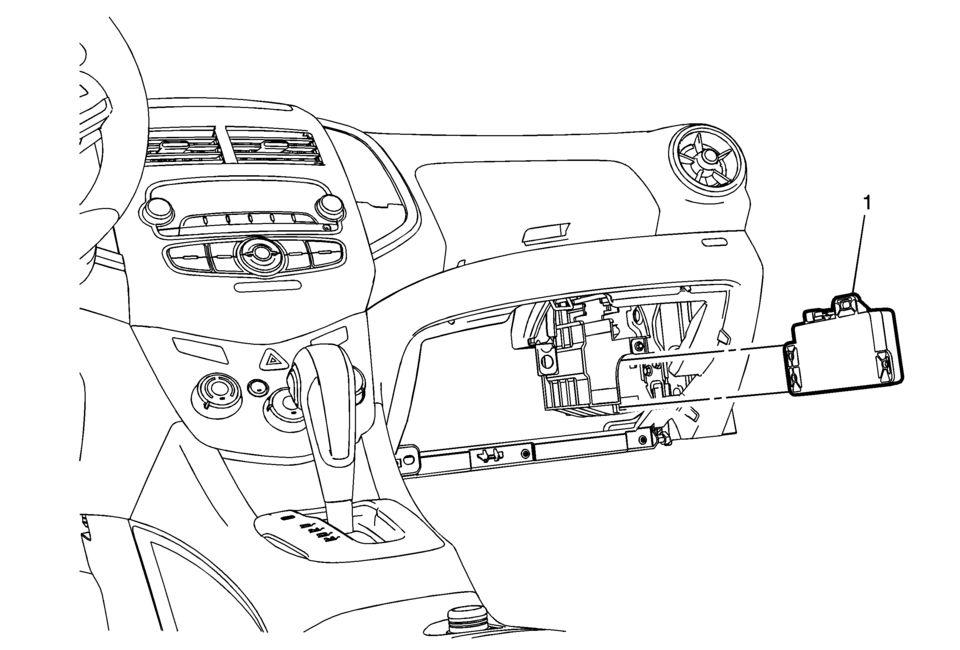
Chevrolet Sonic Repair Manual: Communication Interface Module Battery Replacement
|
Callout |
Component Name |
|---|---|
|
Preliminary Procedure
Remove the instrument panel lower compartment. Refer to Instrument Panel Lower Compartment Replacement |
|
|
1 |
Communication Interface Module Battery Procedure
|
 Bluetooth (Overview)
For vehicles equipped with Bluetooth capability, the system can interact with
many cell phones, allowing:
Placement and receipt of calls in a hands-free mode.
Sharing of the cell phone’s ad ...
 Communication Interface Module Bracket Replacement
Communication Interface Module Bracket Replacement
Callout
Component Name
Preliminary Procedure
Remove the instrument panel low ...
Other materials:
Front Lower Grille Replacement
Front Lower Grille Replacement
Callout
Component Name
Preliminary Procedures
Remove the front bumper fascia assembly. Refer to Front Bumper Fascia
Replacement.
Remove the front bumper fascia energy absorber. Refer to Fron ...
Front Seat Belt Buckle Replacement
Front Seat Belt Buckle Replacement
Callout
Component Name
Preliminary Procedures
Remove the front seat. Refer to Driver or Passenger Seat Removal and
Installation.
1
Driver or Passenger Seat Bel ...
Heater Core Inlet Tube Replacement
Heater Core Inlet Tube Replacement
Callout
Component Name
Preliminary Procedures
Remove the Heater and Air Conditioning Evaporator and Blower Module.
Refer to Heater and Air Conditioning Evaporator and Blower Module Removal
...

0.0074