
Chevrolet Sonic Repair Manual: Differential Case Disassemble
Special Tools
- 6-9607346 Sensor Ring Gear Puller
- J-810704 Steering Column Center Bar Puller
- J-810721 Axle Shaft Seal Remover Support Base
- R-0006749 Support Base
- R-0407011 Bearing Race Remover
- R-0007761 Universal Handle for Pullers and Installers
- S-9407195 Pinion Gear Case Bearing Installer
- T-9804678 Speed Sensor Reluctor Wheel Remover
For equivalent regional tools, refer to Special Tools.
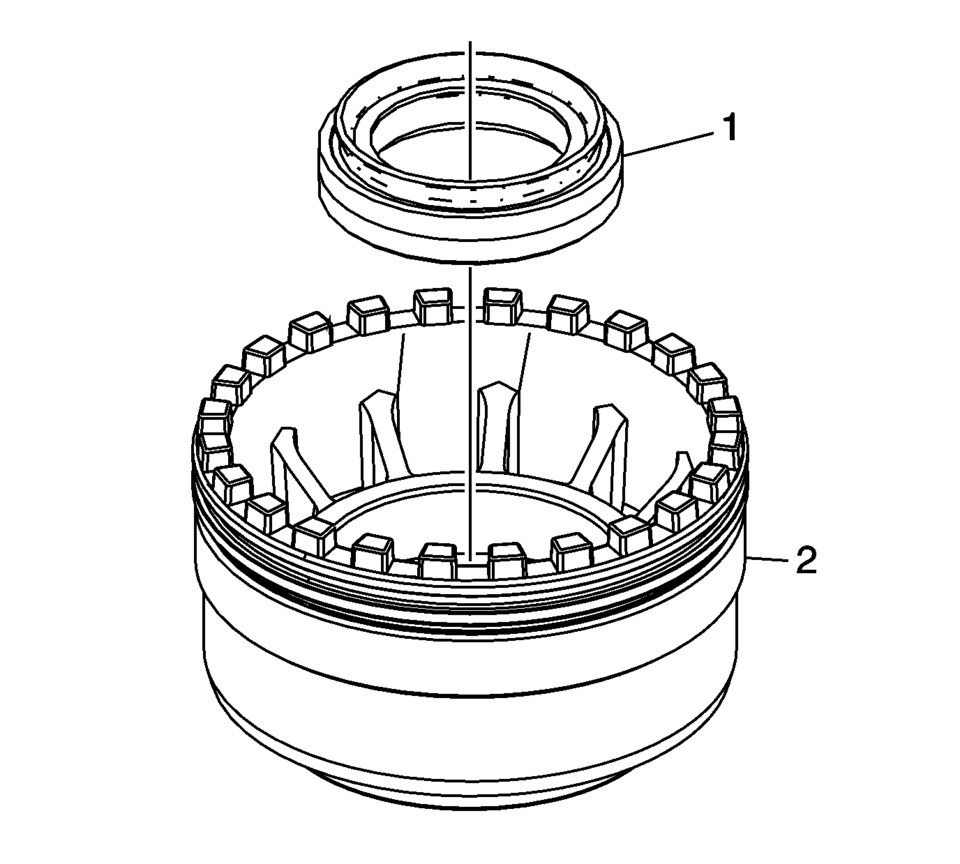
- Remove the front wheel drive shaft oil seal (1) from the front differential bearing adjuster (2).
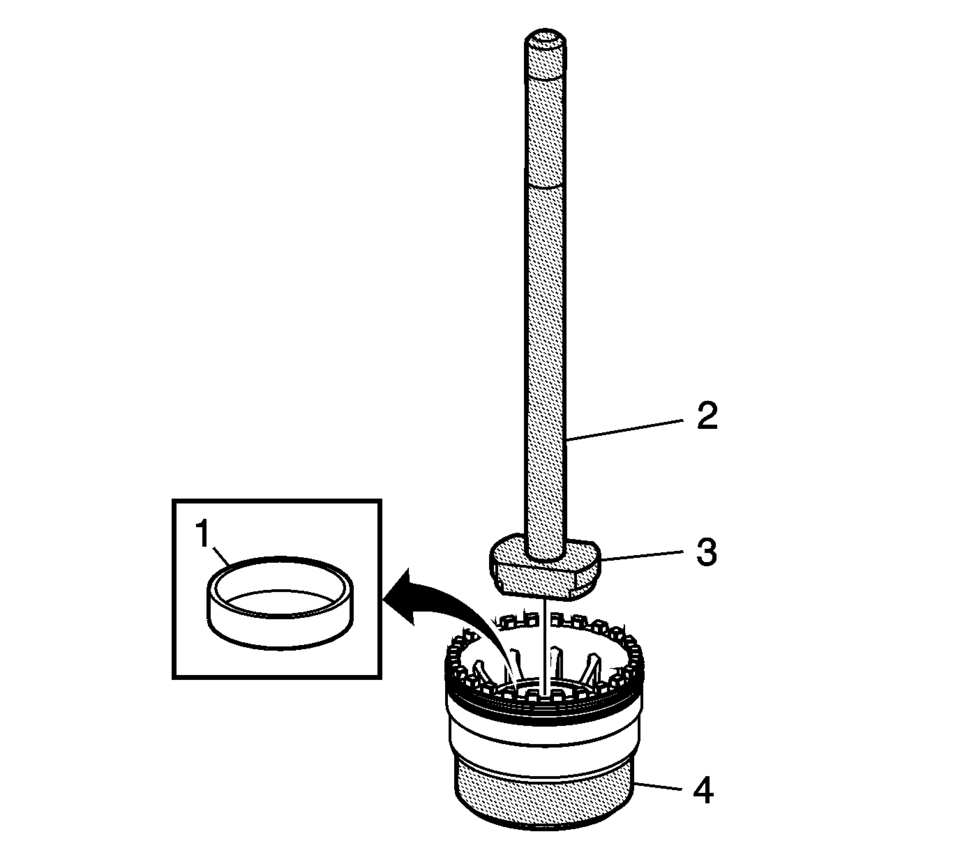
- Remove the front differential bearing race (1) from the front differential bearing adjuster using the R-0007761 handle (2), R-0407011 remover (3), and the J-810721 support base (4).
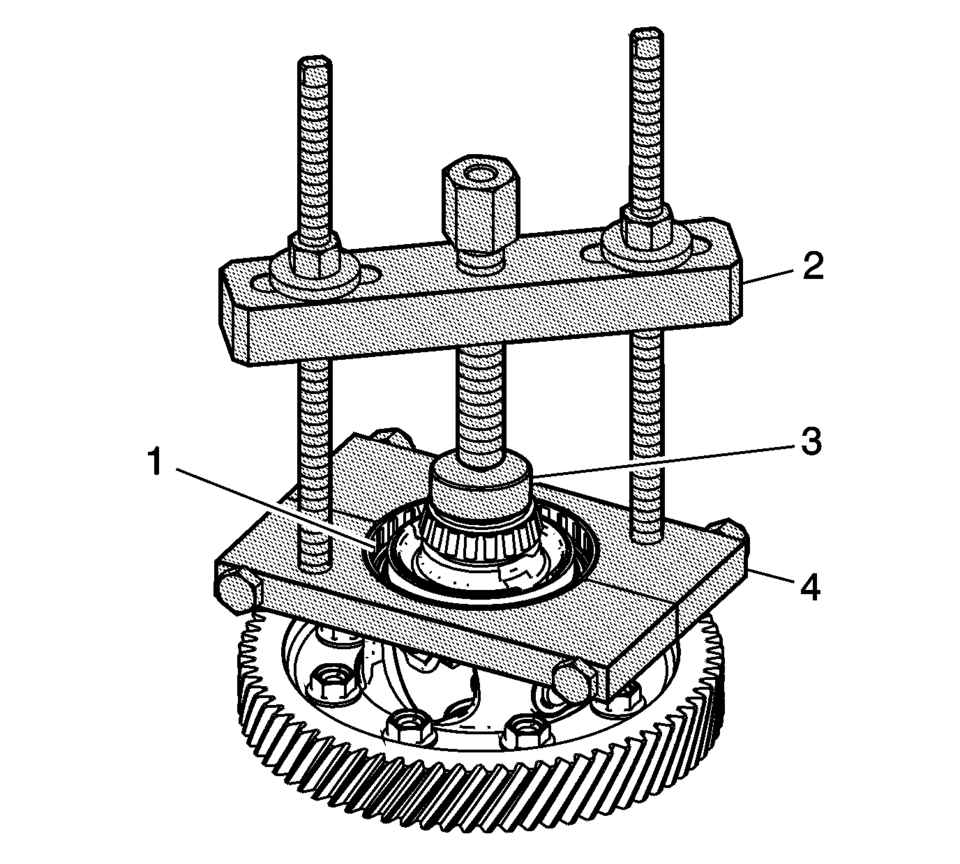
- Remove the ring front wheel speed sensor reluctor wheel (1) using the 6-9607346 puller (2), S-9407195 installer (3), and the T-9804678 remover (4).
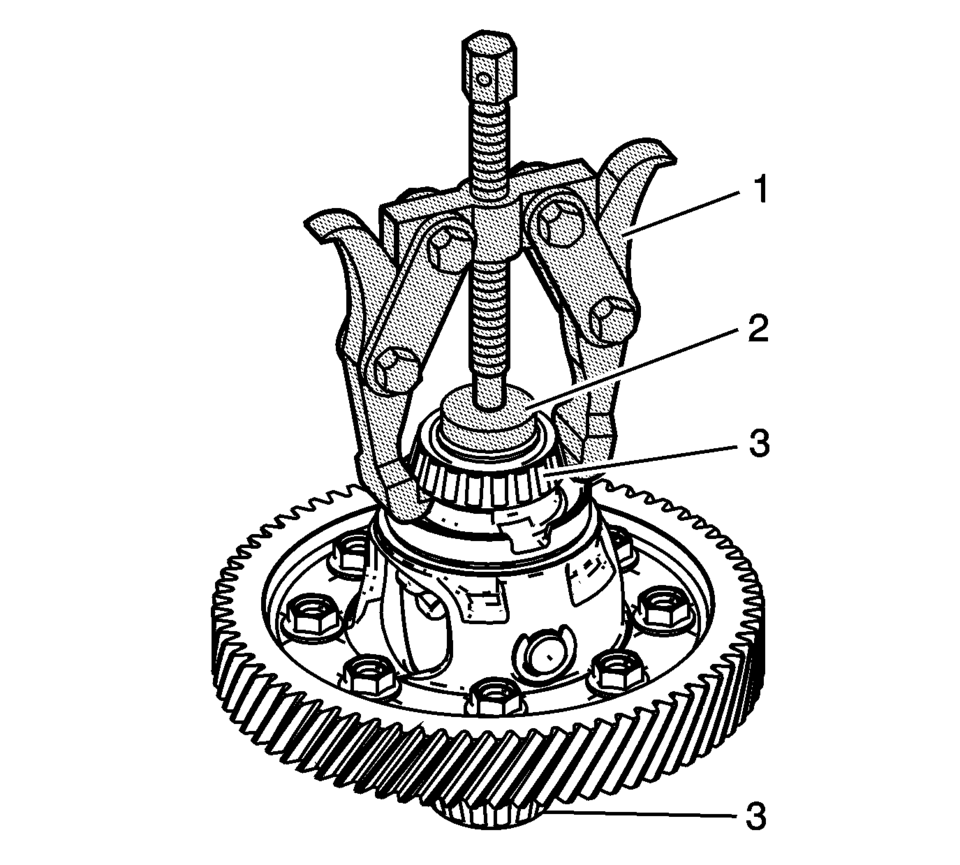
- Remove the front differential bearing assemblies (3) using the J-810704 puller (1) and R-0006749 support base (2) .
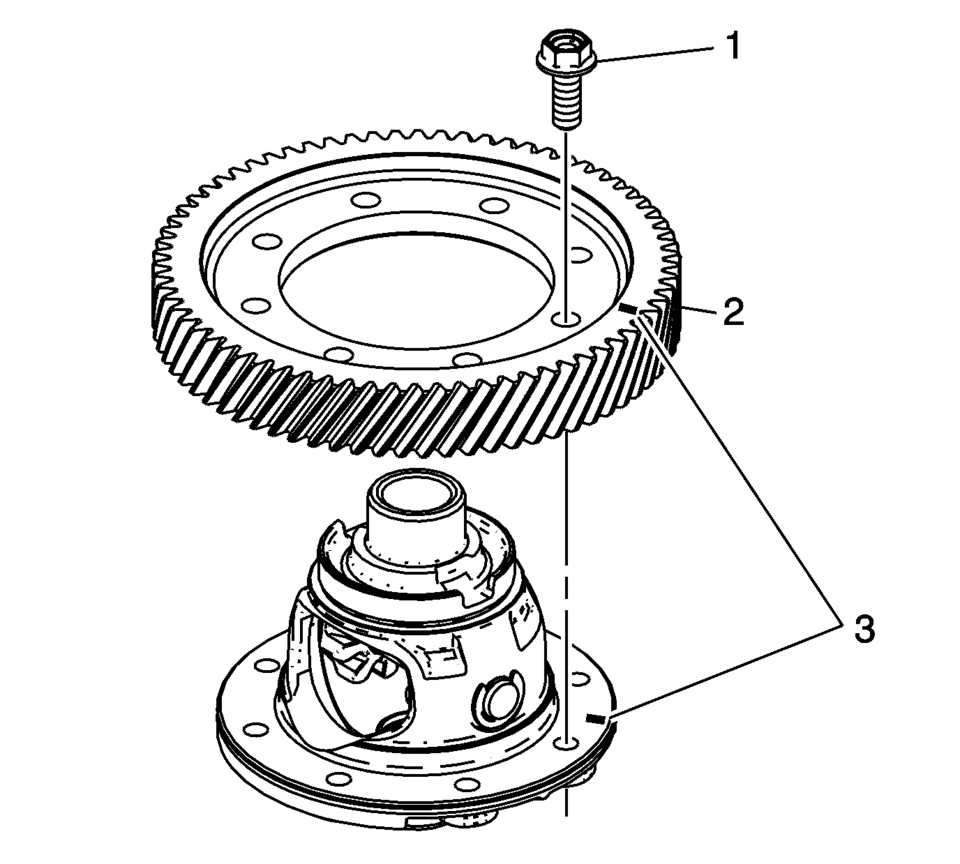
- Place a mark (3) on the differential and the differential ring gear for realigning parts during assembly in case both components are reused.
- Remove the front differential ring gear bolts (1) and the front differential ring gear (2).
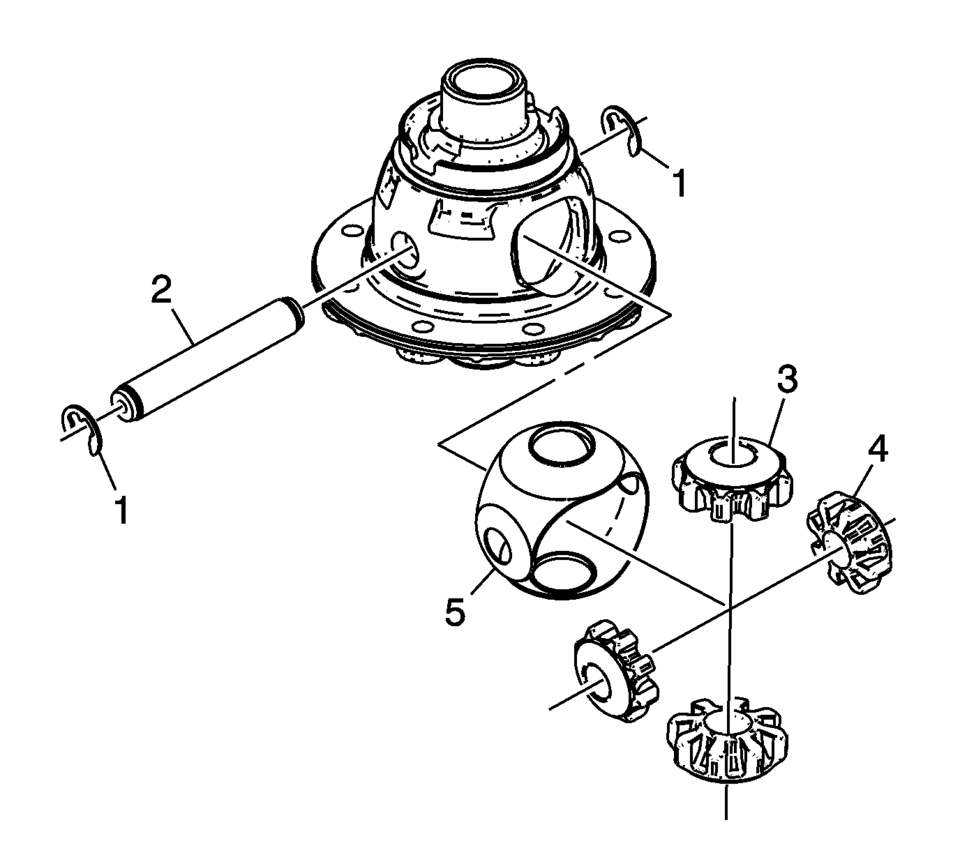
- Remove the pinion gear shaft retaining washers (1) and the front differential pinion gear shaft (2).
- Remove the front differential pinion gears (3) and side gears (4).
- Remove the front differential pinion and side gear thrust washer (5).
Note:
Do not interchange outer and inner races respectively when re-using tapered roller bearings.
 Differential Case Assemble
Special Tools
J-810721 Axle Shaft Seal Remover Support Base
R-0407011 Bearing Race Remover
R-0407012 Differential Carrier Cone Bearing Cap Driver
R-0007761 Universal Handle for Pullers and ...
 Clutch and Differential Housing Assemble
Special Tools
R-0007761 Universal Handle for Pullers and Installers
R-0407009 Countershaft Front Bearing Driver
R-0407010 Input Shaft Needle Bearing Puller and Driver
R-0407014 Gearshift De ...
Other materials:
Lock Cylinder Coding - Ignition
The ignition lock cylinder uses 8 key cut positions, 1–8. The ignition cylinder
tumblers (3) are located on alternate sides of the cylinder (5). They are not snap-in
and are not self-retaining. It follows the key code with the first tumbler being
the first depth of the ...
Liftgate Window Replacement
Special Tools
BO-24402-A Glass Sealant Remover (Cold Knife)
BO-39032 Stationary Glass Removal Tool
Use an adhesive that is approved by GM
For equivalent regional tools, refer to Special Tools
Removal Procedure
Warning: Refer to Cracked Window Warning.
Note ...
Steering Wheel Airbag Coil Replacement
Steering Wheel Airbag Coil Replacement
Callout
Component Name
Preliminary Procedures
Remove the steering wheel. Refer to Steering Wheel Replacement.
Remove the steering column upper trim cover. Refer to Steering Column
...

0.0068