
Chevrolet Sonic Repair Manual: Drive Belt Replacement
Special Tools
- EN-48488 Holding Wrench
- EN-955 Locking Pin
For equivalent regional tools, refer to Special Tools.
- Removal Procedure
-
- Remove the right front wheelhouse liner extension. Refer to Front Wheelhouse Liner Inner Front Extension Replacement.
- Install the engine support fixture. Refer to Engine Support Fixture.
- Remove the engine mount bracket. Refer to Engine Mount Bracket Replacement - Right Side.
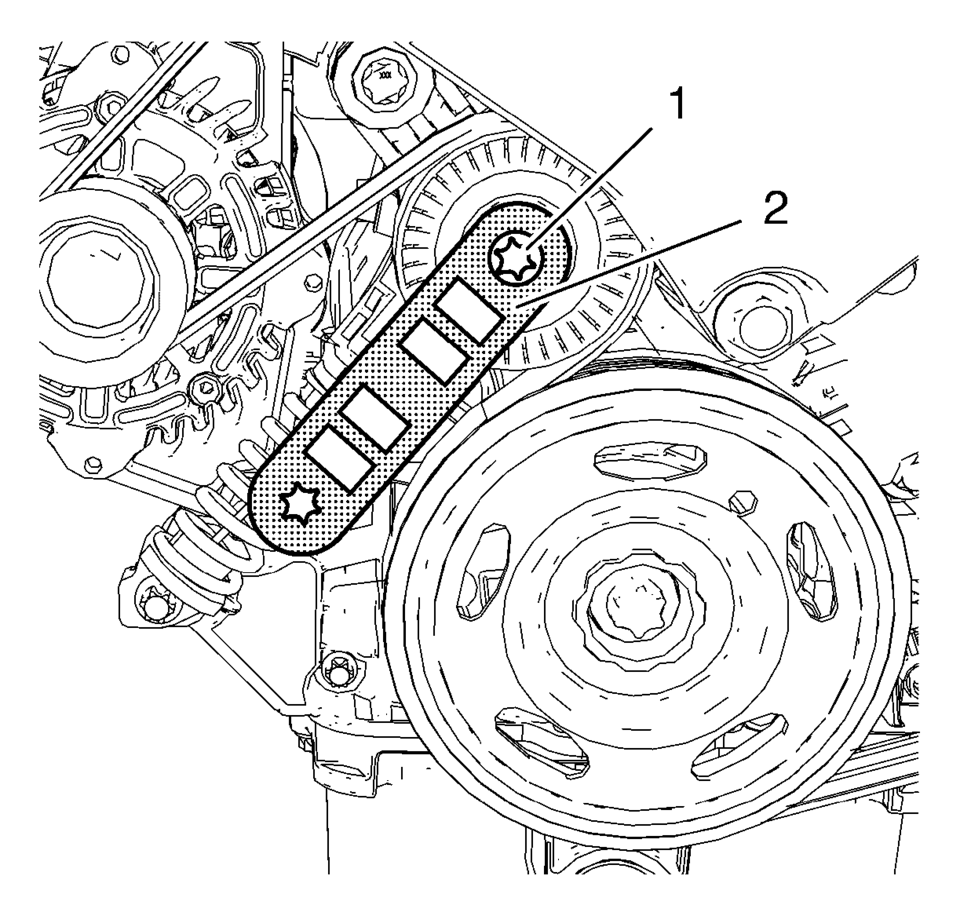
- Install EN-48488 holding wrench (2) to the drive belt tensioner (1).
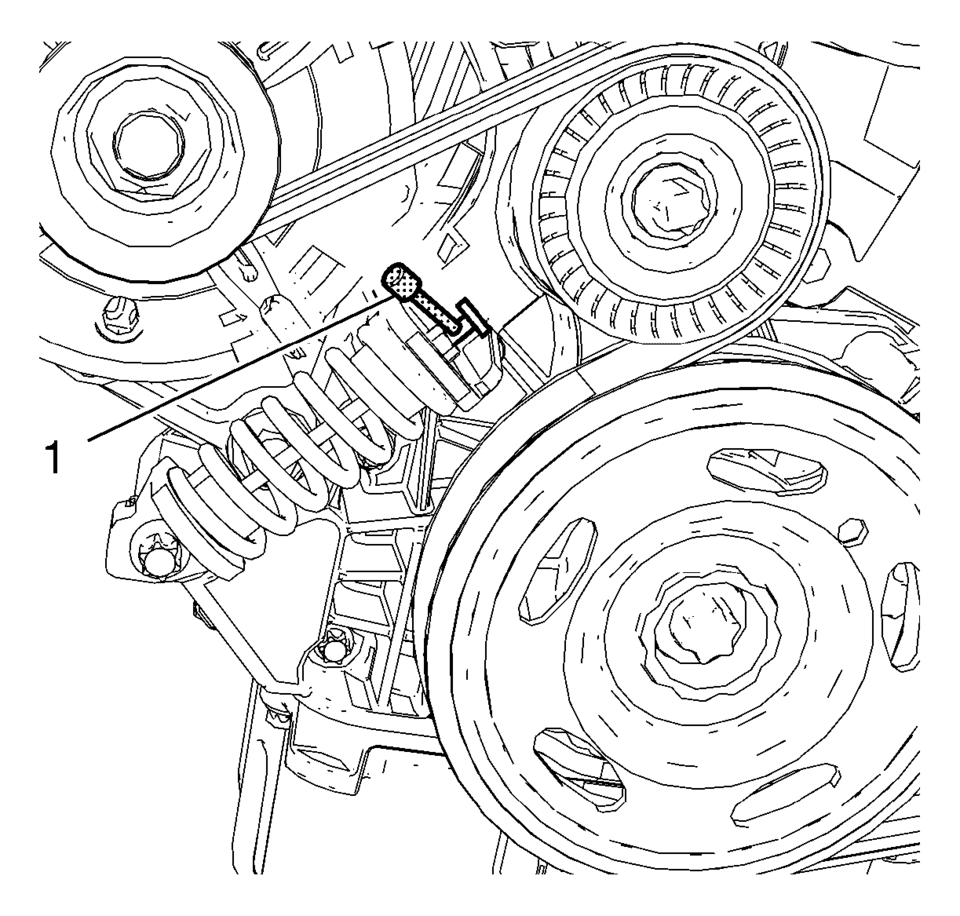
- Move the drive belt tensioner clockwise until the drive belt tensioner can be fixed with EN-955 locking pin (1).
- Remove the EN-48488 holding wrench .
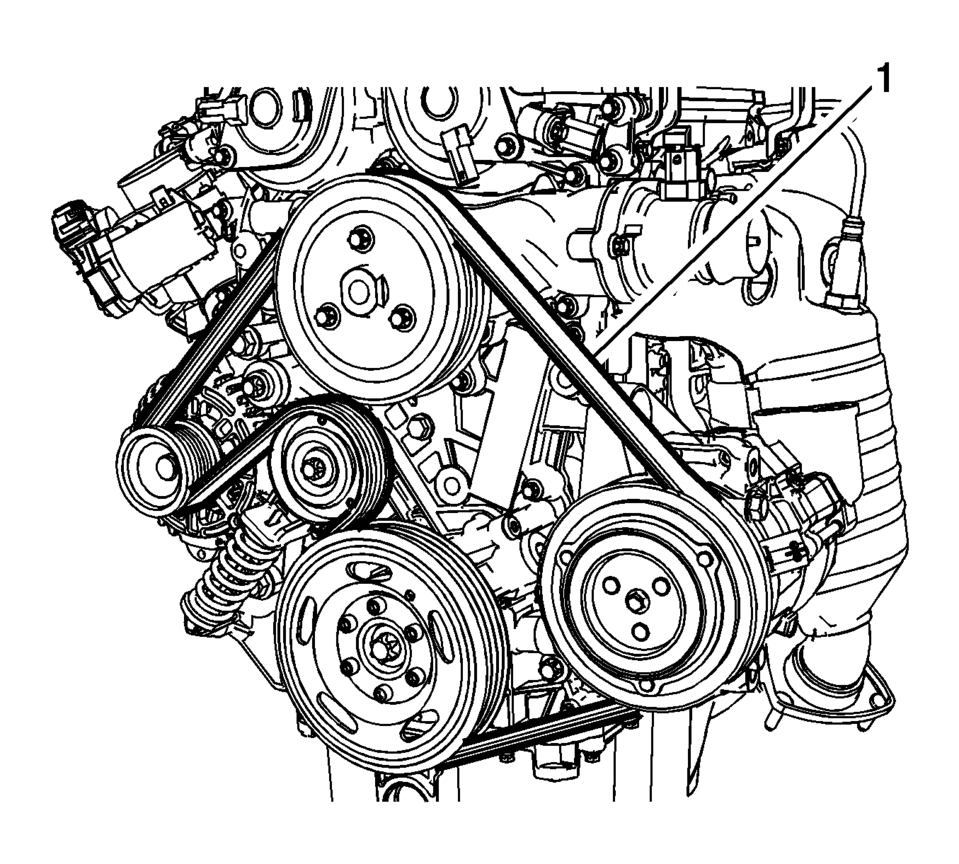
- Remove the drive belt (1).
- Installation Procedure
-
- Install the drive belt (1).
- Install the EN-48488 holding wrench (2) to the drive belt tensioner (1).
- Move the drive belt tensioner clockwise until EN-955 locking pin (1) can be removed.
- Allow the tensioner to slide back slowly.
- Remove the EN-48488 holding wrench .
- Install the engine mount bracket. Refer to Engine Mount Bracket Replacement - Right Side.
- Install the right front wheelhouse liner extension. Refer to Front Wheelhouse Liner Inner Front Extension Replacement.
- Remove the engine support fixture. Refer to Engine Support Fixture.
 Drive Belt Removal
Special Tools
EN-955 Locking Pins
EN-48488 Holding Wrench
For equivalent regional tools, refer to Special Tools.
Install EN-48488 wrench (1) to the drive belt tensioner.
...
 Power Steering Pump Belt Installation
Special Tools
EN-50098 Belt Installer
For equivalent regional tools, refer to Special Tools.
Install EN-50098 installer (2) and a NEW power steering pump belt (1)
to wat ...
Other materials:
Fuel Tank Heat Shield Replacement
Removal Procedure
Support the fuel tank with a suitable jack.
Remove the fuel tank strap fasteners (1) and lower the fuel tank straps (2).
Remove the fuel tank heat shield fasteners (1) and remove the fuel tank
heat shield (2).
...
Engine Coolant Temperature Sensor Replacement - Radiator
Engine Coolant Temperature Sensor Replacement - Radiator
Callout
Component Name
Preliminary Procedure
Drain the cooling system. Refer to
Cooling System Draining and Filling.
Remove the right front wheelhouse liner. Ref ...
Transmission Fluid Level and Condition Check
Removal Procedure
Raise and support the vehicle. Refer to
Lifting and Jacking the Vehicle
Remove the front suspension skid plate, if equipped.
Refer to Drivetrain and Front Suspension Frame Skid
Plate Replacement
Place a basin underneath the vehicle.
Clean away all ...

0.015