
Chevrolet Sonic Repair Manual: Transmission Fluid Level and Condition Check
- Removal Procedure
-
- Raise and support the vehicle. Refer to Lifting and Jacking the Vehicle
- Remove the front suspension skid plate, if equipped. Refer to Drivetrain and Front Suspension Frame Skid Plate Replacement
- Place a basin underneath the vehicle.
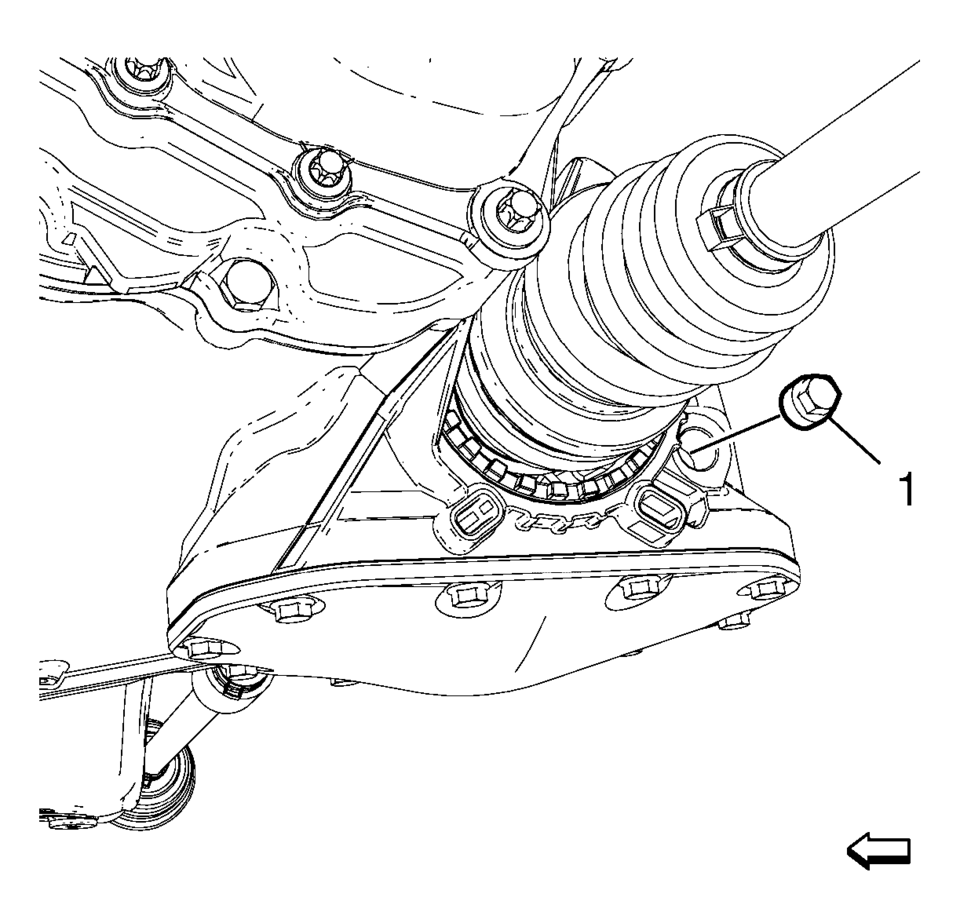
- Clean away all dirt and debris from the transmission case plug.
- Remove the transmission case plug (1). DISCARD the case plug.
- Add transmission fluid until it seeps out of the plug hole.
- Installation Procedure
-
- Install a NEW case plug (1) and tighten to 4Y
(35 lb in) plus 45-135 degrees
.
- Install the front suspension skid plate, if equipped. Refer to Drivetrain and Front Suspension Frame Skid Plate Replacement
- Lower the vehicle.
Caution:
Refer to Fastener Caution.
- Install a NEW case plug (1) and tighten to 4Y
(35 lb in) plus 45-135 degrees
 Transmission Fluid Drain and Fill
Draining Procedure
Note:
The fluid check bolt at the front of the transmission may not be
opened.
The transmission fluid drained out during the pre-delivery inspection
...
 Transmission Fluid Pump Assemble (6T30)
Table 1:
Fluid Pump w/Valve Trains Assemble
Table 2:
Torque Converter Fluid Seal and Fluid Filter Assembly
Assemble
Fluid Pump w/Valve Trains Assemble
...
Other materials:
Hydraulic Brake System Flushing
Warning: Refer to Brake Fluid Irritant Warning.
Caution: Refer to Brake Fluid Effects on Paint and Electrical Components
Caution.
Inspect the brake fluid for the following conditions, indicating brake fluid
contamination:
Fluid separation, indicating 2 types of fl ...
Secondary Air Injection Pump Pipe Replacement
Secondary Air Injection Pump Pipe Replacement
Callout
Component Name
1
Hose Retainer (QTY:2)
Note: Squeeze the retainer on opposite sides to release.
2
Secondary Air Injection ...
Basic information
WARNING
Improper use of the Nissan Armada AEB with Pedestrian Detection system may
result in serious injury or even fatal accidents.
The Nissan Armada AEB with Pedestrian Detection system is designed as
a supplemental safety aid and does not replace the driver’s responsibility to
rema ...

0.005