
Chevrolet Sonic Repair Manual: Fluid Cooler Inlet Hose Replacement
- Removal Procedure
-
- Remove the battery tray. Refer to Battery Tray Replacement
- Remove the front bumper fascia opening lower cover. Refer to Front Bumper Fascia Opening Lower Cover Replacement
- Remove the front wheelhouse liner inner front extension. Refer to Front Wheelhouse Liner Inner Front Extension Replacement
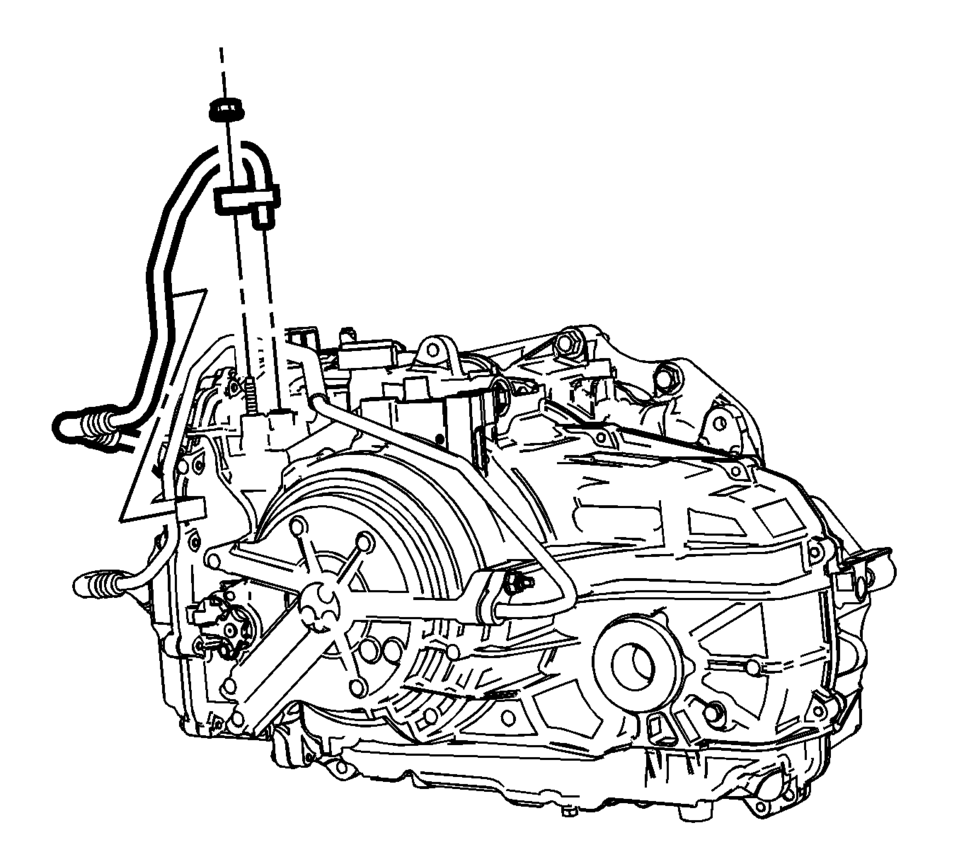
- Remove the trans fluid cooler nut.
- Remove and unclip the trans fluid cooler hose from the transmission.
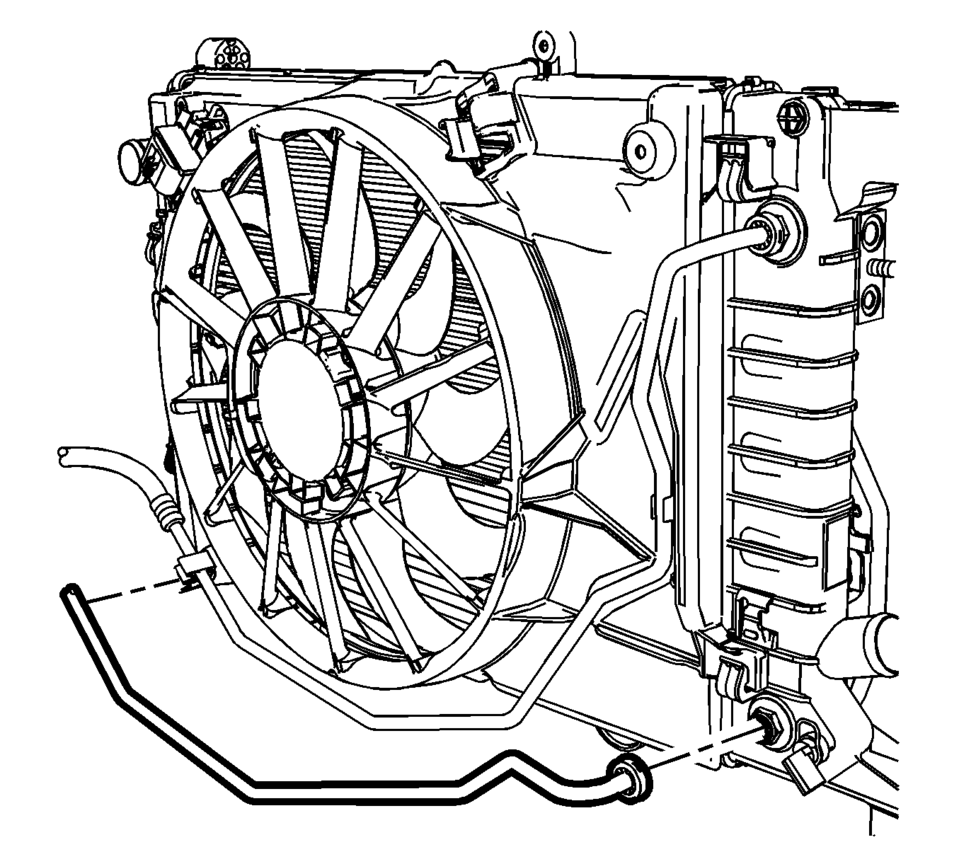
- Remove the transmission fluid cooler hose from the radiator. Refer to Transmission Fluid Cooler Hose/Pipe Quick-Connect Fitting Disconnection and Connection
- Unclip the transmission fluid cooler hose from fan shroud and remove from vehicle.
- Installation Procedure
-
- Inspect the seals for cracks, cuts or damage. Replace if necessary.
- Install the transmission fluid cooler hose to the radiator. Refer to Transmission Fluid Cooler Hose/Pipe Quick-Connect Fitting Disconnection and Connection
- Clip the transmission fluid cooler hose to the fan shroud.
- Install and clip the trans fluid cooler hose to the transmission.
- Install the trans fluid cooler nut and tighten to
22 Y (17 lb ft)
.
- Install the front wheelhouse liner inner front extension. Refer to Front Wheelhouse Liner Inner Front Extension Replacement
- Install the front bumper fascia opening lower cover. Refer to Front Bumper Fascia Opening Lower Cover Replacement
- Install the battery tray. Refer to Battery Tray Replacement
- Adjust the transmission fluid level.
- Inspect for fluid leaks.
Caution:
Refer to Fastener Caution

 Fluid Cooler Outlet Hose Replacement
Removal Procedure
Remove the front bumper fascia opening lower cover.
Refer to Front Bumper Fascia Opening Lower Cover
Replacement
Remove the front wheelhouse liner inner fron ...
Other materials:
Lane Departure Warning (LDW)
If equipped, LDW is intended to help avoid unintentional lane departures at speeds
of 56 km/h (35 mph) or greater. LDW uses a camera sensor to detect the lane markings.
The LDW indicator, , appears green if
a lane marking is detected. If the vehicle departs the lane, the indicator will
chang ...
Remote engine start
Basic information
Example
The Nissan Armada remote engine start feature is activated using the dedicated
button on the Intelligent Key (if equipped), allowing the engine to be started conveniently
from outside the vehicle.
This advanced Nissan Armada functionality enhances comfort by en ...
Basic information
WARNING
Incorrect use of the Nissan Armada AEB with Pedestrian Detection system can
lead to serious injury or fatal accidents.
The Nissan Armada AEB system is designed as an additional safety feature
and does not replace attentive and responsible driving. The driver must always
remain a ...

0.0094