
Chevrolet Sonic Repair Manual: Fluid Cooler Outlet Hose Replacement
- Removal Procedure
-
- Remove the front bumper fascia opening lower cover. Refer to Front Bumper Fascia Opening Lower Cover Replacement
- Remove the front wheelhouse liner inner front extension. Refer to Front Wheelhouse Liner Inner Front Extension Replacement
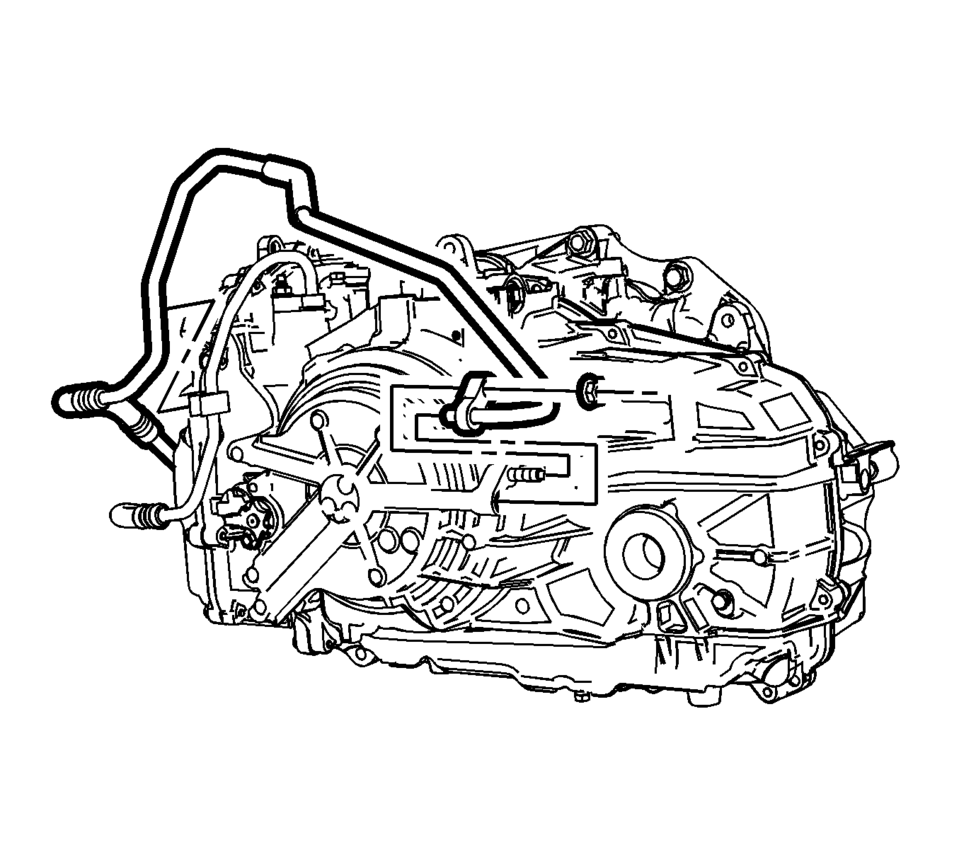
- Remove the trans fluid cooler nut.
- Remove and unclip the trans fluid cooler hose from the transmission.
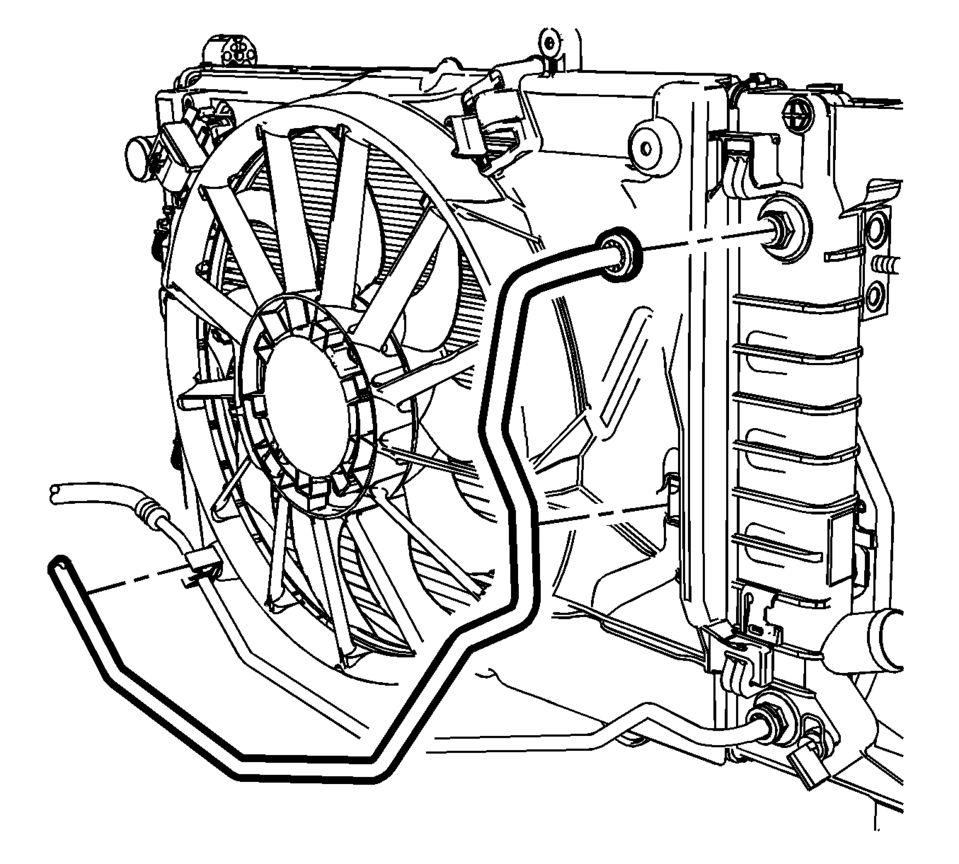
- Remove the transmission fluid cooler hose from the radiator. Refer to Transmission Fluid Cooler Hose/Pipe Quick-Connect Fitting Disconnection and Connection
- Unclip the transmission fluid cooler hose from fan shroud and remove from vehicle.
- Installation Procedure
-
- Inspect the seals for cracks, cuts or damage. Replace if necessary.
- Install the transmission fluid cooler hose to the radiator. Refer to Transmission Fluid Cooler Hose/Pipe Quick-Connect Fitting Disconnection and Connection
- Clip the transmission fluid cooler hose to the fan shroud.
- Install and clip the trans fluid cooler hose to the transmission.
- Install the trans fluid cooler nut and tighten to
22 Y (17 lb ft)
.
- Install the front wheelhouse liner inner front extension. Refer to Front Wheelhouse Liner Inner Front Extension Replacement
- Install the front bumper fascia opening lower cover. Refer to Front Bumper Fascia Opening Lower Cover Replacement
- Adjust the transmission fluid level.
- Inspect for fluid leaks.
Caution:
Refer to Fastener Caution
 Fluid Cooler Inlet Hose Replacement
Removal Procedure
Remove the battery tray. Refer to
Battery Tray Replacement
Remove the front bumper fascia opening lower cover.
Refer to Front Bumper Fascia Opening Lower Cove ...
 Transmission Fluid Cooler Flushing and Flow Test
GM studies indicate that plugged or restricted transmission oil coolers and pipes
cause insufficient transmission lubrication and elevated operating temperatures
which can lead to premature transm ...
Other materials:
Roof Outer Panel Replacement (5HB)
Removal Procedure
Warning: Refer to Approved Equipment for Collision Repair
Warning.
Disable the SIR system. Refer to SIR Disabling and Enabling.
Disconnect the negative battery cable. Refer to Battery Negative Cable
Disconnection and Connection.
Remove all ...
Fuel Tank Draining
Warning: Refer to Gasoline/Gasoline Vapors Warning.
Note: The fuel tank must be drained with a suitable, commercially-available
fuel removal unit and suction hose - follow safety regulations and national
legislation. The fuel tank is fitted with a refill limit float valve. T ...
How to enable/disable the I-BSI system
Example
ProPILOT Assist switch (design may vary depending on the Nissan Armada model)
Vehicle information display
Steering-wheel-mounted control (right side)
To configure the Nissan Armada Intelligent Blind Spot Intervention (I-BSI) system,
follow these steps:
1. Press the
butt ...

0.0064