
Chevrolet Sonic Repair Manual: Front Compartment Fuse Block Replacement
- Removal Procedure
-
- Disconnect the battery negative cable. Refer to Battery Negative Cable Disconnection and Connection.
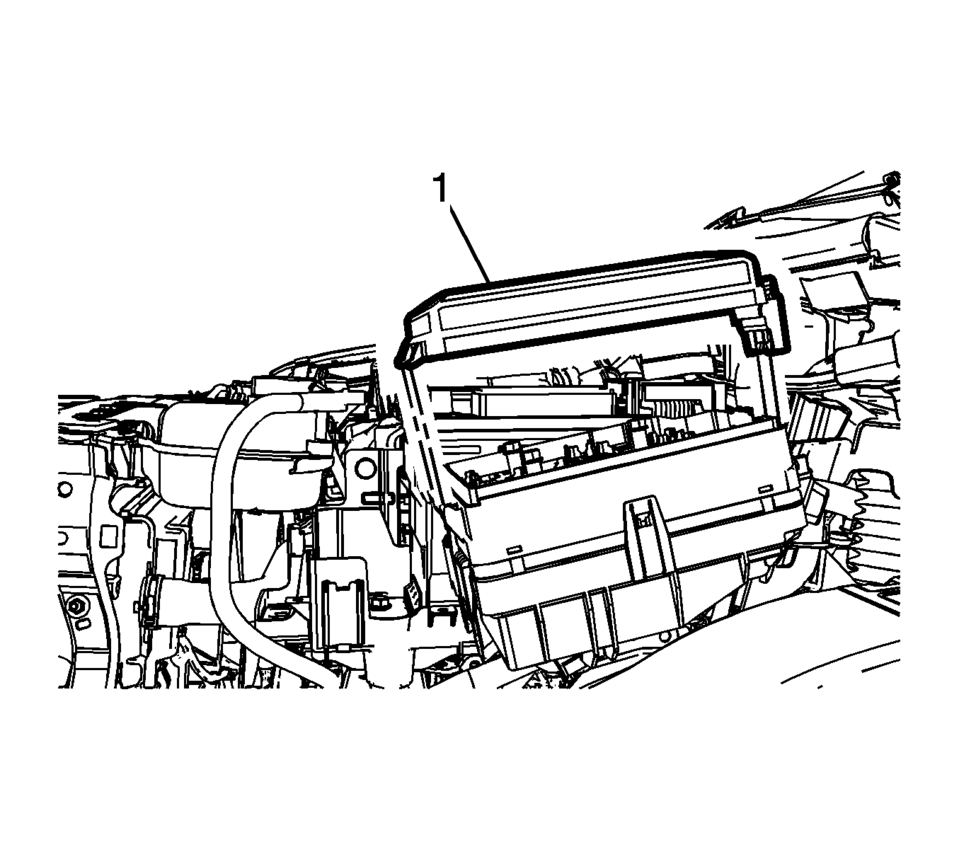
- Remove the junction block cover (1).
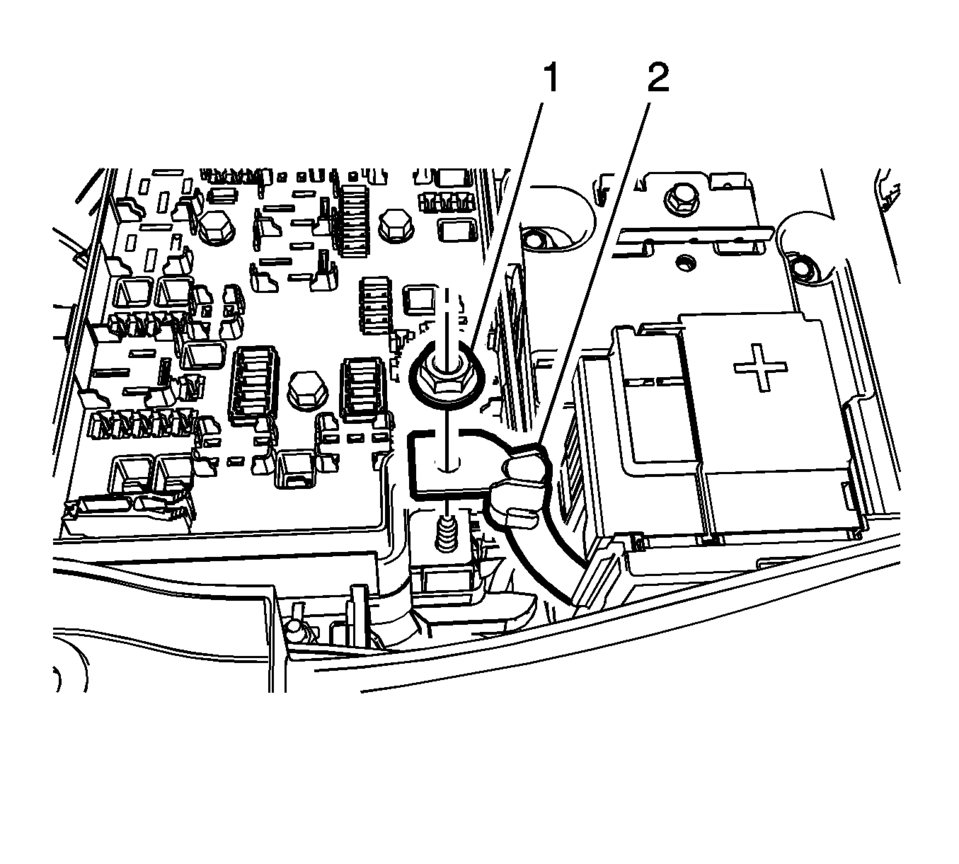
- Remove the positive battery cable nut (1) from the junction block.
- Remove the positive battery cable (2) from the junction block.
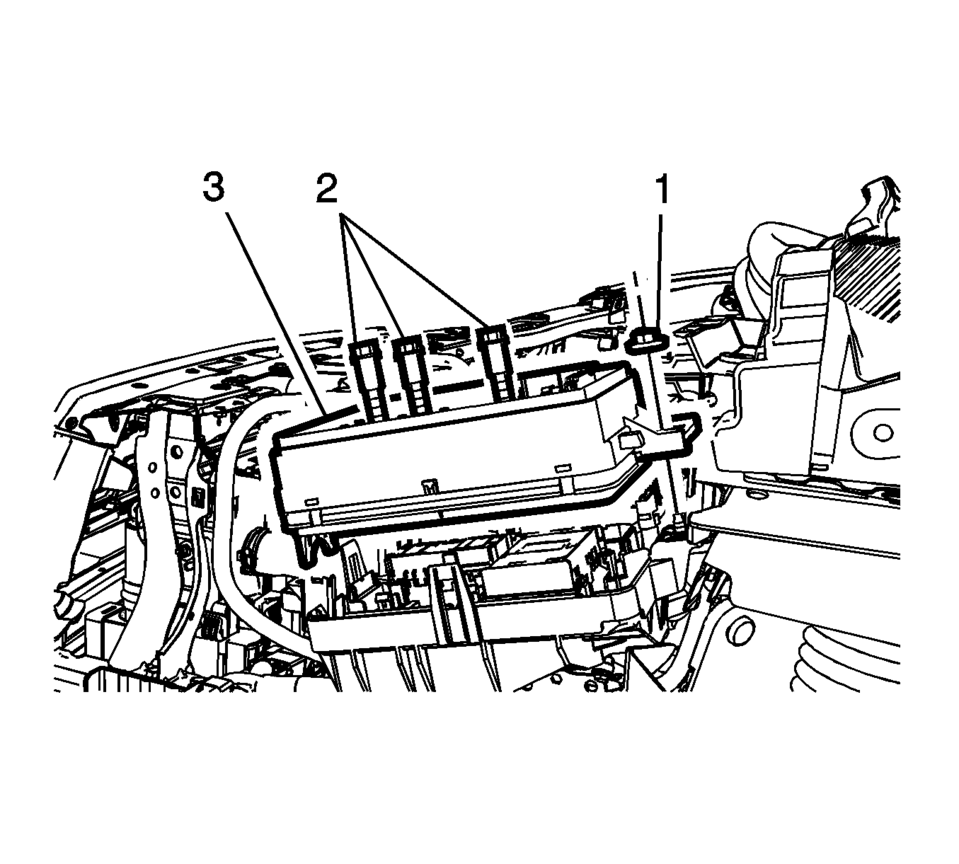
- Remove the junction block nut (1).
- Remove the junction block bolts (2).
- Disconnect the wiring harness from the junction block base.
- Remove the junction block (3) from the base.
- Disconnect the wiring harness from the junction block base.
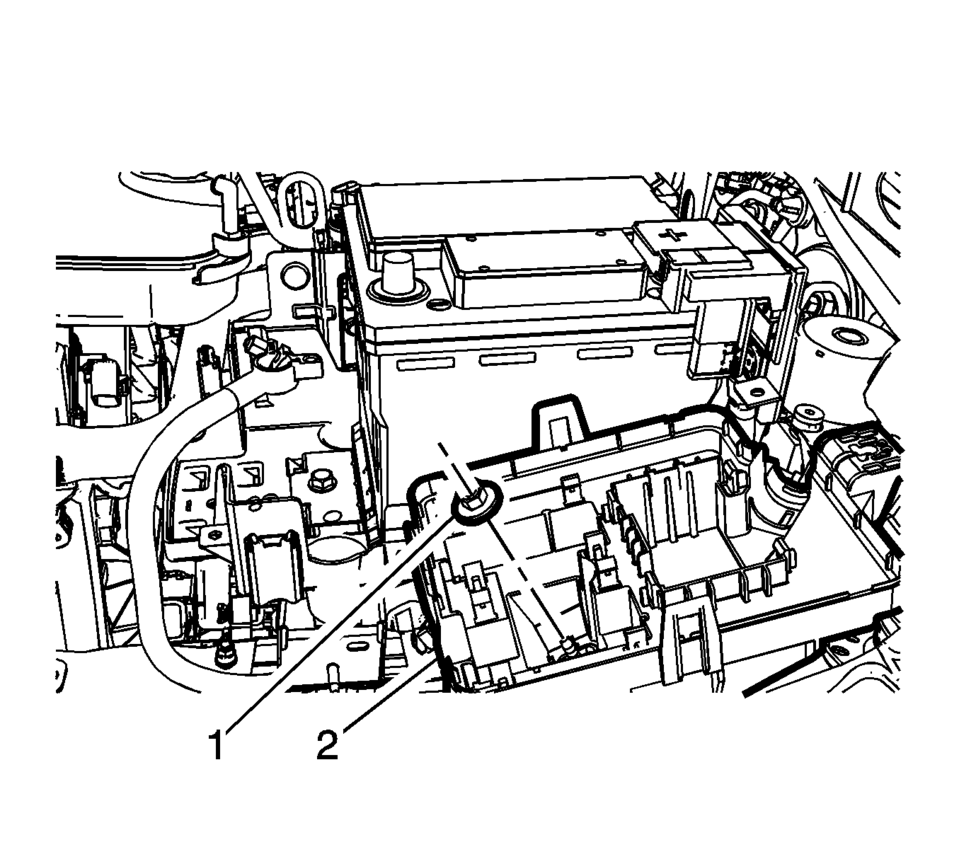
- Remove the junction block nut (1) from the block base.
- Remove the junction block base (2) from the inner wheelhouse.
- Installation Procedure
-
- Position the junction block base (2) to the inner wheelhouse stud.
- Install the junction block base nut (1) and tighten to 9 Y (79 lb in)
.
- Install the junction block to the base.
- Install the junction block bolts (2) and tighten to 9 Y (79 lb in)
.
- Install the junction block nut (1) and tighten to 7 Y (61 lb in)
.
- Position the positive battery cable to the junction block.
- Install the positive battery cable nut (2) and tighten to 5 Y (44 lb in)
.
- Install the junction block cover (1).
- Connect the battery negative cable. Refer to Battery Negative Cable Disconnection and Connection.
Caution:
Refer to Fastener Caution.

 Instrument Panel Fuse Block Access Hole Cover Replacement (With AAL)
Instrument Panel Fuse Block Access Hole Cover Replacement
Callout
Component Name
1
Instrument Panel Fuse Block Access Ho ...
Other materials:
Heater Outlet Hose Replacement (LUV)
Heater Outlet Hose Replacement
Callout
Component Name
Preliminary Procedures
Drain the engine coolant. Refer to Cooling System Draining and Filling.
Remove the air cleaner assembly. Refer to Air Cleaner Assembly Replacemen ...
Exhaust Manifold Installation
Clean the exhaust manifold sealing surface.
Install a NEW exhaust manifold gasket (1) to the cylinder head.
Caution: Refer to Fastener Caution.
Caution: Refer to Torque-to-Yield Fastener Caution.
Install the exhaust manifold (3) and tighten the NEW nu ...
Torque Converter Housing with Fluid Pump Assembly Removal (Non Hybrid)
Torque Converter Housing with Fluid Pump Assembly Removal
Callout
Component Name
1
Torque Converter and Differential Housing Bolts M8 x 30 (Qty: 15)
2
Torque Conv ...

0.0066