
Chevrolet Sonic Repair Manual: Front Floor Console Extension Replacement - Right Side
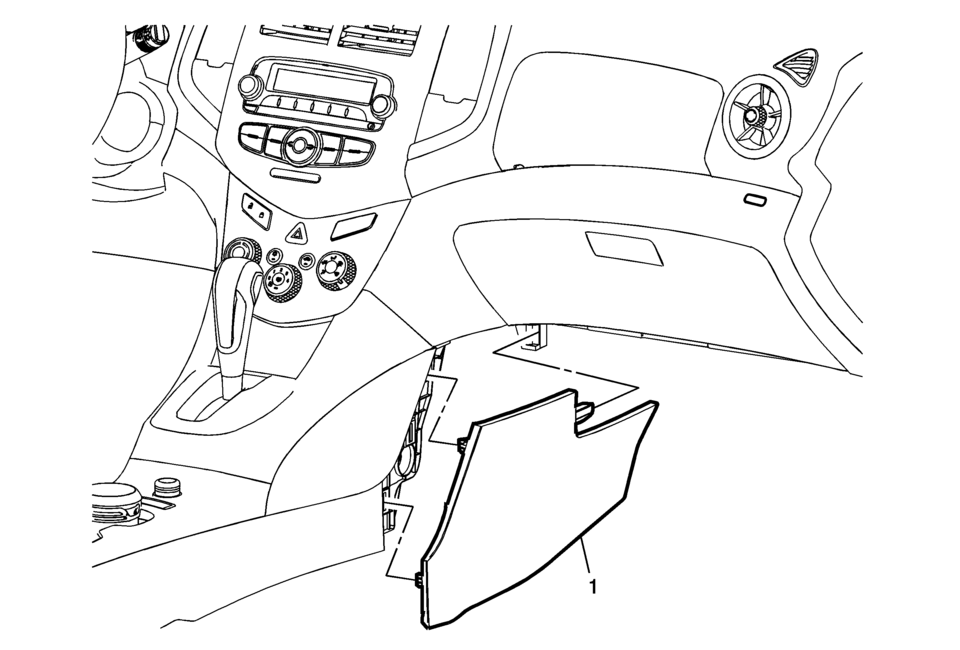
|
Callout |
Component Name |
|---|---|
|
1 |
Front Floor Console Extension Procedure
Use a flat bladed plastic trim tool in order to release the retainers securing the extension to the console assembly. |
 Front Floor Console Extension Replacement - Left Side
Callout
Component Name
1
Front Floor Console Extension Push-In Ret ...
 Front Floor Console Replacement
Callout
Component Name
Preliminary Procedures
Remove the right and left front floor console extensi ...
Other materials:
Radio Controls without Touchscreen
The buttons used to control the radio are:
P /VOL: Press to turn the radio on and off.
RADIO/BAND: Press to choose between AM, FM, and SiriusXM®, if equipped.
Push/MENU/TUNE Knob: Turn to navigate the available menus. Turn to search for
stations.
INFO: Press to display additional information ...
Radio without Touchscreen
Connect a 3.5mm (1/8 in) cable to the auxiliary input jack to use a portable
audio player.
Playback of an audio device that is connected to the 3.5mm (1/8 in) jack can
only be controlled using the controls on the device.
Adjusting the Volume
Turn the /VOL knob to adjust the
volume of the i ...
Battery Negative Cable Disconnection and Connection
Battery Negative Cable Disconnection and Connection
Callout
Component Name
Preliminary Procedures
Turn on the radio and record all of the radio pre-set stations.
Ensure that all lamps and accessories are turned off.
Tu ...

0.0095