
Chevrolet Sonic Repair Manual: Fuel Tank Filler Pipe Replacement
- Removal Procedure
-
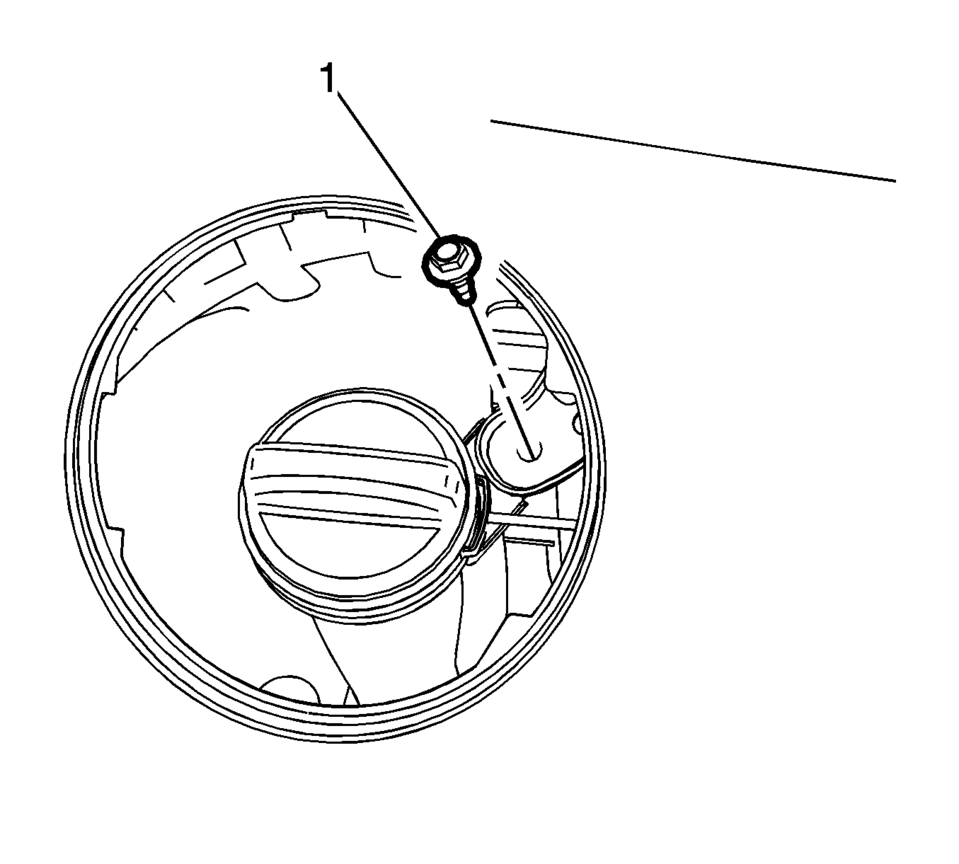
- Remove the bracket fastener (1).
- Lift and support the vehicle. Refer to Lifting and Jacking the Vehicle.
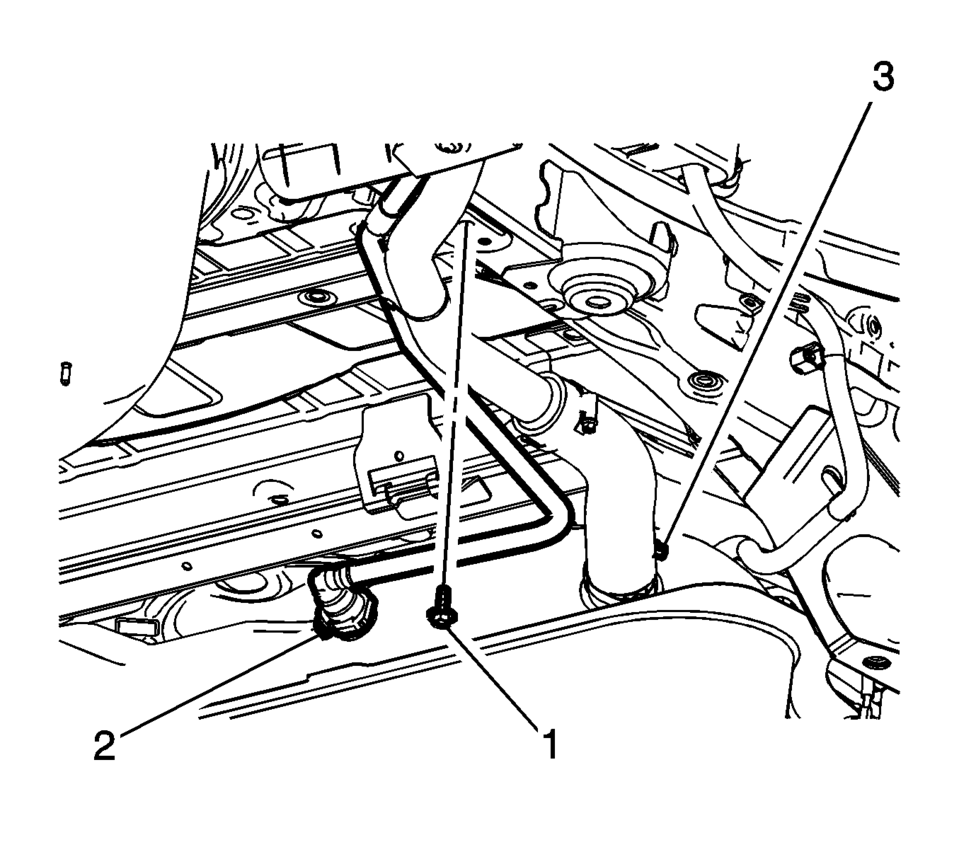
- Remove the fuel tank filler pipe bracket fastener (1).
- Disconnect the vent hose (2). Refer to Plastic Collar Quick Connect Fitting Service.
- Loosen the filler pipe hose clamp (3).
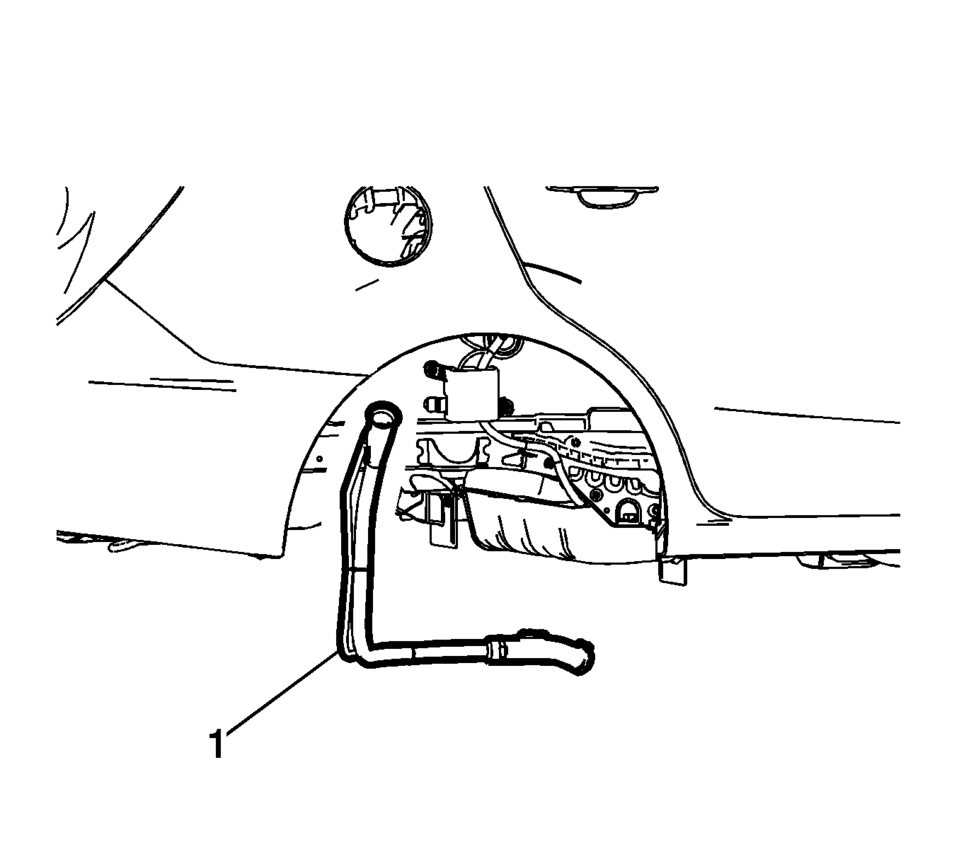
- Remove the fuel tank filler pipe (1).
- Installation Procedure
-
- Install the fuel tank filler pipe (1).
- Tighten hose clamp (3) to 4 Y(35 lb in)
.
- Connect the vent hose (2). Refer to Plastic Collar Quick Connect Fitting Service.
- Tighten the filler pipe bracket fastener (1) to 9 Y(89 lb in)
.
- Install the bracket fastener (1) and tighten to 9 Y(89 lb in).
Caution:
Refer to Fastener Caution.
 Fuel System Description
Fuel System Overview
The fuel system is an electronic returnless on-demand design. A returnless
fuel system reduces the internal temperature of the fuel tank by not returning
hot fuel f ...
 Fuel Tank Filler Pipe Replacement (Steel Tank)
Removal Procedure
Remove the fuel filler door housing. Refer to Fuel Tank Filler Door
Latch Housing Replacement.
Remove the bracket fastener (1).
Lift and ...
Other materials:
Rear Wheelhouse Liner Replacement (Sedan - Right)
Rear Wheelhouse Liner Replacement
Callout
Component Name
Preliminary Procedure
Remove the tire and wheel assembly. Refer to Tire and Wheel Removal and
Installation.
1
Rear Wheelhouse Panel Liner ...
Coolant System Flushing
Note:
Do not use a chemical flush.
Store used coolant in the proper manner, such as in a used engine coolant
holding tank.
Do not pour used coolant down a drain. Ethylene glycol antifreeze is
a very toxic chemical.
Do not dispose of coolant into the sewer system or groun ...
Secondary Air Injection System Description
The Secondary Air Injection System aids in the reduction of hydrocarbon exhaust
emissions during a cold start. This occurs when the start-up engine coolant temperature
(ECT) is between −10 to +56°C (14?E33°F), the intake air temperature (IAT) is greater
than −10°C (14°F) and it ...

0.0062