
Nissan Armada 2025-2026 Owner's Manual: Hazard warning flasher switch
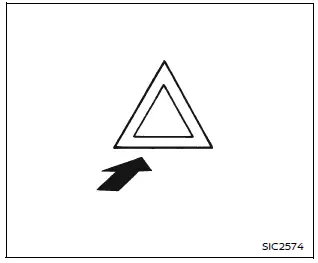
Press the hazard warning flasher switch in the Nissan Armada to alert other drivers when your vehicle must stop or is parked under emergency conditions. Once activated, all turn signal lights will flash simultaneously to increase visibility.
WARNING
- In an emergency, always move the Nissan Armada as far off the roadway as possible to avoid obstructing traffic and reduce the risk of accidents.
- Avoid using the hazard warning flashers while driving on highways unless absolutely necessary—for example, when your Nissan Armada must travel significantly below normal traffic speed.
- Keep in mind that the turn signal indicators will not function while the hazard warning lights are activated.
The hazard warning flasher system in the Nissan Armada can be activated regardless of the ignition switch position, ensuring it is available at all times when needed.
In certain situations, such as a collision that may deploy the supplemental air bag system, the Nissan Armada hazard lights may activate automatically to warn surrounding drivers.
To turn off the hazard lights, press the switch again. If pressed twice, the system will deactivate immediately.
WARNING
Do not switch off the hazard warning flashers in the Nissan Armada until you are certain it is safe to do so. Additionally, automatic hazard activation may vary depending on the severity of the impact.
Some state laws may prohibit the use of the hazard warning flasher switch while driving.

 Connection to Roadside Assistance
In the event of a roadside emergency involving your Nissan Armada, professional
Roadside Assistance services are available to provide support.
Refer to your Warranty Information Booklet (U.S.) or W ...
Other materials:
Front Floor Console Extension Replacement - Right Side
Front Floor Console Extension Replacement - Right Side
Callout
Component Name
1
Front Floor Console Extension
Procedure
Use a flat bladed plastic trim tool in order to release the retainers
securing the extens ...
Windshield Wiper System Module Replacement
Windshield Wiper System Module Replacement
Callout
Component Name
Preliminary Procedures
Open and support the hood assembly.
Remove the air inlet grille panel. Refer to Air Inlet Grille Panel
Replacement.
...
Warning/indicator lights (red)
Brake warning light
or
In the Nissan Armada, the brake warning light is a critical safety indicator
that helps monitor the condition of the braking system. When the ignition switch
is turned to the ON position, this light should illuminate briefly for a few seconds
and then turn off, ...

0.0055