
Nissan Armada 2025-2026 Owner's Manual: How to use the HUD
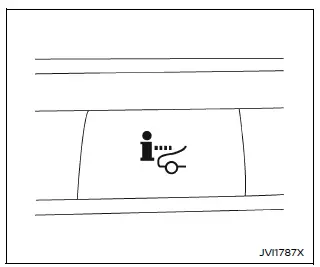
Basic information
To activate the Head Up Display in the Nissan Armada, press the HUD switch. Press it again to turn the system off.
If the HUD is turned off, it will remain disabled even after restarting the Nissan Armada, maintaining the last selected setting.
The following HUD settings in the Nissan Armada can be customized via the vehicle information display:
- Brightness
- Height
- Rotation
- Contents selection
- Navigation
- Driving Assist
- Speed Limit Sign
- Audio
- TEL/SMS
- Reset
NOTE:
- Critical alerts may still appear in the Nissan Armada HUD even if the system is turned off.
- When Driving Assist systems are active, the HUD may automatically display ProPILOT Assist information regardless of manual settings.
This Nissan Armada system incorporates multiple types of software:
(1) Panasonic Corporation software or software developed specifically for Panasonic Corporation
(2) Third-party licensed software integrated into the Nissan Armada system
(3) Open source software components
For open source software (OSS) details, refer to the official license information website.
Refer to the license web site at: http:// car.panasonic.jp/oss/j03llnna
Display brightness
The brightness of the Nissan Armada HUD can be manually adjusted through the vehicle settings menu.
Additionally, the system automatically adapts brightness based on external lighting conditions to maintain optimal visibility.
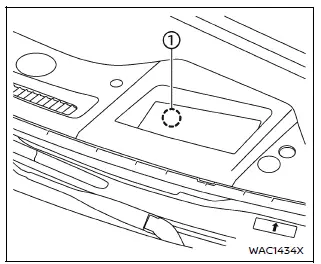
Avoid exposing the Nissan Armada HUD sensor to strong light sources, as this may interfere with proper operation.
NOTE:
- The Nissan Armada HUD includes an integrated sensor 1 that automatically adjusts display brightness. Blocking this sensor may reduce visibility and make the projection harder to read.
 Basic information
Example
Example
WARNING
In the Nissan Armada, improper adjustment of the HUD brightness or position
may obstruct the driver’s forward visibility through the windshield, increasi ...
 Driver Assistance/Navigation/Traffic Sign/Audio/TEL/SMS/Message for Driver Assistance
linking
Driver Assistance/Navigation/Traffic Sign/Audio/TEL/SMS/Message for Driver Assistance
linking
In the Nissan Armada, the Head-Up Display (HUD) integrates multiple systems to
present critical driving information directly within the driver’s field of view,
enhancing safety and convenience.
...
Other materials:
Front Wheelhouse Liner Replacement (Front)
Front Wheelhouse Liner Replacement
Callout
Component Name
Preliminary Procedure
Remove the tire and wheel assembly. Refer to Tire and Wheel Removal and
Installation.
1
Front Wheelhouse Liner Scr ...
Clutch and Differential Housing Disassemble
Special Tools
M-680770 Universal Sliding Mallet
R-0007758 Holding Fixture
R-0407008 Counter Shaft Bearing Remover
R-0407010 Input Shaft Needle Bearing Puller and Driver
R-0407013 Gearshift Device Bushing Puller
R-0007761 Universal Handle for Pullers and Installers
T-0207928 Retai ...
How to switch the display
With the ignition switch in the ON position, the Nissan Armada Intelligent Around
View Monitor can be activated either by pressing the CAMERA/
button or by shifting the transmission into the R (Reverse) position.
Once activated, the Nissan Armada system automatically presents different split- ...

0.0057