
Chevrolet Sonic Repair Manual: Master Cylinder Replacement
- Removal Procedure
-
Warning:
Refer to Brake Fluid Irritant Warning.
Caution:
Refer to Brake Fluid Effects on Paint and Electrical Components Caution.
- Place the ignition switch in the OFF position.
- Remove the battery. Refer to Battery Replacement.
- Disconnect the brake fluid level indicator switch electrical connector.
- Using a suitable suction device, remove and properly discard the brake fluid from the brake master cylinder reservoir.
- On manual transmission equipped vehicles, disconnect the clutch master cylinder reservoir hose. Refer to Clutch Master Cylinder Reservoir Hose Replacement
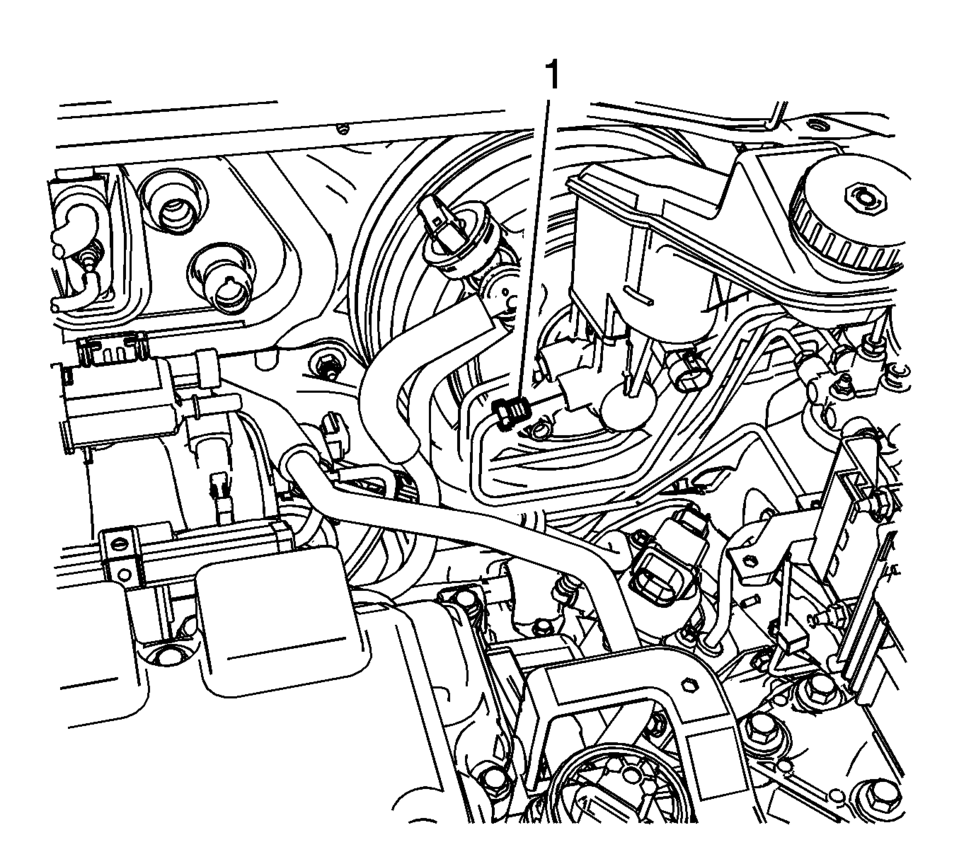
- Disconnect the master cylinder secondary brake pipe fitting (1).
- Cap the brake pipe fitting and plug the master cylinder outlet port to prevent brake fluid loss and contamination.
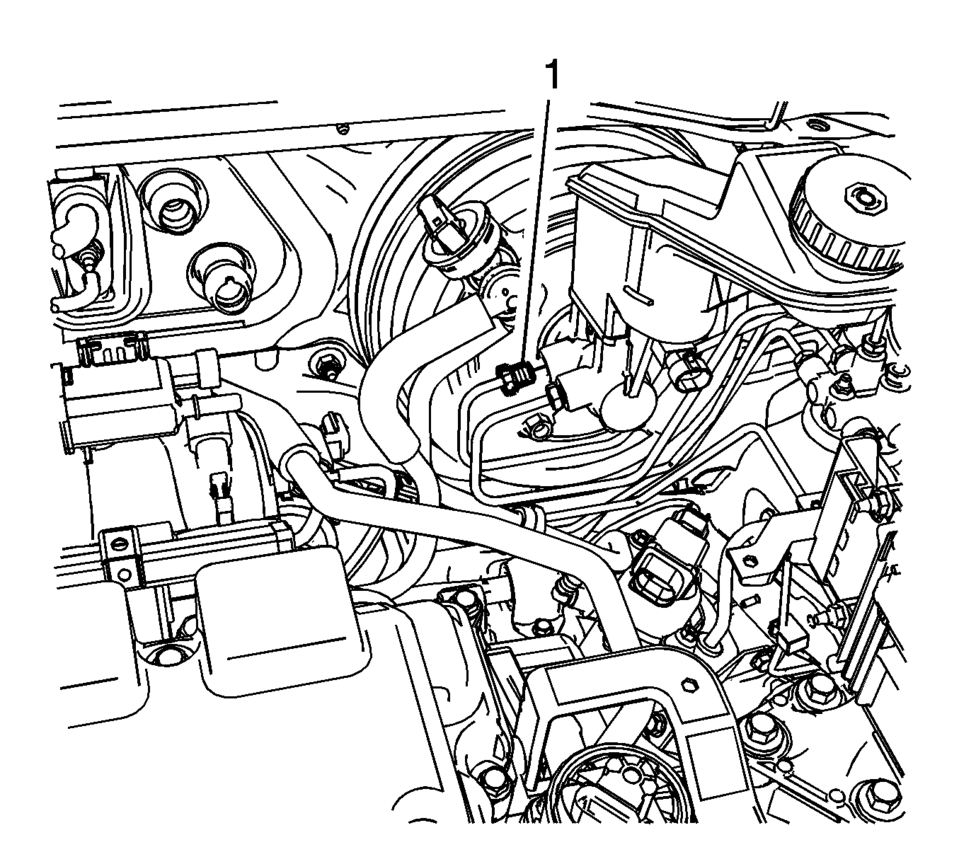
- Disconnect the master cylinder primary brake pipe fitting (1).
- Cap the brake pipe fitting and plug the master cylinder outlet port to prevent brake fluid loss and contamination.
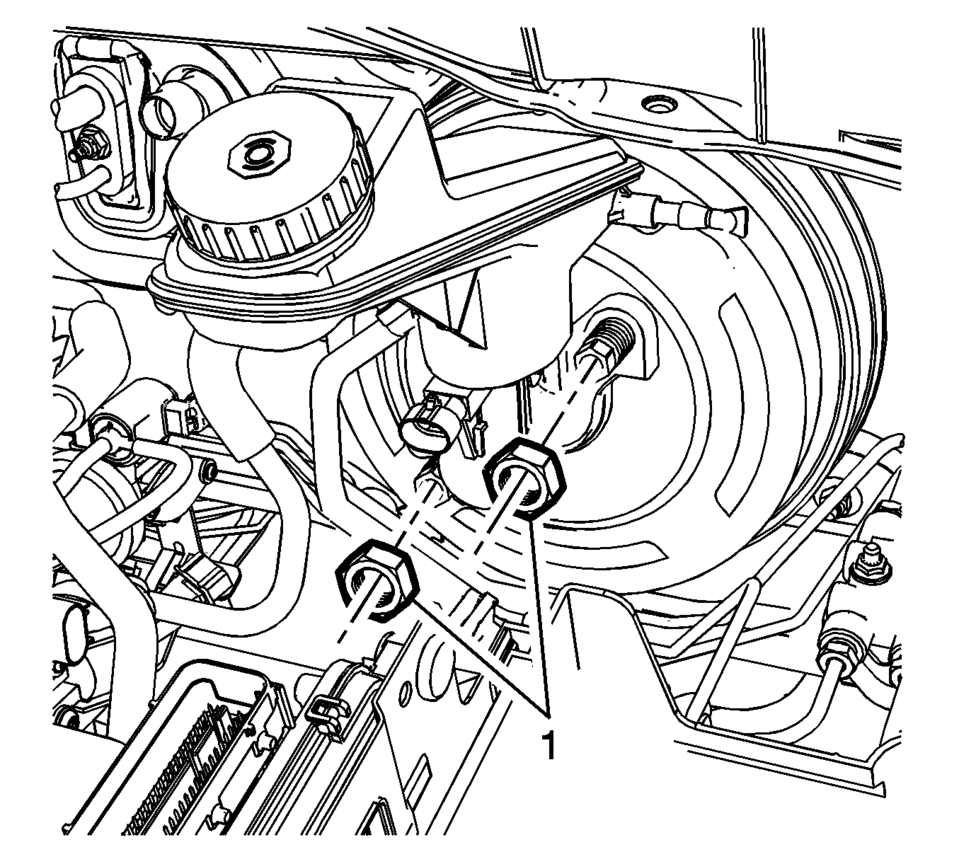
- Remove the master cylinder nuts (1).
- Remove the brake master cylinder.
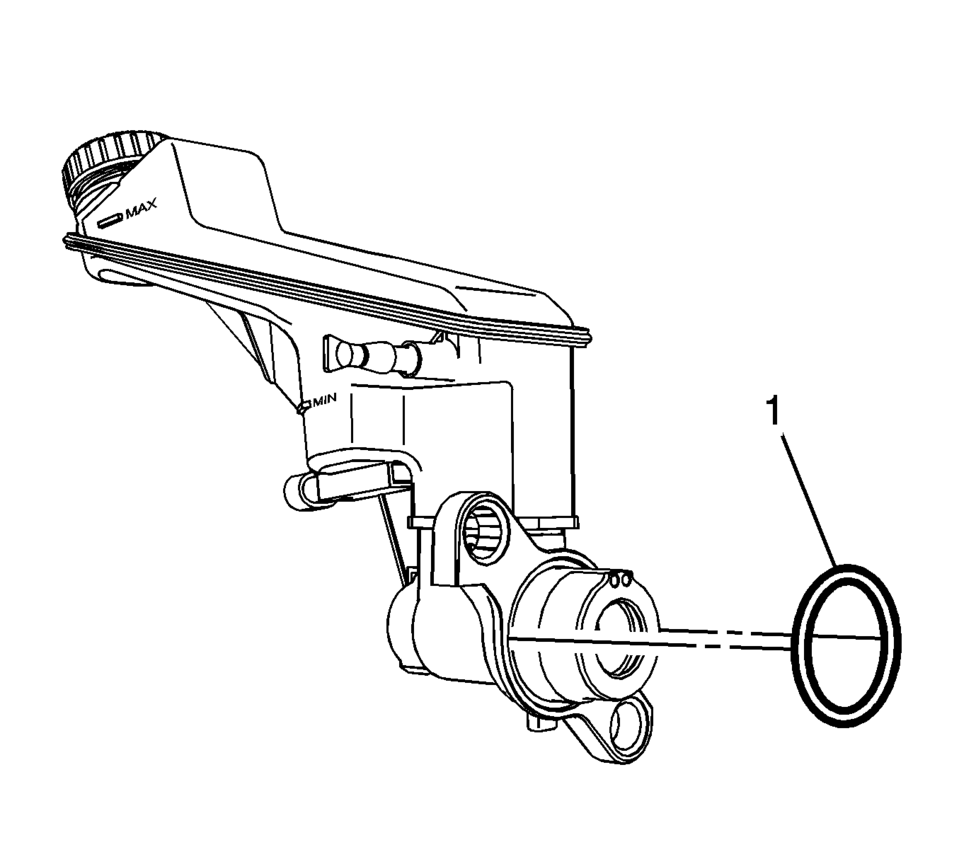
- Remove the master cylinder seal (1).
- Inspect the master cylinder seal for damage or deterioration and replace, if necessary.
- Remove the brake fluid level indicator switch, if necessary. Refer to Brake Fluid Level Indicator Switch Replacement.
- Remove the master cylinder reservoir, if necessary. Refer to Master Cylinder Reservoir Replacement.
- Installation Procedure
-
- Install the master cylinder reservoir, if removed. Refer to Master Cylinder Reservoir Replacement.
- Bench bleed the master cylinder. Refer to Master Cylinder Bench Bleeding.
- Install the brake fluid level indicator switch, if removed. Refer to Brake Fluid Level Indicator Switch Replacement.
- Install the master cylinder seal (1).
- Install the master cylinder to the power vacuum brake booster.
- Install the master cylinder nuts (1) and tighten to 50 Y (37 lb ft)
.
- Connect the master cylinder primary brake pipe fitting (1) and tighten
to 18 Y (13 lb ft)
.
- Connect the master cylinder secondary brake pipe fitting (1) and tighten
to 18 Y (13 lb ft)
.
- On manual transmission equipped vehicles, connect the clutch master cylinder reservoir hose. Refer to Clutch Master Cylinder Reservoir Hose Replacement
- Connect the brake fluid level indicator switch electrical connector.
- Install the battery. Refer to Battery Replacement.
- Bleed the hydraulic brake system. Refer to Hydraulic Brake System Bleeding.
Caution:
Refer to Fastener Caution.
 Master Cylinder Bench Bleeding
Warning: Refer to Brake Fluid Irritant Warning.
Caution: Refer to Brake Fluid Effects on Paint and Electrical
Components Caution.
Secure the mounting flange of the bra ...
 Special Tools
Illustration
Tool Number/ Description
CH 28662
J 28662
Brake Pedal Effort Gauge
...
Other materials:
Front Side Door Weatherstrip Replacement - Body Side
Front Side Door Weatherstrip Replacement - Body Side
Callout
Component Name
Preliminary Procedures
Remove the upper center pillar trim. Refer to Center Pillar Upper
Trim Panel Replacement.
Remove the lower center pillar t ...
Exhaust Manifold Heat Shield Replacement (LUV)
Exhaust Manifold Heat Shield Replacement
Callout
Component Name
Warning: Refer to Exhaust Service Warning.
1
Exhaust Manifold Heat Shield Fasteners (Qty: 3)
Caution: Refer to Fas ...
Basic information
The front and rear sonar system in the Nissan Armada is designed to assist the
driver during parking and low-speed maneuvers by detecting obstacles around the
vehicle. Using ultrasonic sensors integrated into the front and rear bumpers, the
Nissan Armada provides audible tones and visual i ...

0.0058