
Nissan Armada 2025-2026 Owner's Manual: Push-button ignition switch operation
CAUTION
- Avoid leaving your Nissan Armada with the ignition switch in the ON position while the engine is not running for extended periods, as this can drain the battery.
- Use electrical accessories in your Nissan Armada primarily when the engine is running. If accessories must be used without the engine running, limit their usage time and avoid operating multiple devices simultaneously to prevent battery discharge.
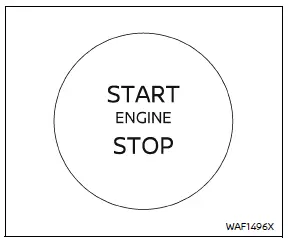
When the ignition switch in the Nissan Armada is pressed without depressing the brake pedal, the switch will illuminate to indicate its active state.
Press the center of the ignition switch as follows:
- Press once to switch to the ON position.
- Press twice to switch to the OFF position.
If the ignition switch in your Nissan Armada cannot be turned to the OFF position, follow these steps:
1. Press the park button to shift the transmission into P (Park).
2. Press the ignition switch to move it to the ON position.
3. Press the ignition switch again to switch it OFF.
The transmission in your Nissan Armada can only be shifted out of the P (Park) position when the ignition is ON and the brake pedal is pressed.
Push-button ignition switch positions
ON (Normal operating position)
In this mode, the Nissan Armada ignition system and electrical components are activated without starting the engine.
The ON position includes a battery-saving function that will automatically switch the ignition OFF after a certain period if the engine is not running and the following conditions are met:
- All doors are closed.
- The vehicle remains in P (Park).
OFF position
In this position, the Nissan Armada engine is completely shut down and all major systems are deactivated.
Auto ACC position
When the Nissan Armada is in P (Park), the Intelligent Key is present, and the ignition transitions from ON to OFF, certain electrical features—such as power mirror controls—may remain active for a limited time.
Depending on environmental or system conditions, the Auto ACC function in your Nissan Armada may not activate or may operate for a shorter duration than expected.
Emergency engine shut off
To stop the engine of your Nissan Armada in an emergency situation or when the Intelligent Key battery is depleted, follow one of the methods below:
- Press and hold the push-button ignition switch for more than 2 seconds, or
- While driving, press the ignition switch rapidly three times within 1.5 seconds.
After shutting off the engine, open the door to reset the Nissan Armada system to its normal state.
Automatic engine shut-off
The Nissan Armada is equipped with an automatic engine shut-off system that turns off the engine after an extended idle period when the transmission is in P (Park). This feature helps reduce unnecessary fuel consumption and emissions.
The final 30 seconds before shutdown are displayed in the Nissan Armada information screen. During this time, you can use the steering wheel controls to choose:
- "OK" — confirm and allow the engine to shut off (default action if no selection is made).
- "Disable" — temporarily prevent the engine from shutting off during the current trip.
NOTE:
- The idle timer in your Nissan Armada will reset if the brake or accelerator pedal is pressed, delaying automatic engine shut-off.
- The automatic shut-off system will reactivate the next time the engine is started.
The Nissan Armada push-button ignition system is designed to provide convenience, efficiency, and enhanced control, ensuring a modern and safe driving experience.
 Basic information
WARNING
Never operate the push-button ignition switch in your Nissan Armada while
the vehicle is in motion, except in an emergency. Pressing the ignition switch three
consecutive times or holding ...
 Intelligent Key battery discharge
If the Intelligent Key battery in your Nissan Armada becomes discharged, or if
external conditions such as interference affect its operation, the engine can still
be started using an alterna ...
Other materials:
Rear Safety Belt Comfort Guides
Rear safety belt comfort guides may provide added safety belt comfort for older
children who have outgrown booster seats and for some adults. When installed on
a shoulder belt, the comfort guide positions the shoulder belt away from the neck
and head.
Safety belt comfort guides are available ...
Instrument Panel Accessory Upper Trim Plate Replacement
Instrument Panel Accessory Upper Trim Plate Replacement
Callout
Component Name
Preliminary Procedure
Remove the instrument panel center molding. Refer to Instrument Panel
Center Molding Replacement.
1
...
Differential lock mode switch
The rear differential lock (DIFF-LOCK) in the Nissan Armada is designed to distribute
engine torque evenly between the left and right rear wheels, ensuring balanced traction
in demanding driving conditions.
When the Nissan Armada becomes stuck in challenging environments such as sand,
sno ...

0.0061