
Chevrolet Sonic Repair Manual: Rear Brake Hose Replacement (Axle to Caliper)
- Removal Procedure
-
Warning:
Refer to Brake Dust Warning.
Warning:
Refer to Brake Fluid Irritant Warning.
- Raise and support the vehicle. Refer to Lifting and Jacking the Vehicle.
- Remove the tire and wheel assembly. Refer to Tire and Wheel Removal and Installation.
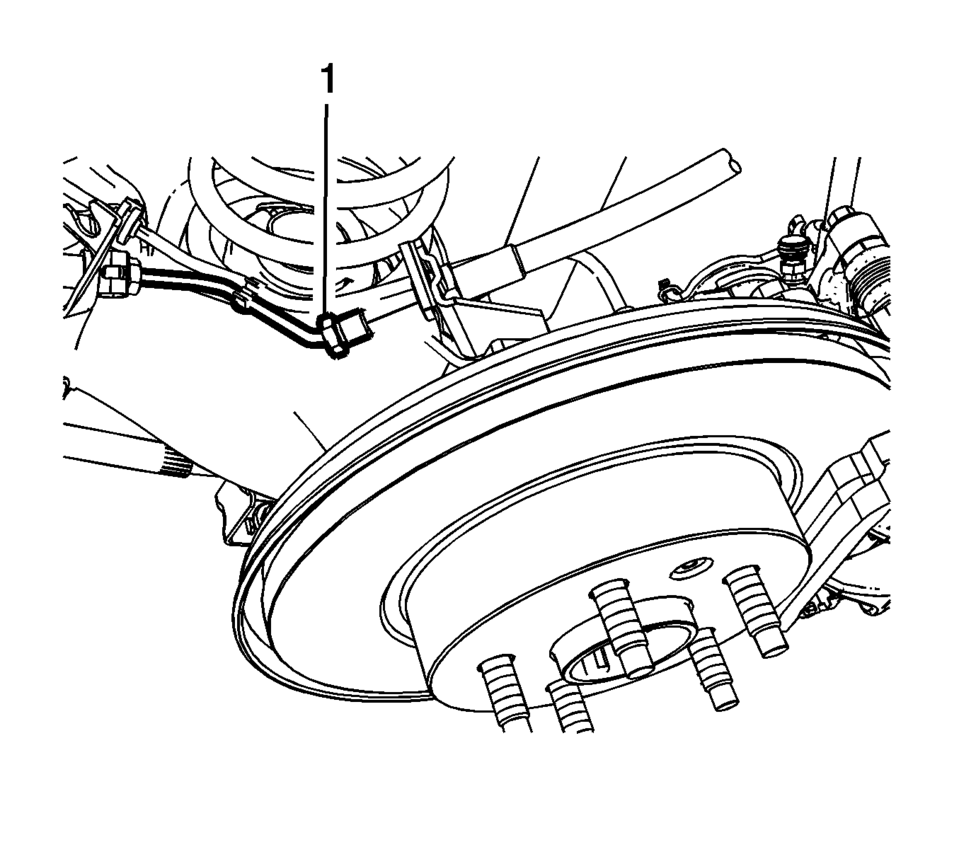
- Remove the brake pipe fitting (1) from the rear brake hose.
- Cap the brake pipe fitting to prevent brake fluid loss and contamination.
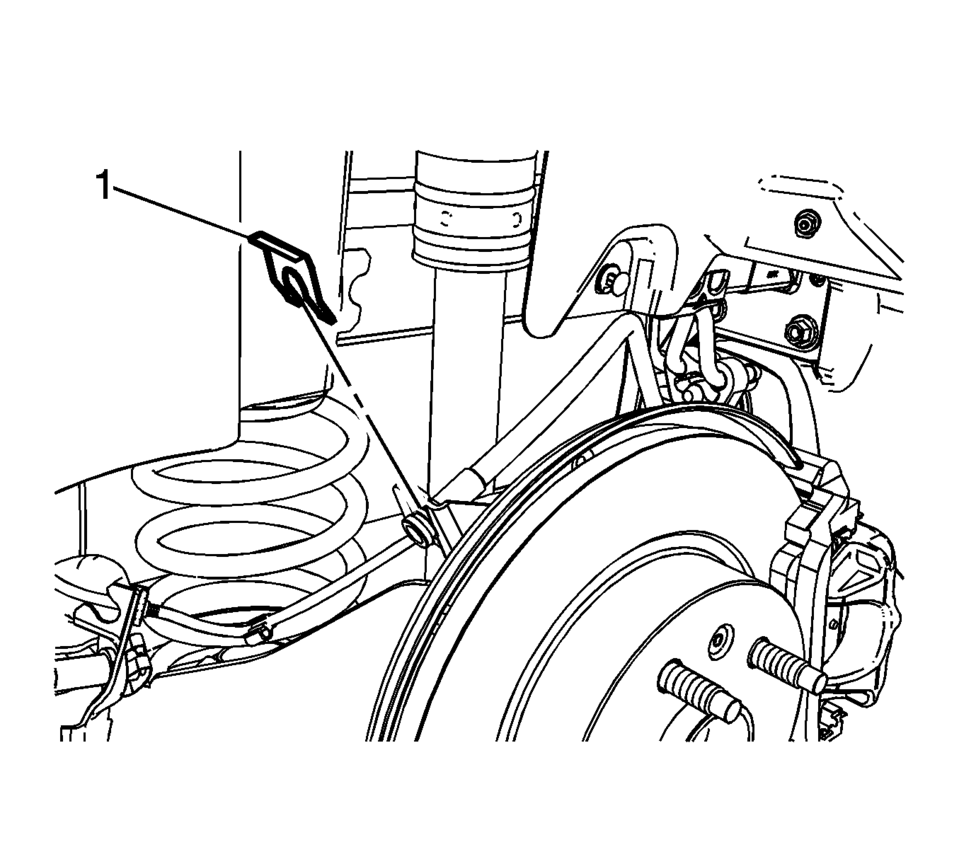
- Remove the brake hose retainer (1).
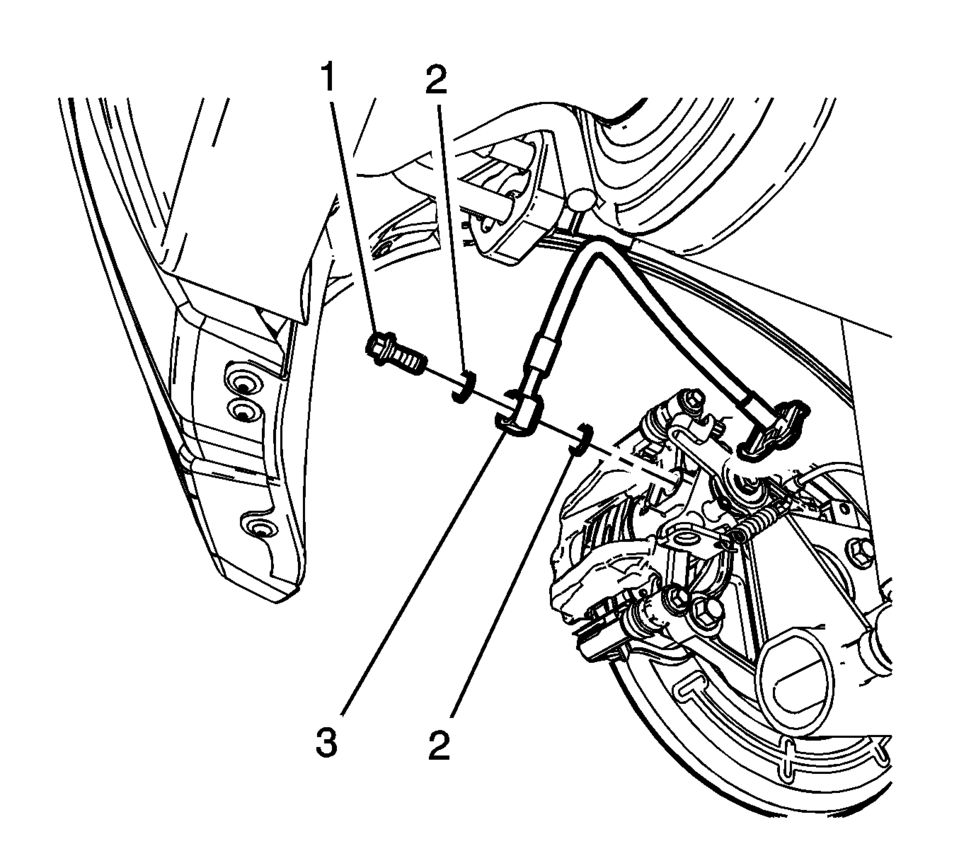
- Remove the brake hose fitting bolt (1).
- Remove and discard the brake hose fitting gaskets (2) from the brake hose fitting (3).
- Remove the brake hose.
Note:
Do not reuse the brake hose fitting gaskets.
- Installation Procedure
-
- Assemble the brake hose fitting bolt (1) and the new brake hose fitting gaskets (2) to the brake hose fitting (3).
- Install the brake hose assembly to the brake caliper and tighten the
fitting bolt to 40 Y (30 lb ft)
.
- Install the brake hose to the wheelhouse bracket and install the retainer (1).
- Install the brake pipe fitting (1) to the rear brake hose and tighten
the fitting to 18 Y (13 lb ft)
.
- Bleed the hydraulic brake system. Refer to Hydraulic Brake System Bleeding.
- Install the tire and wheel assembly. Refer to Tire and Wheel Removal and Installation.
Caution:
Refer to Fastener Caution.
 Hub/Axle Flange and Wheel Stud Runout Inspection
Special Tools
GE-8001 Dial Indicator Set , or equivalent
Raise and support the vehicle. Refer to Lifting and Jacking the Vehicle.
Mark the location of the wheels to the wheel studs and mar ...
 Rear Brake Hose Replacement (Body to Axle - Disc Brake)
Removal Procedure
Warning: Refer to Brake Dust Warning.
Warning: Refer to Brake Fluid Irritant Warning.
Raise and support the vehicle. Refer to Lifting and Jacking the ...
Other materials:
Airbag System
The vehicle has the following airbags except where noted below:
A frontal airbag for the driver.
A frontal airbag for the front outboard passenger.
A knee airbag for the driver.
A knee airbag for the front outboard passenger.
A seat-mounted side impact airbag for the driver.
A seat-mou ...
Sunroof Module Assembly Replacement
Sunroof Module Assembly Replacement
Callout
Component Name
Preliminary Procedures
Remove the sunroof window. Refer to Sunroof Window Replacement.
Remove the headliner. Refer to Headlining Trim Panel Replacement.
D ...
Changing wheels and tires
Tire rotation
To maintain optimal performance and extend tire life on your Nissan Armada, it
is strongly recommended to rotate the tires at regular intervals of approximately
10,000 miles (16,000 km).
Consistent tire rotation helps ensure even tread wear, improves ride comfort,
and contr ...

0.0063