
Chevrolet Sonic Repair Manual: Rear Wheel Speed Sensor Replacement
- Removal Procedure
-
Warning:
Refer to Brake Dust Warning.
- Raise and support the vehicle. Refer to Lifting and Jacking the Vehicle.
- Remove the tire and wheel assembly. Refer to Tire and Wheel Removal and Installation.
- Remove the rear wheel speed sensor harness connector cover nuts (1).
- Remove the rear wheel speed sensor harness connector cover (1).
- Clean the rear drum brake area around the wheel speed sensor of any accumulated dirt and debris.
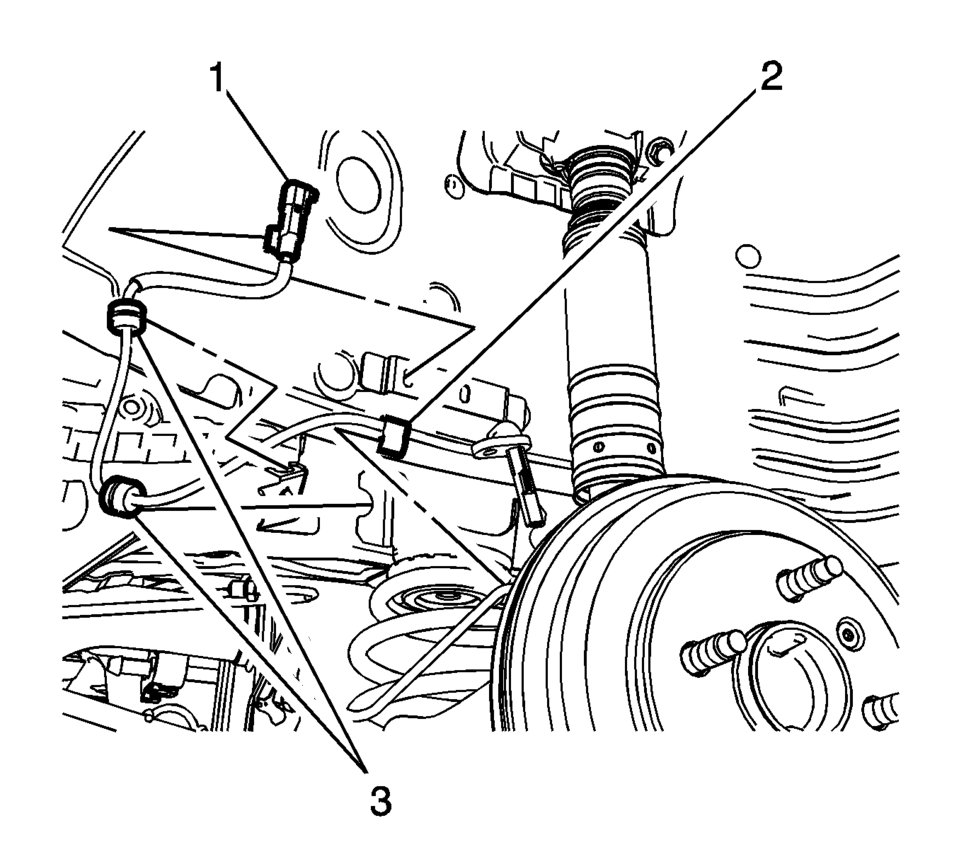
- Disconnect the wheel speed sensor electrical connector (1) and release the connector from the wheelhouse bracket.
- Release the wheel speed sensor harness retainer (2) from the wheel cylinder brake pipe.
- Release the wheel speed sensor harness grommets (3) from the bracket.
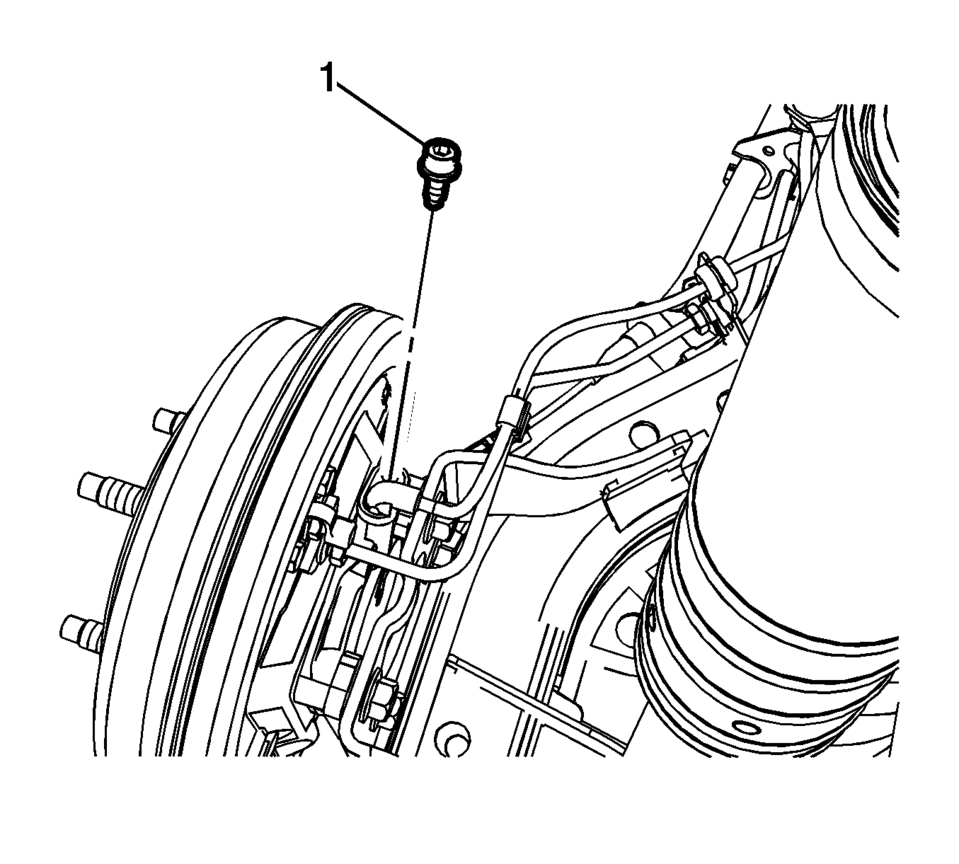
- Remove the wheel speed sensor bolt (1).
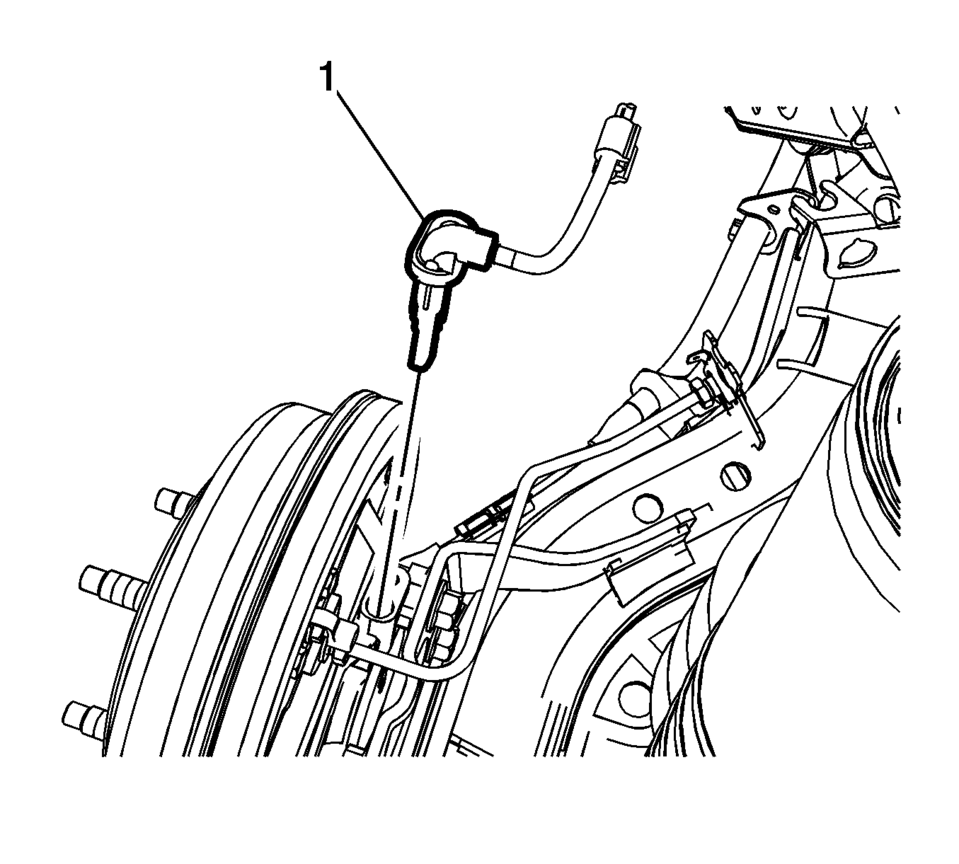
- Remove the wheel speed sensor (1) from the rear drum brake spacer by pulling the sensor straight upward using a slight twisting motion.


- Installation Procedure
-
- Install the wheel speed sensor (1) to the rear drum brake spacer.
- Install the wheel speed sensor bolt (1) and tighten to 8 Y (71 lb in)
.
- Connect the wheel speed sensor electrical connector (1) and install the connector to the wheelhouse bracket.
- Install the wheel speed sensor harness retainer (2) to the wheel cylinder brake pipe.
- Install the wheel speed sensor harness grommets (3) to the bracket.
- Install the rear wheel speed sensor harness connector cover (1).
- Install the rear wheel speed sensor harness connector cover nuts (1)
and tighten to 2 Y (18 lb in)
.
- Install the tire and wheel assembly. Refer to Tire and Wheel Removal and Installation.
- Perform the Diagnostic System Check - Vehicle.
Caution:
Refer to Fastener Caution.
Note:
If the wheel speed sensor grommets are equipped with a molded rib, position the grommets with the rib at the open end of the wheel speed sensor harness brackets. Do not twist the wheel speed sensor harness.
 Front Wheel Speed Sensor Replacement
Removal Procedure
Warning: Refer to Brake Dust Warning.
Raise and support the vehicle. Refer to Lifting and Jacking the Vehicle.
Remove the tire and wheel assembly. Refer ...
 Special Tools
Illustration
Tool Number/ Description
EL 35616-F
J 35616
Terminal Test Kit
...
Other materials:
Plastic Collar Quick Connect Fitting Service
Removal Procedure
Warning: Refer to Gasoline/Gasoline Vapors Warning.
Note: There are several types of plastic collar fuel and evaporative
emission quick connect fittings used on this vehicle.
Bartholomew (1)
Q Release (2)
Squeeze to Rele ...
Quarter Outer Panel Pressure Relief Valve Replacement
Quarter Outer Panel Pressure Relief Valve Replacement
Callout
Component Name
Preliminary Procedure
Remove the rear bumper fascia. Refer to Rear Bumper Fascia Replacement
1
Quarter Outer Panel Pre ...
Cylinder Head Cleaning and Inspection
Valve Cleaning and Inspection
Warning: Bodily injury may occur if the cleaning solvent is
inhaled or exposed to the skin.
Note: Do not scratch the valve stem with the wire brush.
Clean the valves of carbon, oil and varnish. Carbon can be remove ...

0.0098