
Chevrolet Sonic Repair Manual: Seat Adjustment
- Manual Seats
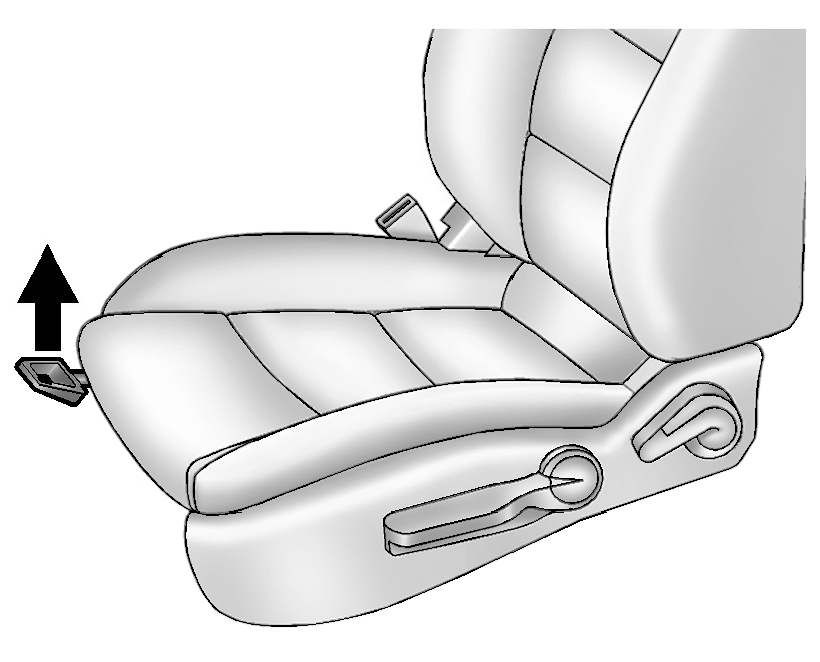
To adjust a manual seat:
- Pull the handle at the front of the seat.
- Slide the seat to the desired position and release the handle.
- Try to move the seat back and forth to be sure it is locked in place.
See Seat Adjustment.
- Seat Height Adjuster
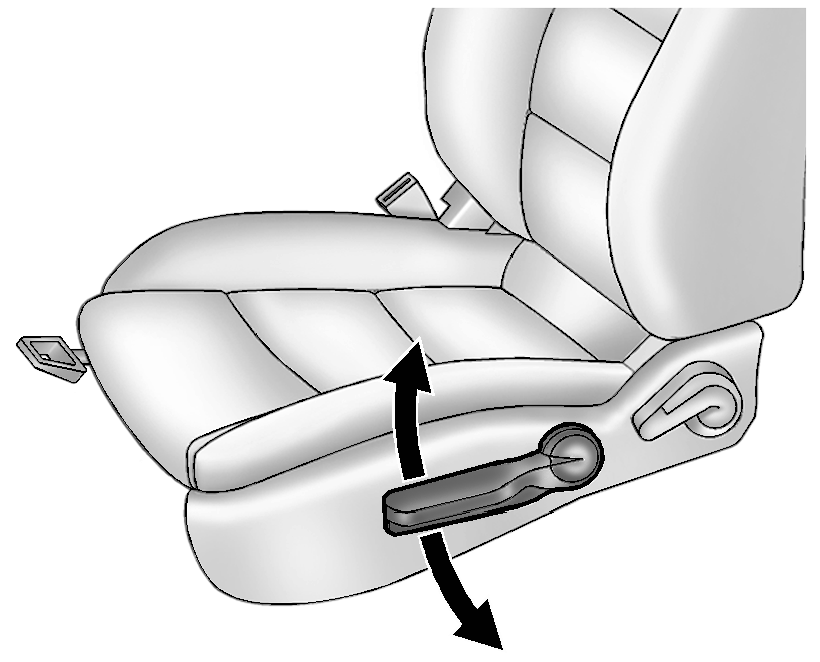
If available, move the lever up or down to manually raise or lower the seat.
See Seat Adjustment.
- Reclining Seatbacks
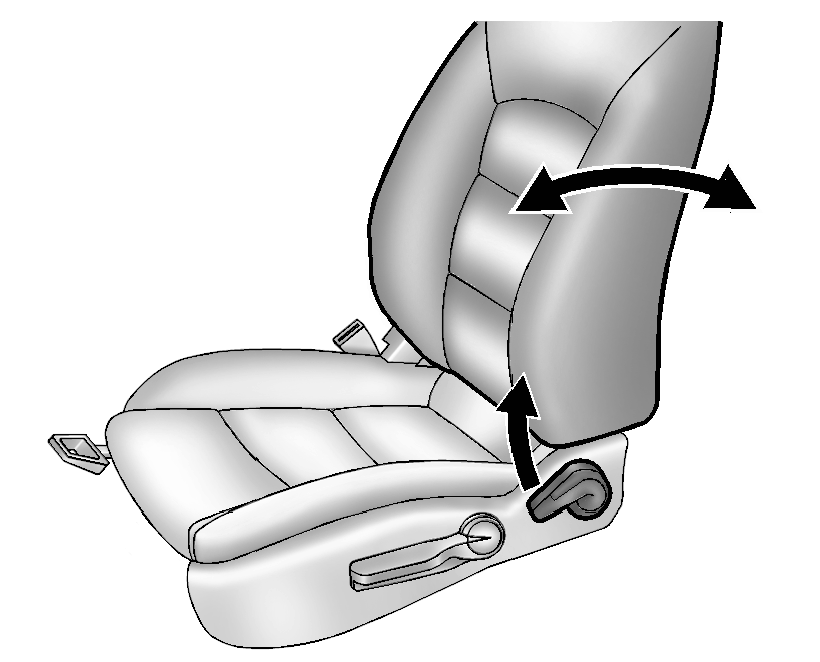
To recline a manual seatback:
- Lift the lever.
If necessary, move the safety belt out of the way to access the lever.
- Move the seatback to the desired position, and then release the lever to lock the seatback in place.
- Push and pull on the seatback to make sure it is locked in place.
To return the seatback to the upright position:
- Lift the lever fully without applying pressure to the seatback, and the seatback will return to the upright position.
- Push and pull on the seatback to make sure it is locked.
See Reclining Seatbacks.
- Lift the lever.
 Rear Seat Shoulder Belt Guide Opening Bezel Replacement
Rear Seat Shoulder Belt Guide Opening Bezel Replacement
Callout
Component Name
1
Rear Seat Shoulder Belt Opening Bezel
...
 Valve Guide Reaming, and Valve and Seat Grinding
Valve Cleaning Procedure
Use soft bristle wire brush to clean any carbon build-up from the valve
head. DO NOT use a wire brush on any part of the valve stem. The valve stem
is chr ...
Other materials:
Camshaft Seal Replacement
Special Tools
EN 422 Installer
EN 45000 Remover
For equivalent regional tools, refer to Special Tools
Removal Procedure
Remove the intake and exhaust camshaft sprocket. Refer to Camshaft Sprocket
Replacement.
Note: Do not damage the sealing surfaces.
...
Transmission Control Replacement
Transmission Control Replacement
Callout
Component Name
Preliminary Procedures
Remove the front floor console. Refer to
Front Floor Console Replacement.
Disconnect the range selector lever cable. Refer
to Range Select ...
How to use the HUD
Basic information
To activate the Head Up Display in the Nissan Armada, press the HUD switch. Press
it again to turn the system off.
If the HUD is turned off, it will remain disabled even after restarting the Nissan
Armada, maintaining the last selected setting.
The following HUD settings ...

0.008