
Chevrolet Sonic Repair Manual: Transmission Mount Bracket Replacement - Rear
- Removal Procedure
-
- Raise and support the vehicle. Refer to Lifting and Jacking the Vehicle.
- Remove the front suspension skid plate, if equipped. Refer to Drivetrain and Front Suspension Frame Skid Plate Replacement.
- Using a suitable jack stand, support the rear of the powertrain.
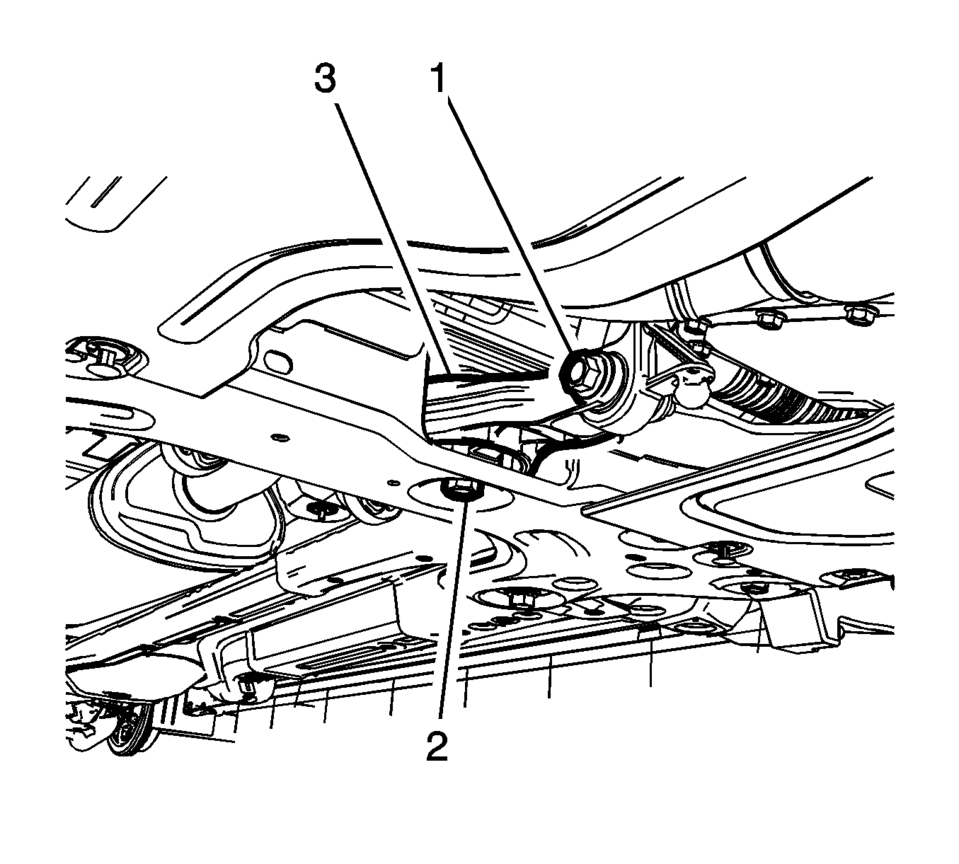
- Remove and DISCARD the transmission rear mount to bracket through bolt (1).
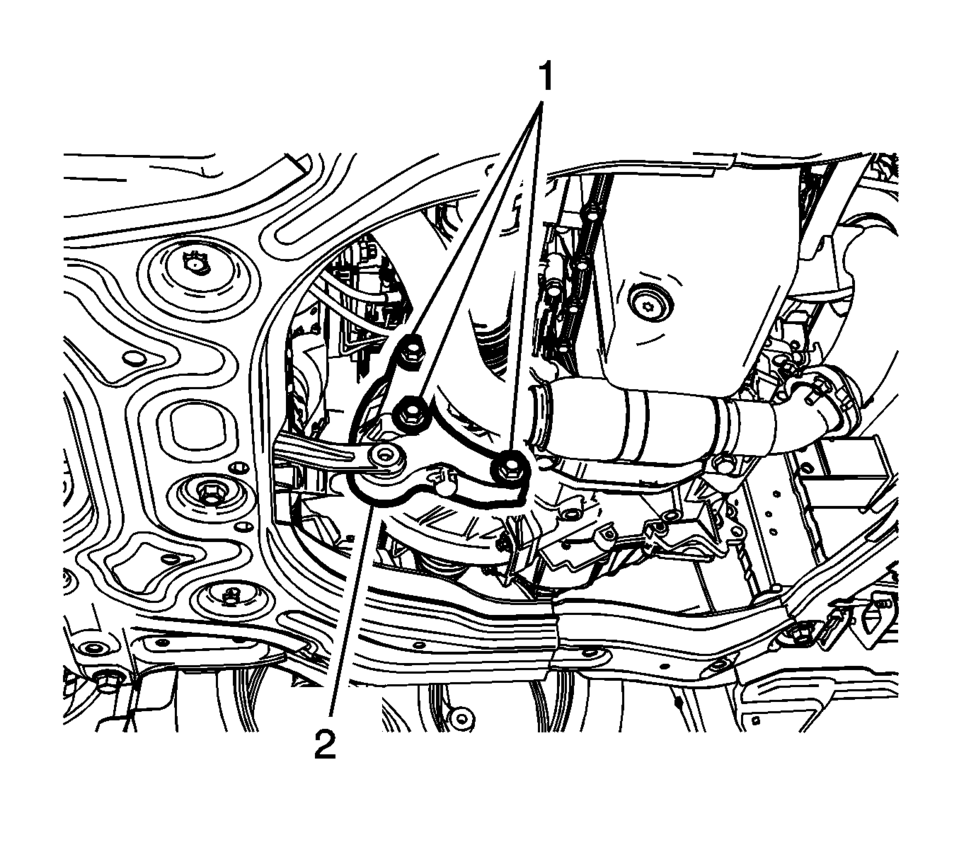
- Remove and DISCARD the transmission rear mount bracket bolts (1).
- Remove the transmission rear mount bracket (2).
- Installation Procedure
-
- Install the transmission rear mount bracket (2).
- Install the NEW transmission rear mount bracket bolts (1)
and tighten to 100 Y (74 lb ft) plus 30?5 degrees
.
- Install the NEW transmission rear mount to bracket
through bolt (1) and tighten to 80 Y (59 lb ft)
plus 45?0 degrees
.
- Remove the jack stand.
- Install the front suspension skid plate, if equipped. Refer to Drivetrain and Front Suspension Frame Skid Plate Replacement.
- Lower the vehicle.
Caution:
Refer to Fastener Caution.
 Transmission Mount Bracket Replacement - Left Side
Removal Procedure
Remove the left transmission mount. Refer to
Transmission Mount Replacement - Left Side.
Remove the three left transmission mount bracket to
tr ...
 Transmission Mount Replacement - Left Side
Removal Procedure
Remove the battery tray. Refer to
Battery Tray Replacement.
Install the engine support fixture. Refer to
Engine Support Fixture.
Remove and DIS ...
Other materials:
Side Window Defogger Outlet Grille Replacement
Side Window Defogger Outlet Grille Replacement
Callout
Component Name
1
Side Window Defroster Outlet Grille (Qty: 2)
Procedure
Use a flat bladed plastic trim tool to aid in the removal of the grille
ass ...
Air Conditioning Compressor and Condenser Hose Replacement (LDE/LWE)
Removal Procedure
Recover the refrigerant. Refer to Refrigerant Recovery and Recharging.
Disconnect the A/C refrigerant pressure sensor electrical connector.
Remove air conditioning compressor and condenser hose nut (1).
Remove air conditioning compressor and ...
Turbocharger Removal
Special Tool
EN-49942 Holding Wrench
For equivalent regional tools, refer to Special Tools.
Install the EN-49942 holding wrench (2) to the turbocharger coolant
feed pipe. Guide a ratchet wrench (1) along with an extension through EN-49942
holding wrench to the turbo ...

0.0065