
Nissan Armada 2025-2026 Owner's Manual: Windshield deicer
Example
The Nissan Armada windshield deicer is specifically designed to remove ice buildup from the lower windshield area, especially when wiper blades are frozen to the glass.
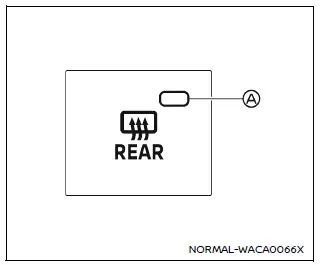
To activate the deicer in the Nissan Armada, start the engine and press the corresponding switch. The indicator light will turn on, and the system will begin heating the windshield area.
At the same time, the rear window defroster in the Nissan Armada will also activate, providing a combined defrosting function for maximum efficiency.
The deicer system operates automatically for approximately 20 minutes before switching off. To stop it earlier, simply press the switch again.
This function is especially useful in winter conditions, helping ensure that the Nissan Armada wipers move freely and visibility remains clear before driving.
CAUTION
- When using the Nissan Armada deicer continuously, always ensure the engine
is running to prevent battery discharge.
Operating the system without the engine may drain the battery.
- When cleaning the windshield interior in the Nissan Armada, avoid damaging the electrical heating elements embedded in the glass.
 Rear window defroster and outside mirror defroster
Example
In the Nissan Armada, the rear window and outside mirror defroster switch is
conveniently located on the front climate control panel for quick and easy access.
To clear fog or frost fr ...
 Headlight and turn signal switch
Headlight switch
Basic information
CAUTION
In the Nissan Armada, always operate the headlights with the engine running
to prevent unnecessary battery discharge and ensure reliable electrical sys ...
Other materials:
Exterior Lamp Controls
The exterior lamp control is on the instrument panel to the outboard side of
the steering column.
There are four positions:
(Off): Briefly turn to this position
to turn the automatic light control off or on again.
AUTO (Automatic): Turns the headlamps on automatically at normal brightness, ...
Camshaft Actuator System Description
Camshaft Actuator System Overview
(1)
Camshaft Actuator Vane
(2)
Timing Chain Sprocket
(3)
Engine Oil Pressure-For retarding the camshaft
(4)
Camshaft
(5)
Input Signals from Engine Sen ...
How to enable/disable the TSR system
Vehicle information display
Steering-wheel-mounted controls (right side)
To configure the Nissan Armada TSR system, follow these steps:
1. Press the
button until "Settings" appears on the vehicle information display. Then press the
scroll dial.
2. Navigate to "Driv ...

0.0064