
Chevrolet Sonic Repair Manual: Seat Belt Latch Stop Installation
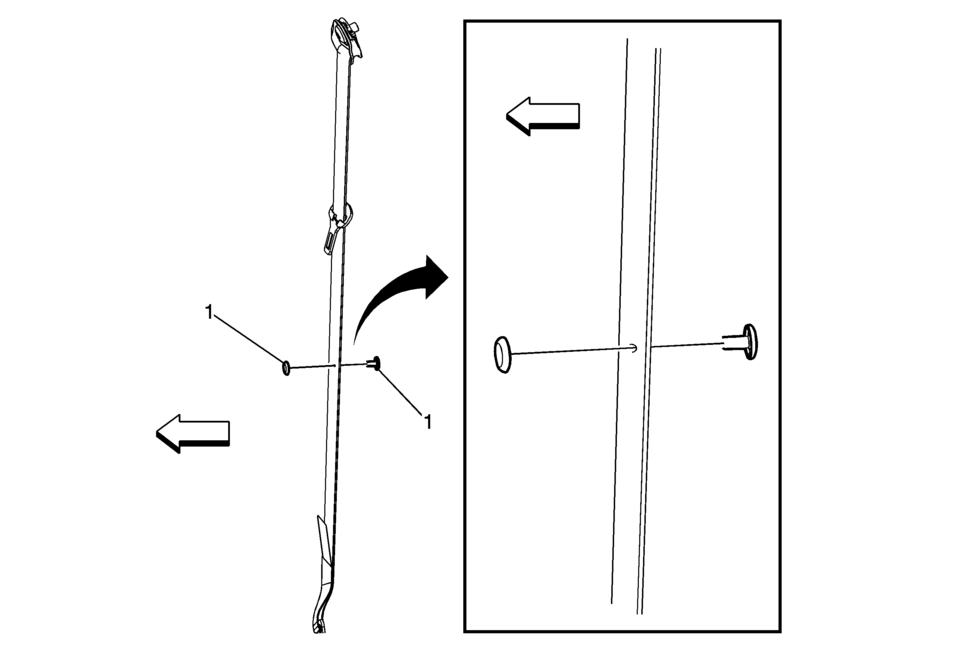
|
Callout |
Component Name |
|---|---|
Preliminary Procedure
|
|
|
1 |
Seat Belt Stop Button Procedure
Tip: Ensure the male half of the stop button is facing forward in the vehicle in order to ensure the stop button will not snag customers clothing. |
 Instrument Panel Upper Compartment Door Latch Replacement
Instrument Panel Upper Compartment Door Latch Replacement
Callout
Component Name
1
Instrument Panel Upper Compartment Do ...
 Hood Assembly
...
Other materials:
Water Inlet Replacement (LUV)
Removal Procedure
Drain the cooling system. Refer to Cooling System Draining and Filling.
Remove the air cleaner outlet duct. Refer to Air Cleaner Outlet Duct
Replacement.
Remove the engine coolant temperature sensor connector (1) and the radiator
ou ...
Drive Belt Removal
Special Tools
EN-955 Locking Pins
EN-48488 Holding Wrench
For equivalent regional tools, refer to Special Tools.
Install EN-48488 wrench (1) to the drive belt tensioner.
Note: The drive belt tensioner must always be in a pre-tensioned
state.
Move the dri ...
Wireless charger
Lid
Charging pad
The Nissan Armada wireless charger is conveniently located beneath a lid in the
center console. Press the lid to open it, then place your smartphone on the charging
pad with the screen facing upward.
Once positioned correctly, the Nissan Armada wireless charging sys ...

0.0102