
Chevrolet Sonic Repair Manual: Battery Positive Cable Replacement
- Removal Procedure
-
- Disconnect the negative battery cable. Refer to Battery Negative Cable Disconnection and Connection.
- Remove the underhood fuse block cover.
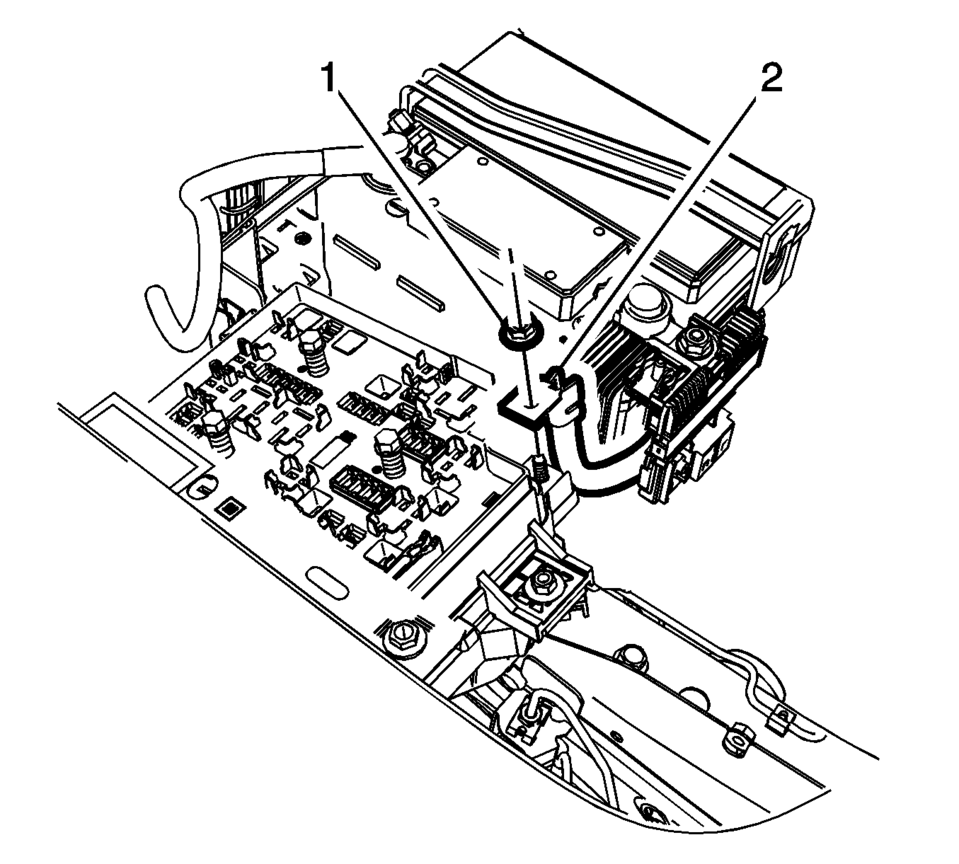
- Remove the battery positive nut (1) and the battery positive cable (2), from the underhood fuse block.
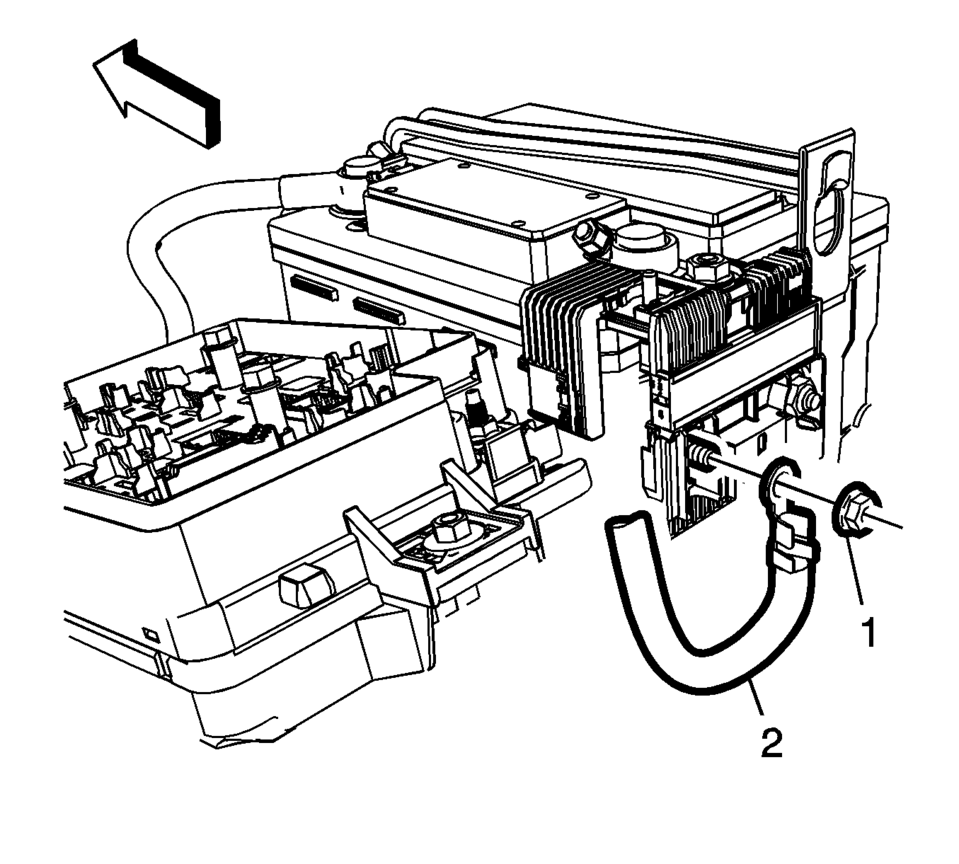
- Remove the battery positive cable nut (1) from the battery positive cable junction block.
- Remove the battery positive cable (2) from the vehicle.
- Installation Procedure
-
- Install the battery positive cable (2) to the battery positive cable
junction block and tighten nut (1) to 7 Y (62 lb in)
.
- Install the battery positive cable (2) to the underhood fuse block and
tighten nut (1) to 7 Y (62 lb in)
.
- Install the underhood fuse block cover.
- Connect the negative battery cable. Refer to Battery Negative Cable Disconnection and Connection.
Caution:
Refer to Fastener Caution.
- Install the battery positive cable (2) to the battery positive cable
junction block and tighten nut (1) to 7 Y (62 lb in)
 Battery Negative Cable Replacement
Battery Negative Cable Replacement
Callout
Component Name
Preliminary Procedures
Disconnect the battery current sensor connector.
...
 Battery Positive and Negative Cable Replacement
Removal Procedure
Disconnect the negative battery cable. Refer to Battery Negative Cable
Disconnection and Connection.
Remove the fuse block and battery positive cable cover.
...
Other materials:
Communication Interface Module Battery Replacement
Communication Interface Module Battery Replacement
Callout
Component Name
Preliminary Procedure
Remove the instrument panel lower compartment. Refer to
Instrument Panel Lower Compartment Replacement
1
...
Tire Dismounting and Mounting (Lubricant)
Important:
Lubricant should be applied to form a thin, just visible layer,
on the bead foot and bead outer areas. There should not be any visible
clumps of lubricant.
Never use soap or any lubricant net specifically designed for tire
assembly.
Lubricant ...
Mode Control Cam Replacement
\/
Mode Control Cam Replacement
Callout
Component Name
Preliminary Procedures
Remove the heater and air conditioning control. . Refer to Heater
and Air Conditioning Control Replacement
Remove the instrument panel lower tri ...

0.0059