
Chevrolet Sonic Repair Manual: Crankshaft and Bearing Installation
Special Tools
EN-45059 Torque Angle Sensor Kit
For equivalent regional tools, refer to Special Tools
- Install the crankshaft bearing clips, oil bearing clips.
- Install the crankshaft.
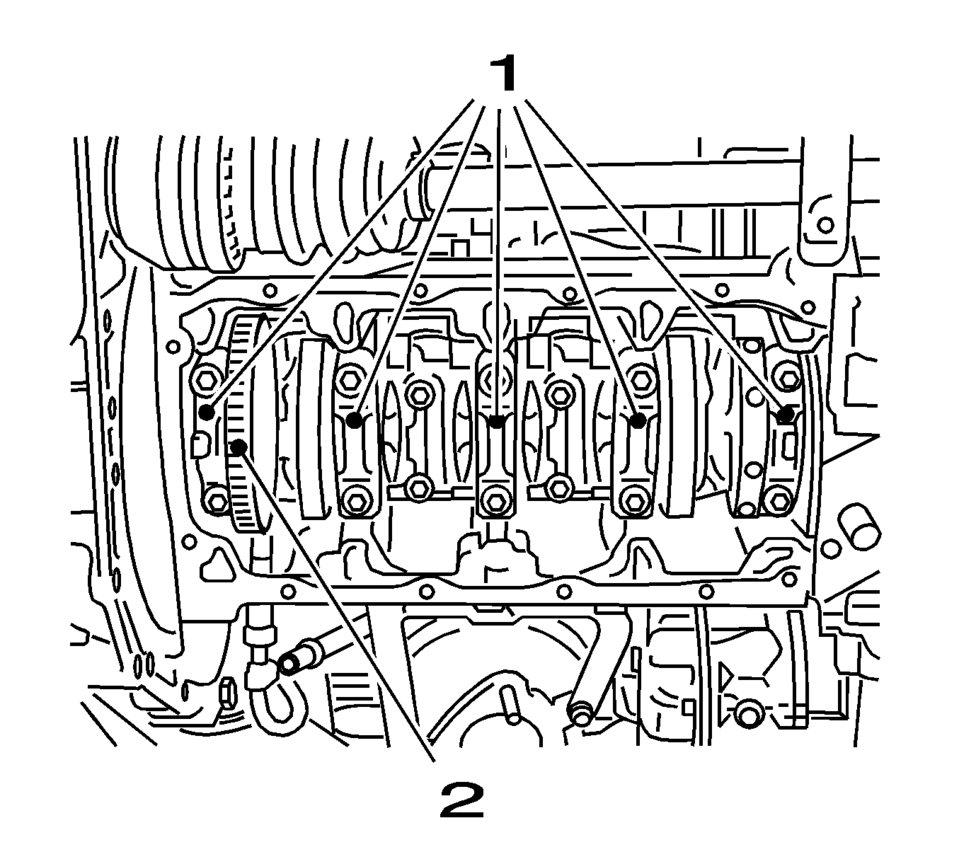
- Install the crankshaft bearing caps 1-4.
Note:
Inspect the installation position.
Note:
Inspect the installation position.
- Oil bearing clips.
- Install the 8 NEW crankshaft bearing cap bolts.
Note:
Inspect the installation position.
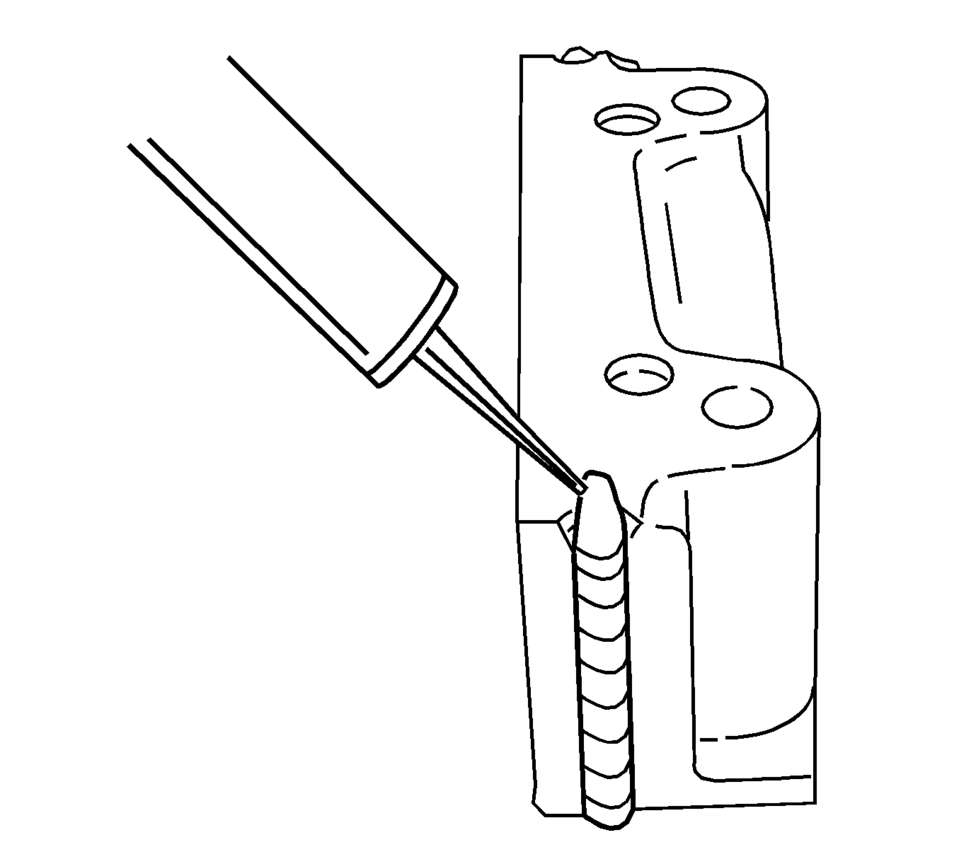
- Apply black adhesive sealing compound to the grooves of the rear crankshaft bearing cap.
- Install the 2 NEW crankshaft bearing cap bolts.
Caution:
Refer to Fastener Caution.
Caution:
Refer to Torque-to-Yield Fastener Caution.
- First pass to 50 Y (37 lb ft)
- Second pass to 45°
- Third pass to 15°
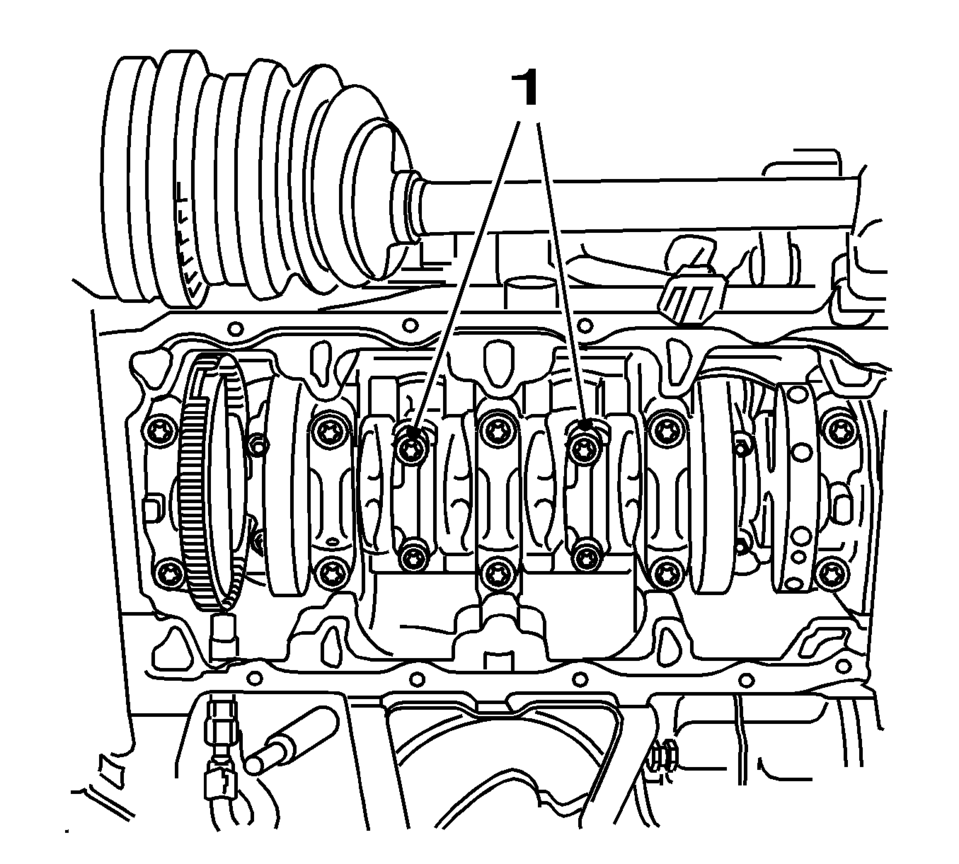
Note:
Inspect the installation position.
- First pass to 35 Y (26 lb ft)
- Second pass to 45°
- Third pass to 15°
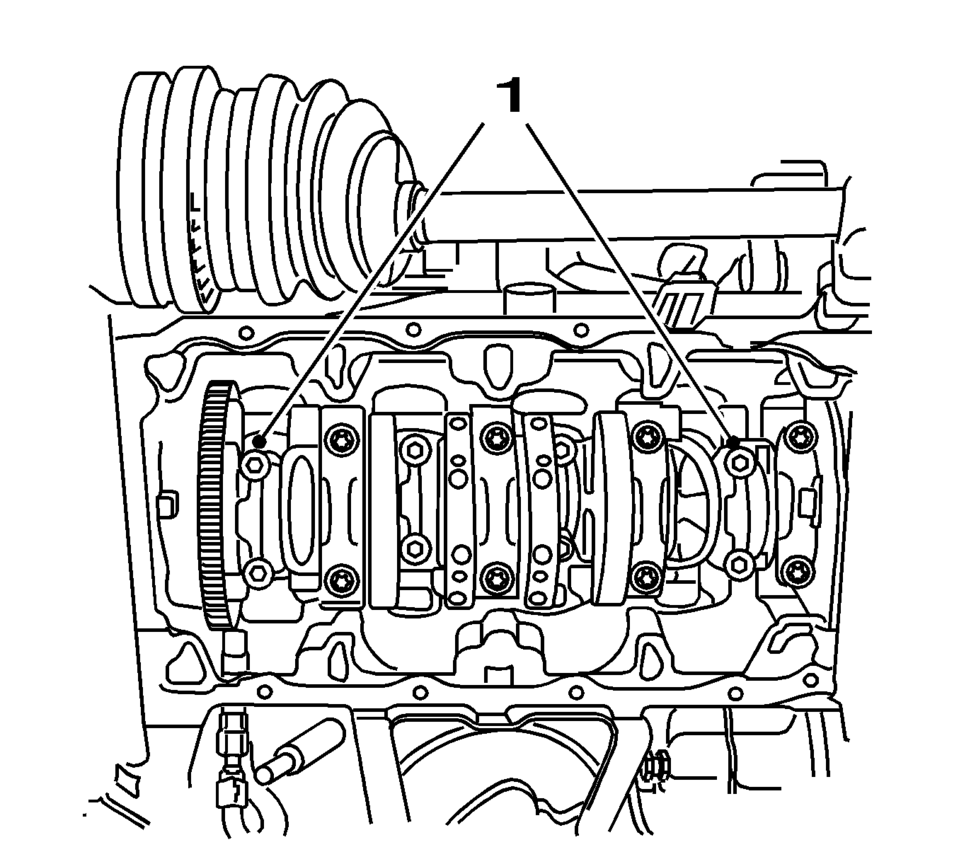
.
Note:
Inspect the installation position.
- First pass to 35 Y (26 lb ft)
- Second pass to 45°
- Third pass to 15°
 Crankshaft and Bearing Cleaning and Inspection
Special Tools
EN-45059 Torque Angle Sensor Kit
GE-571-B Dial Gauge
For equivalent regional tools, refer to Special Tools.
Crankshaft End Play, Check
Note: Cranksha ...
 Crankshaft and Bearing Removal
Identify all the connecting rod bearing caps (1).
Remove the 4 bolts.
Remove the connecting rod bearing caps 1 and 4 (1).
Turn the crankshaft through 180 ...
Other materials:
Front Bumper Impact Bar Replacement
Removal Procedure
Warning: Refer to Approved Equipment for Collision Repair
Warning.
Disable the SIR system. Refer to SIR Disabling and Enabling.
Disconnect the negative battery cable. Refer to Battery Negative Cable
Disconnection and Connection.
Remove all ...
Tire and Wheel Assembly Runout Measurement - On-Vehicle
Raise and support the vehicle.
Closely inspect each tire for proper and even bead seating.
If any of the tire beads were not properly or evenly seated, reseat the
tire bead, then proceed to step 4. Refer to Tire and Wheel Removal and Installation.
Wrap the circumferenc ...
Manual Transmission Shift Lever and Selector Lever Cable Adjustment
Remove the floor console. Refer to
Front Floor Console Replacement.
Lift upward and disengage (do not remove) both cable lock
adjusters (1) to release the internal cable assembly, one for each side.
Block the shift control housing, push the selector lever ( ...

0.0057