
Chevrolet Sonic Repair Manual: Front Brake Caliper Overhaul
- Disassembly Procedure
-
Warning:
Refer to Brake Dust Warning.
Warning:
Refer to Brake Fluid Irritant Warning.
- Remove the brake caliper from the vehicle. Refer to Front Brake Caliper Replacement.
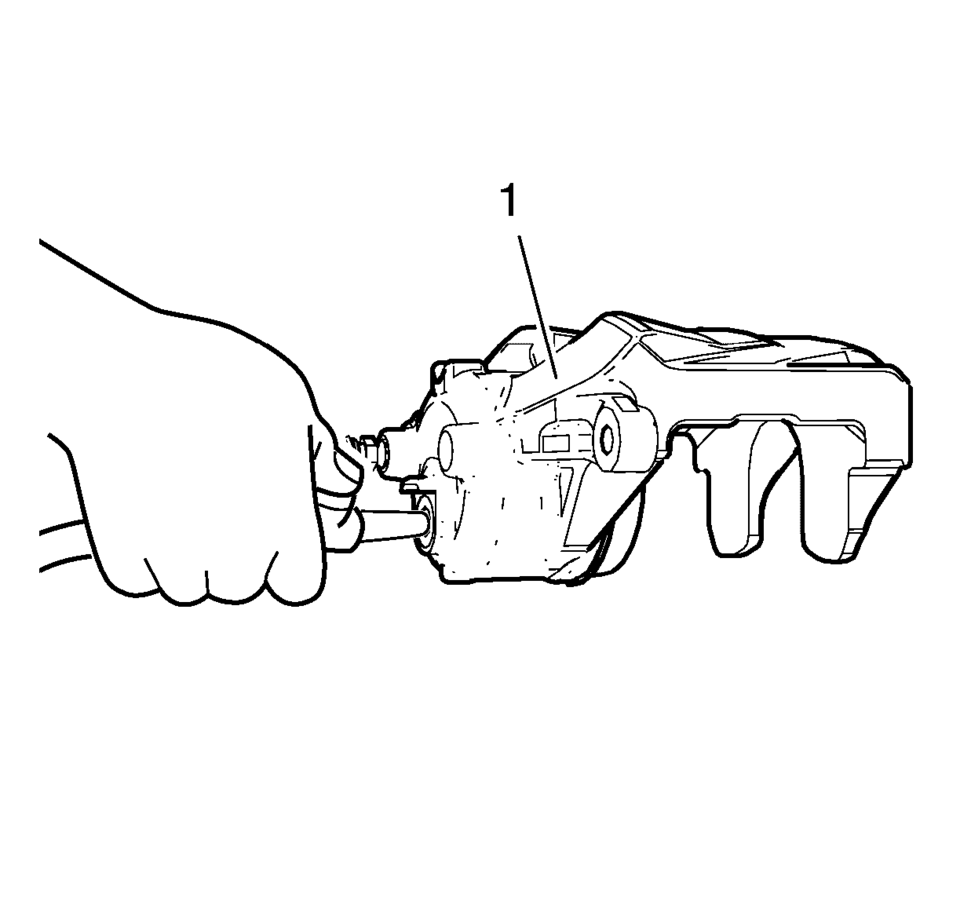
- Remove the brake caliper piston from the caliper bore by directing low
pressure compressed air into the caliper (1) through the fluid inlet hole.
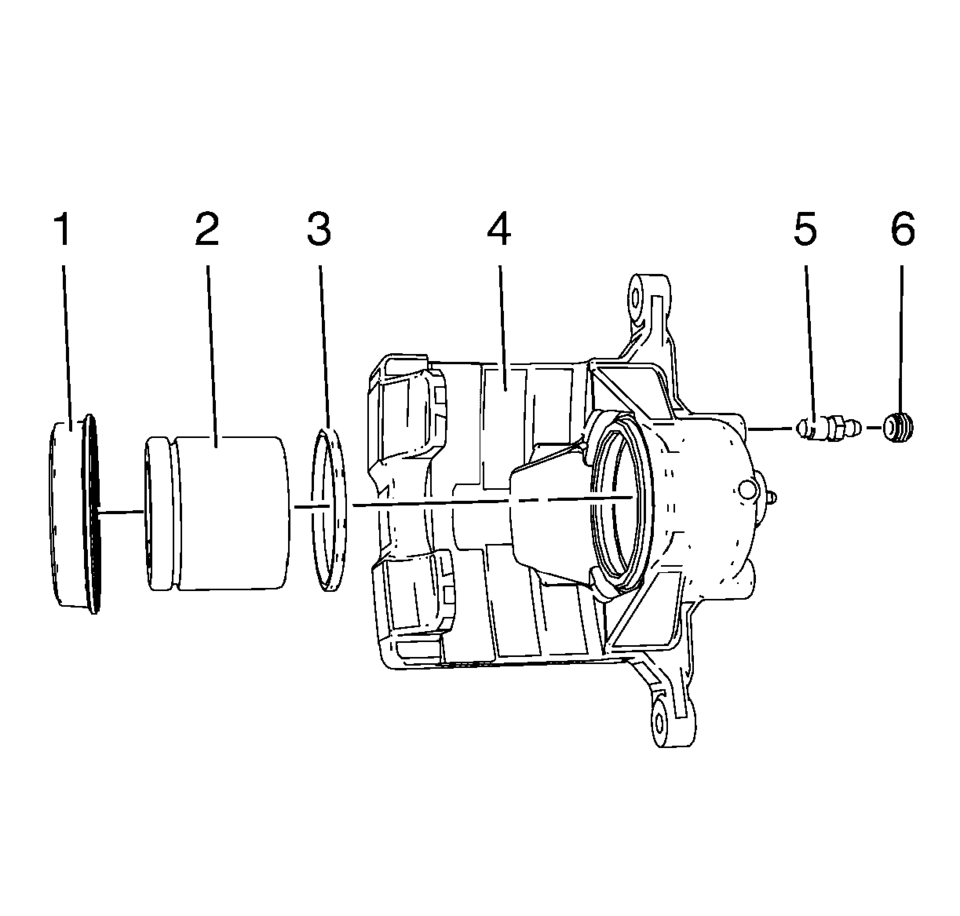
- Remove the piston dust boot seal (1) from the seal counterbore in the caliper (4). Discard the boot seal.
- Using a small wooden or plastic tool, remove the piston seal (3) from the caliper bore. Discard the piston seal.
- Remove the bleeder valve cap (6).
- Remove the bleeder valve (5).
- If cracks, scoring, pitting, excessive rust, and/or excessive corrosion are present in the caliper bore, replace the caliper assembly.
- If light rust or light corrosion are present in the caliper bore, attempt to remove the imperfection with a fine emery paper. If the imperfection cannot be removed, replace the caliper assembly.
- Clean the brake caliper piston bore and seal counterbore, and the caliper piston with denatured alcohol, or equivalent.
- Dry the caliper piston bore and counterbore, and the piston with non-lubricated, filtered, compressed air.
- Inspect the caliper piston for cracks, scoring, and/or damage to the plating. Replace the caliper piston if any of these conditions exist.
- Inspect the caliper mounting holes for cracks, scoring, pitting, rust and/or excessive corrosion. Replace the caliper assembly if any of these conditions exist.
Warning:
Do not place fingers in front of the caliper piston(s) in an attempt to catch or protect it when applying compressed air. The piston(s) can fly out with force and could result in serious bodily injury.
Caution:
Use clean cloths to pad interior of caliper housing during piston removal. Use just enough air to ease the pistons out of the bores. If the pistons are blown out, even with the padding provided, it may be damaged.
Note:
Do not use abrasives to clean the brake caliper piston.
- Assembly Procedure
-
- Lubricate the new piston seal (3) with brake fluid from a clean, sealed brake fluid container.
- Install the lubricated, new piston seal into the caliper bore.
- Apply a thin coat of brake fluid from a clean, sealed brake fluid container.
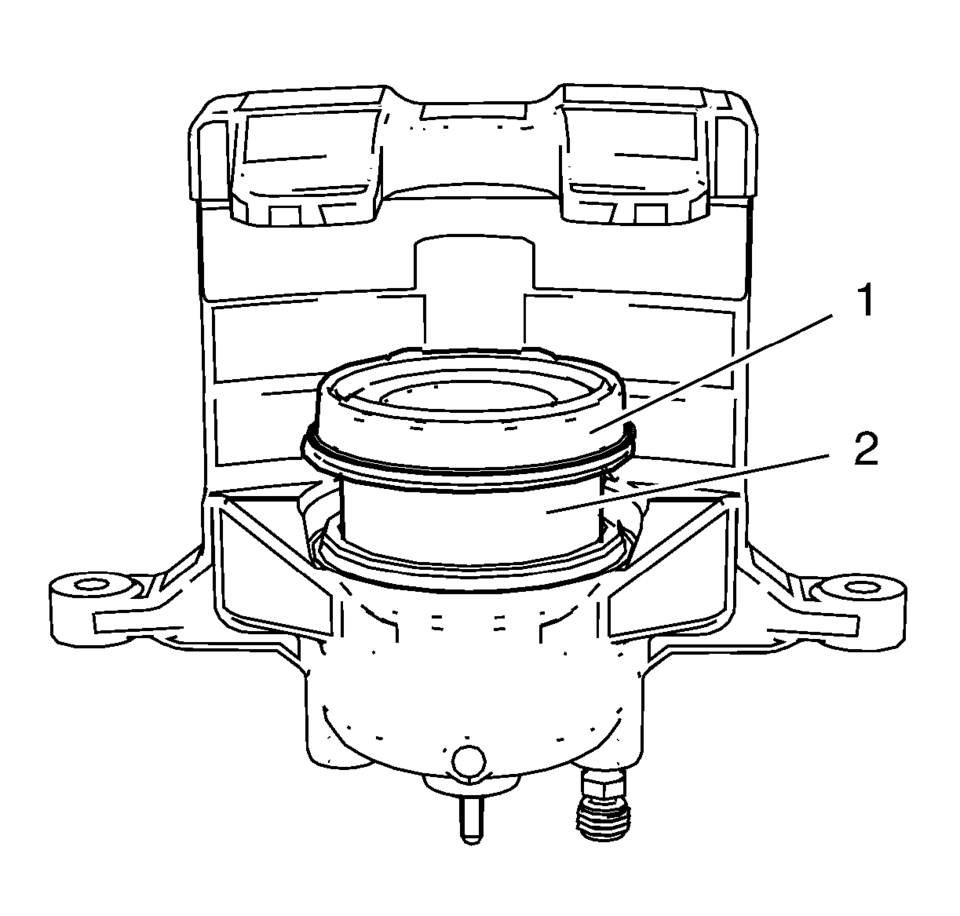
- Install the new piston dust boot seal (1) over the caliper piston (2).
- Install the bottom half of the caliper piston into the caliper bore.
- Compress the caliper piston to the bottom of the caliper bore.
- Fully seat the piston dust boot seal into caliper counterbore.
- Install the bleeder valve to the caliper.
Caution:
Refer to Fastener Caution.
- J93, J94: Tighten the valve to 17 Y (13 lb ft)
- JPW, J97: Tighten the valve to 9 Y (80 lb in)
- Install the bleeder valve cap.
- Install the brake caliper to the vehicle. Refer to Front Brake Caliper Replacement.
 Front Brake Caliper Bracket Replacement
Removal Procedure
Warning: Refer to Brake Dust Warning.
Raise and support the vehicle. Refer to Lifting and Jacking the Vehicle.
Remove the tire and wheel assembly. Refer ...
 Front Brake Caliper Replacement
Removal Procedure
Warning: Refer to Brake Dust Warning.
Warning: Refer to Brake Fluid Irritant Warning.
Raise and support the vehicle. Refer to Lifting and Jacking the ...
Other materials:
Automatic Transmission Control Indicator Opening Cover Replacement
Automatic Transmission Control Indicator Opening Cover Replacement
Callout
Component Name
Preliminary Procedure
Remove the front floor console cover. Refer to Front Floor Console Cover
Replacement.
1
...
Exhaust Manifold Heat Shield Replacement (LUW)
Catalytic Converter Heat Shield Replacement
Callout
Component Name
Warning: Refer to Exhaust Service Warning.
Preliminary Procedures
Disconnect the negative battery cable. Refer to Battery Negative
Cable Disco ...
RAB system limitations
WARNING
The following limitations apply to the Rear Automatic Braking (RAB) system
in the Nissan Armada. Failure to fully understand and follow these limitations may
result in serious injury or even fatal accidents.
When the Nissan Armada approaches an obstacle while the accelerator or
b ...

0.0072