
Chevrolet Sonic Repair Manual: Generator Replacement (LUW)
- Removal Procedure
-
- Disconnect the negative battery cable. Refer to Battery Negative Cable Disconnection and Connection.
- Raise and support the vehicle. Refer to Lifting and Jacking the Vehicle.
- Remove the drive belt. Refer to Drive Belt Replacement.
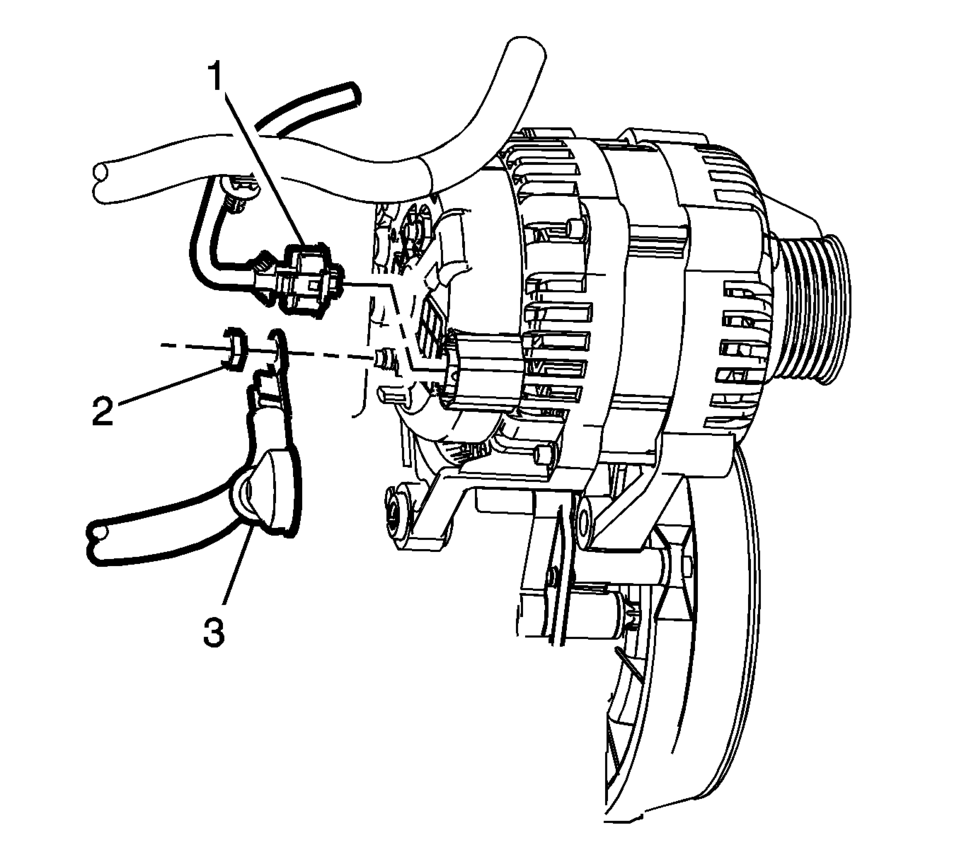
- Remove the engine harness connector (1) and the battery positive cable generator fastener (2).
- Remove the battery positive cable (3) from the back of the generator.
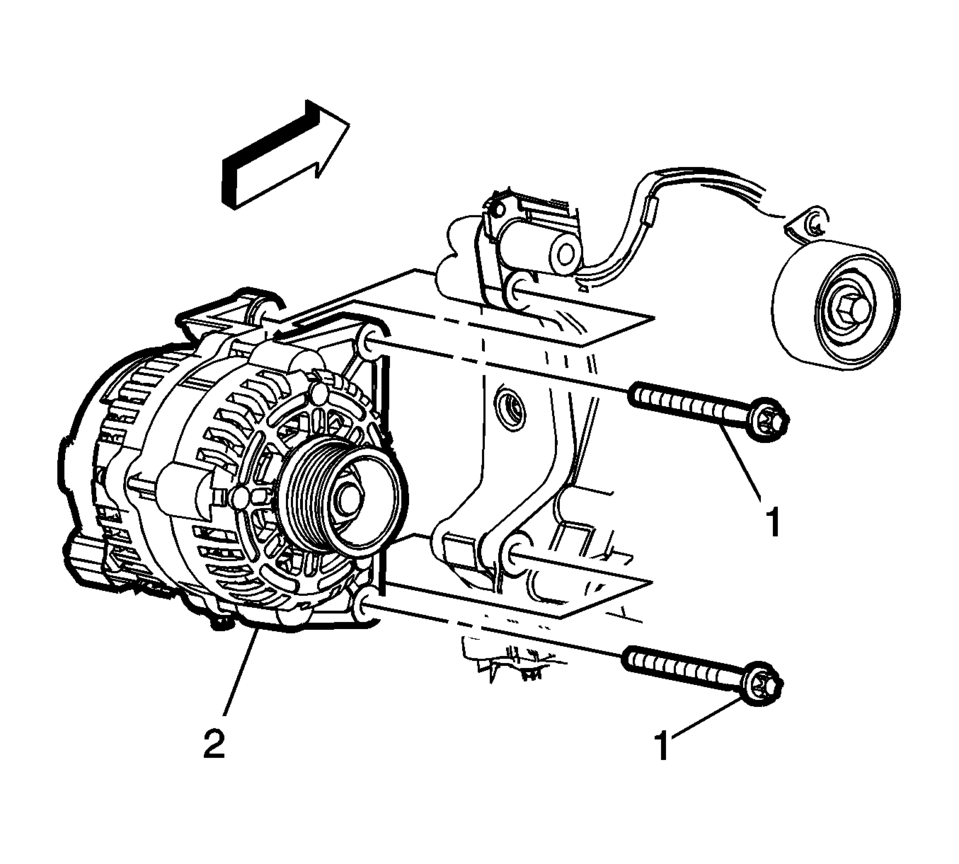
- Remove the generator mounting fasteners (1) and remove the generator (2) from the engine.
- Installation Procedure
-
- Install the generator (2) with the mounting fasteners (1) and tighten
to 35 Y (26 lb ft)
.
- Install the battery positive cable (3) and the engine harness connector (1)
to the back of the generator. Tighten fastener (2) to 9 Y (80 lb in)
.
- Install the drive belt. Refer to Drive Belt Replacement.
- Connect the negative battery cable. Refer to Battery Negative Cable Disconnection and Connection.
Caution:
Refer to Fastener Caution.
- Install the generator (2) with the mounting fasteners (1) and tighten
to 35 Y (26 lb ft)
 Generator Replacement (LUV)
Removal Procedure
Disconnect the negative battery cable. Refer to Battery Negative Cable
Disconnection and Connection.
Raise and support the vehicle. Refer to Lifting and Jacking ...

Other materials:
Forward Collision Alert (FCA) System
For vehicles with this feature, read the following section before using it.
The Forward Collision Alert (FCA) system may help to avoid or reduce the harm
caused by front-end crashes. FCA provides a flashing red visual alert and beeps
when approaching a vehicle directly ahead too quickly. FCA al ...
Rear End Panel Replacement
Removal Procedure
Warning: Refer to Approved Equipment for Collision Repair
Warning.
Warning: Refer to Glass and Sheet Metal Handling Warning.
Note: The rear end lower panel reinforcement extension is
made of Ultra High Strength Dual Phase St ...
Tire Inspection
We recommend that the tires, including the spare tire, if the vehicle has
one, be inspected for signs of wear or damage at least once a month.
Replace the tire if:
The indicators at three or more places around the tire can be seen.
There is cord or fabric showing through the tire's ...

0.0055