
Chevrolet Sonic Repair Manual: Intake Air Pressure and Temperature Sensor Replacement
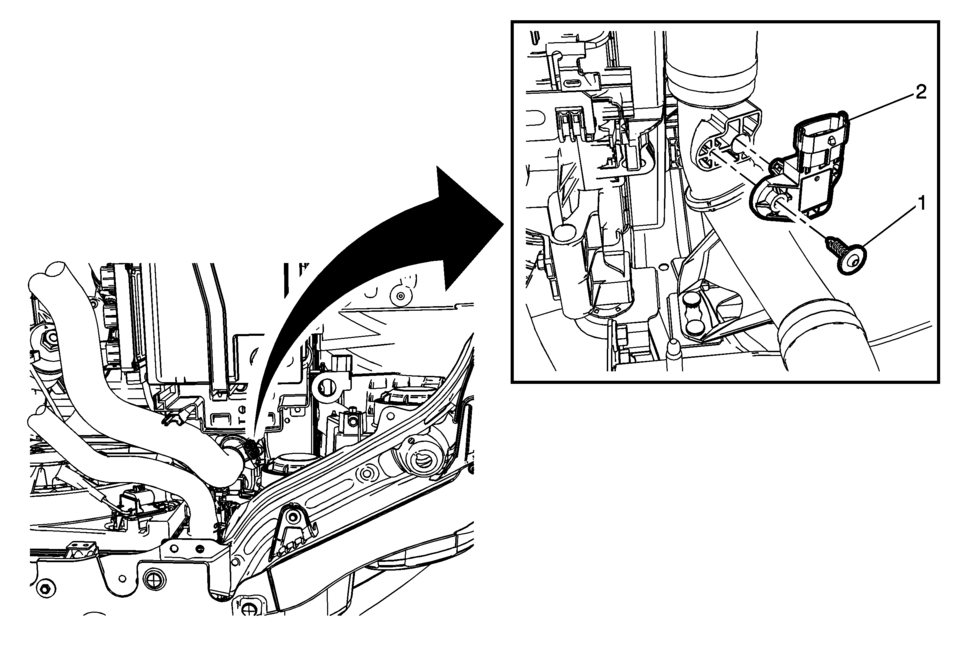
|
Callout |
Component Name |
|---|---|
|
Preliminary Procedure
Remove the left front wheelhouse liner. Refer to Front Wheelhouse Liner Replacement. |
|
|
1 |
Intake Air Temperature and Pressure Sensor Fasteners (Qty 2) Caution: Refer to Fastener Caution. |
|
2 |
Intake Air Temperature and Pressure Sensor Procedure
Disconnect the electrical connector. |
 Charge Air Bypass Regulator Solenoid Valve Replacement
Charge Air Bypass Regulator Solenoid Valve Replacement
Callout
Component Name
1
Charge Air Bypass Regulator Solenoid Val ...

Other materials:
Rear Side Door Trim Replacement (Hatchback)
Rear Side Door Trim Replacement
Callout
Component Name
Preliminary Procedure
Remove the rear side door upper rear trim panel. Refer to Rear Side Door
Upper Rear Trim Panel Replacement.
1
Rear Si ...
Engine Block Disassemble
Remove the cylinder head locating (1, 2).
Remove the oil pressure switch (1).
Remove the knock sensor bolt (2) and the knock sensor (1).
Clean the thread.
Remove the oil flow check valve (1).
Remove the oil pressure rel ...
Electronic Ignition System Description
Electronic Ignition System Operation
The electronic ignition system produces and controls the high energy secondary
spark. This spark ignites the compressed air/fuel mixture at precisely the correct
time, providing optimal performance, fuel economy, and control of exhaust emissions.
...

0.0068