
Chevrolet Sonic Repair Manual: Parking Brake Indicator Switch Replacement
- Removal Procedure
-
- Remove the front floor console. Refer to Front Floor Console Replacement.
- Ensure that the park brake lever is in the fully released position.
- Disconnect the electrical connector from the park brake warning indicator switch.
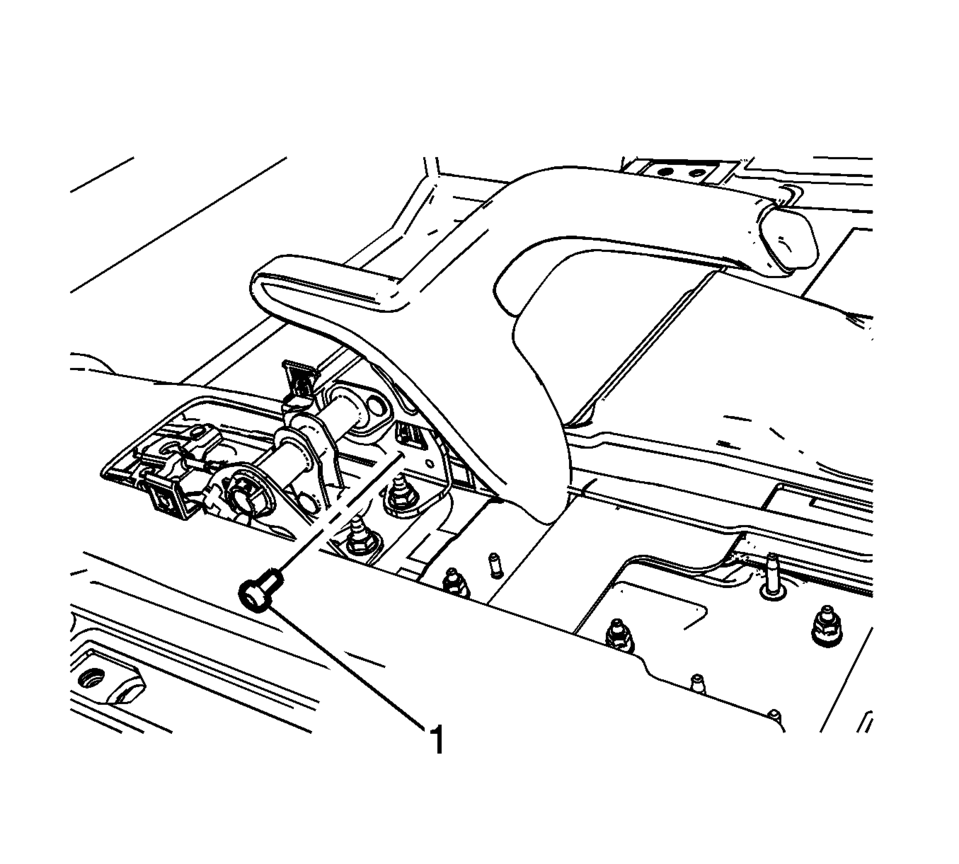
- Remove the parking brake indicator switch bolt (1).
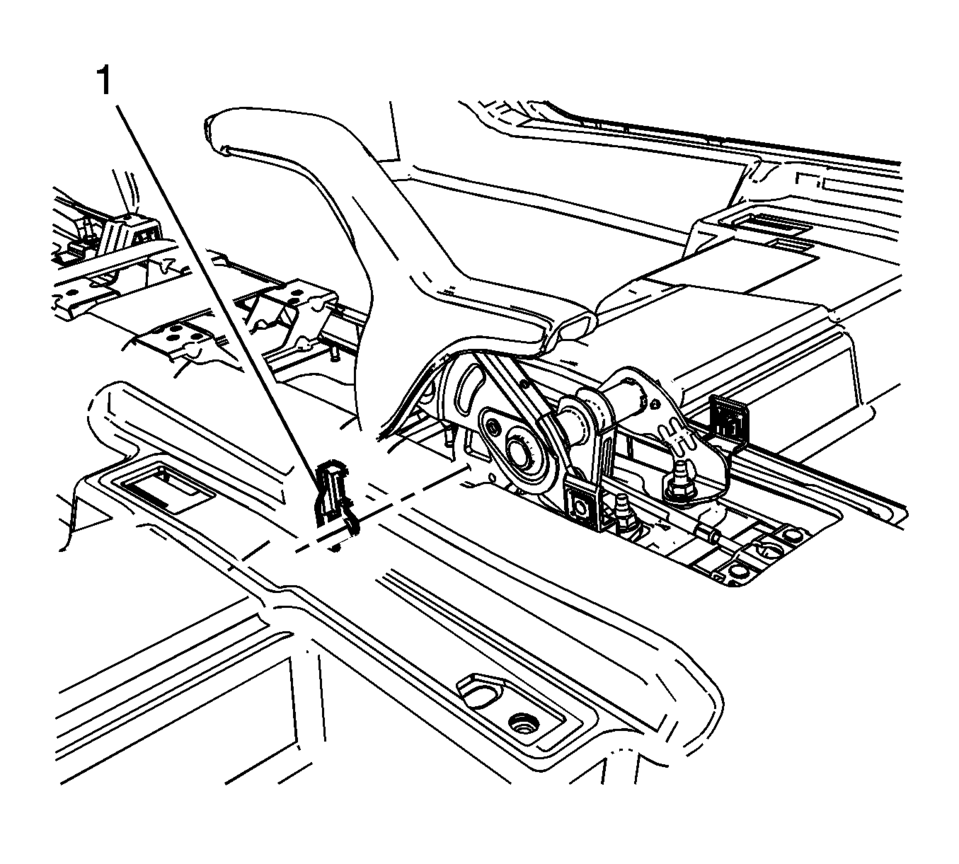
- Remove the parking brake indicator switch (1).
- Installation Procedure
-
- Install the parking brake indicator switch (1).
- Install the parking brake indicator switch bolt (1) and tighten to
2 Y (18 lb in)
.
- Connect the electrical connector to the park brake warning lamp switch.
- Install the front floor console. Refer to Front Floor Console Replacement.
Caution:
Refer to Fastener Caution.
 Parking Brake Adjustment (Drum Brake)
Note: The park brake cable adjusting nut is a nylon lock type. Use
ONLY HAND TOOLS whenever tightening or loosening the adjusting nut.
Apply and fully release the park brake several times ...
 Parking Brake Lever Replacement
Removal Procedure
Remove the front floor console. Refer to Front Floor Console Replacement.
Ensure that the park brake lever is in the fully released position.
Disconnect th ...
Other materials:
Rear Window Panel Trim Replacement
Rear Window Panel Trim Replacement
Callout
Component Name
Preliminary Procedures
Remove the body lock pillar upper trim panel. Refer to Body Lock
Pillar Upper Trim Panel Replacement.
Remove the body rear seat back trim pa ...
Intake Manifold Removal
Note: Intake manifold bolts remain in intake manifold screw bores.
Remove the 6 intake manifold bolts (1).
Remove the intake manifold (1) along with the intake manifold gasket.
...
Manual Transmission Shift Lever and Selector Lever Cable Adjustment
Remove the floor console. Refer to
Front Floor Console Replacement.
Lift upward and disengage (do not remove) both cable lock
adjusters (1) to release the internal cable assembly, one for each side.
Block the shift control housing, push the selector lever ( ...

0.0072