
Chevrolet Sonic Repair Manual: Rear Seat Back Cushion Cover and Pad Replacement (AMA 60% w/Split Back)
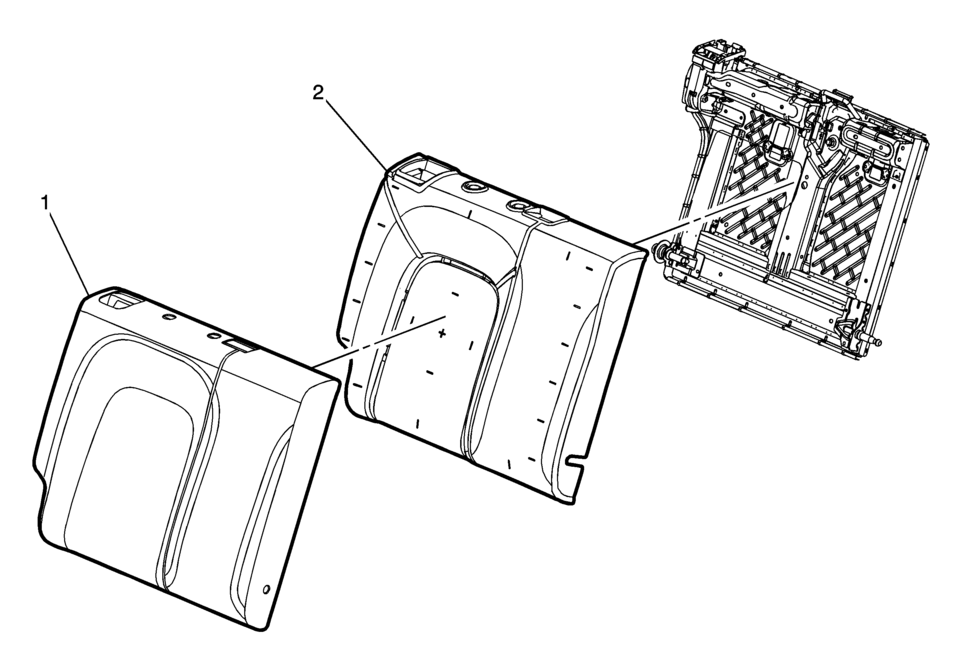
|
Callout |
Component Name |
|---|---|
Preliminary Procedure
|
|
|
1 |
Rear Seat Back Cushion Cover Procedure
Note: When installing the rear seat back cushion cover, pull the cover tightly in all corners to ensure that no creasing occurs. |
|
2 |
Rear Seat Back Cushion Pad |
 Rear Seat Back Bolster Replacement
Rear Seat Back Bolster Replacement
Callout
Component Name
Preliminary Procedures
Disable the SIR system. Refer to SIR Disabling ...
 Rear Seat Back Cushion Hinge Replacement
Rear Seat Back Cushion Hinge Replacement
Callout
Component Name
Preliminary Procedure
Remove the rear seat cushion. Refer to Rear S ...
Other materials:
Floor Rear Air Outlet Duct Replacement - Left Side
Floor Rear Air Outlet Duct Replacement - Left Side
Callout
Component Name
Preliminary Procedure
Remove the floor panel carpet . Refer to Floor Panel Carpet Replacement.
1
Floor Rear Air Outlet Du ...
Rear Side Door Adjustment (4 Door Notch Back 69)
Rear Side Door Adjustment
Callout
Component Name
1
Rear Side Door
Caution: Refer to Fastener Caution.
Procedure
Loosen the rear door hinge bolt?€‰(Qty:?€‰4) to adjust the rear
door.
A ...
Forward-facing child restraint installation using the seat belts
WARNING
When installing a forward-facing child restraint in the Nissan Armada,
the three-point seat belt must be placed into Automatic Locking Retractor (ALR)
mode.
If ALR mode is not activated, the child restraint may not be securely
fastened. This can cause the seat to shift or t ...

0.0096