
Chevrolet Sonic Repair Manual: Wheel Stud Replacement
Special Tools
CH 43631 Ball Joint Separator
For equivalent regional tools, refer to Special Tools.
- Removal Procedure
-
- Raise and support the vehicle. Refer to Lifting and Jacking the Vehicle.
- Remove the tire and wheel assembly. Refer to Tire and Wheel Removal and Installation.
- Without disconnecting the hydraulic brake flex hose, remove and support the brake caliper and bracket as an assembly. Refer to Front Brake Rotor Replacement.
- Remove the front wheel hub. Refer to Front Wheel Bearing and Hub Replacement.
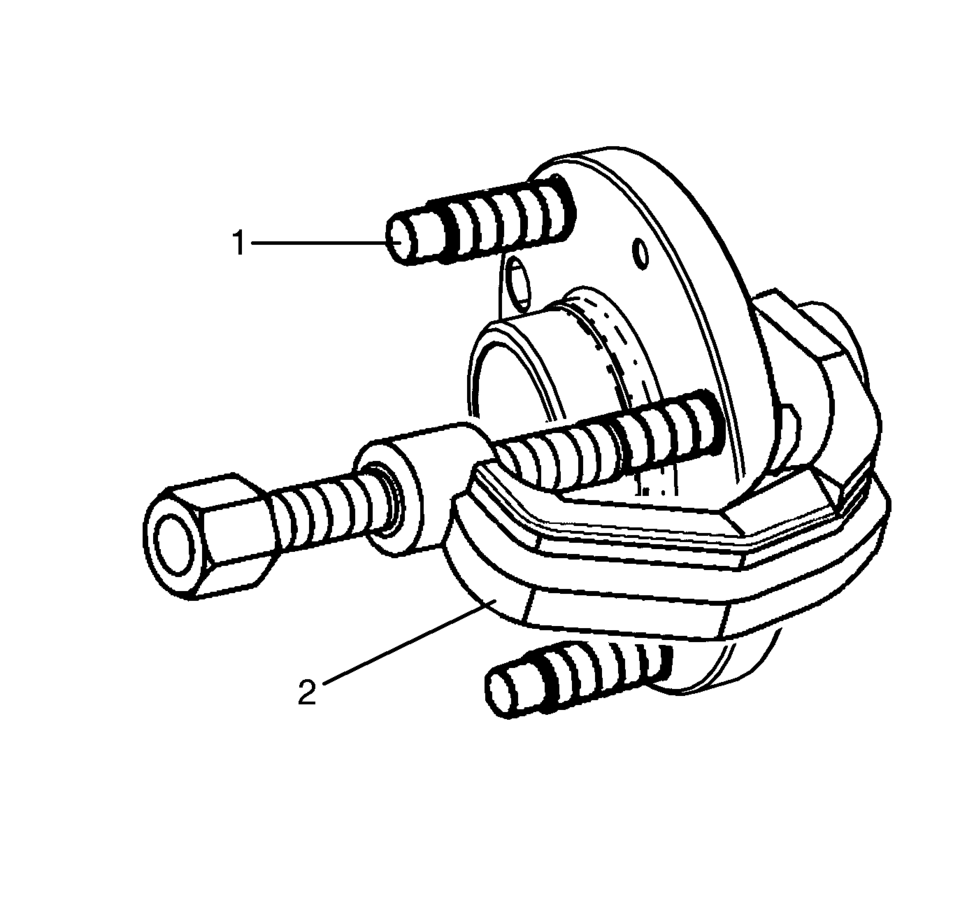
- Using the CH 43631 separator (2), remove the wheel stud (1) from the wheel bearing and hub.
- Installation Procedure
-
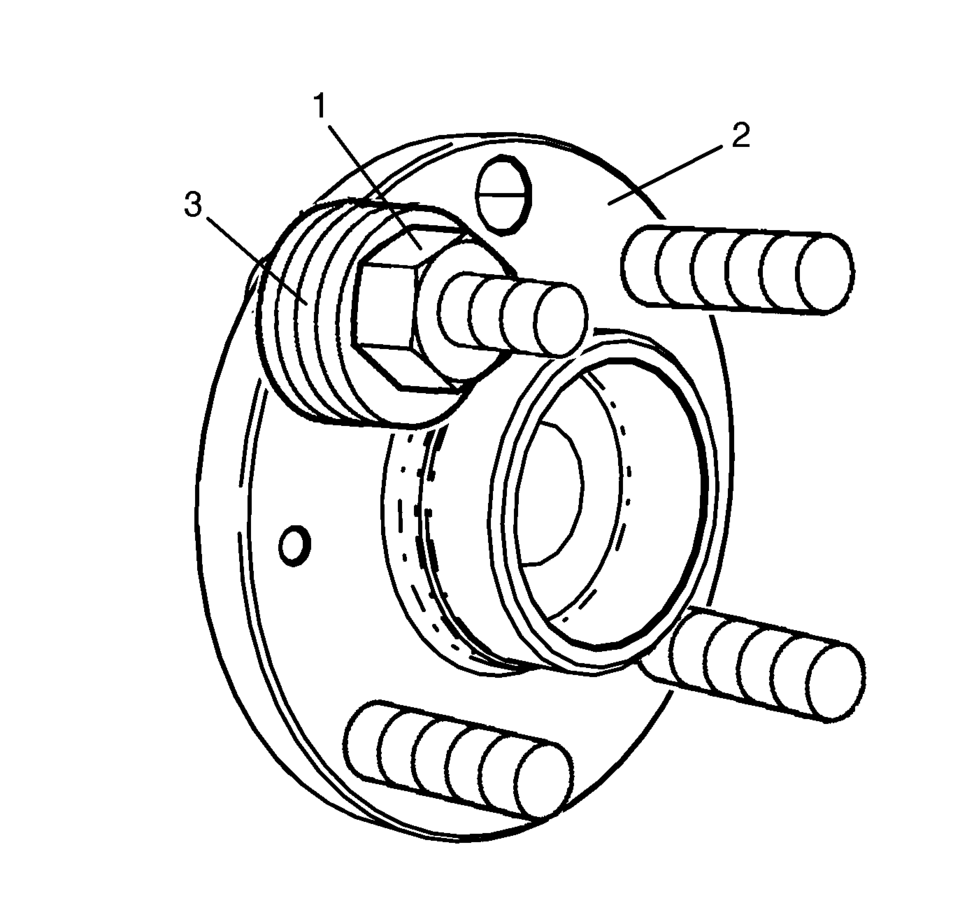
- Install a NEW wheel stud to the wheel hub flange (2).
- Position three washers (3) and an old lug nut (1) on the stud to be replaced.
- Position the pry bar to hold the wheel bearing flange while tightening the wheel lug nut.
- Tighten the old lug nut (1) until the wheel stud is firmly seated in the wheel hub flange.
- Remove the washers (3) and the old lug nut (1) and the pry bar.
- Install the front wheel hub. Refer to Front Wheel Bearing and Hub Replacement.
- Install the front brake rotor. Refer to Front Brake Rotor Replacement.
- Install the tire and wheel assembly. Refer to Tire and Wheel Removal and Installation.
- Lower the vehicle.
 Wheel Replacement
Replace any wheel that is bent, cracked, or badly rusted or corroded. If wheel
nuts keep coming loose, the wheel, wheel bolts, and wheel nuts should be replaced.
If the wheel leaks air, replace it ...
 Electrical
...
Other materials:
Vehicle Load Limits
It is very important to know how much weight the vehicle can carry. This weight
is called the vehicle capacity weight and includes the weight of all occupants,
cargo, and all nonfactory-installed options. Two labels on the vehicle show how
much weight it may properly carry: the Tire and Loadin ...
Front Floor Console Cover Replacement (Manual Transmission)
Removal Procedure
Use a flat bladed plastic trim tool in order to release the retainers
securing the console cover?€‰(1) to the console assembly.
Reach under the console cover assembly?€‰(1) and release the retainer
tabs securing the transmission shif ...
Throttle Body Heater Inlet Pipe Replacement (LUW)
Throttle Body Heater Inlet Pipe Replacement
Callout
Component Name
Preliminary Procedure
Drain the cooling system. Refer to Cooling System
Draining and Filling.
1
Throttle Body Heater Inlet Pipe ...

0.0054